ADOBE AFTER EFFECTS 7.0
User Guide
391
Compound Blur effect
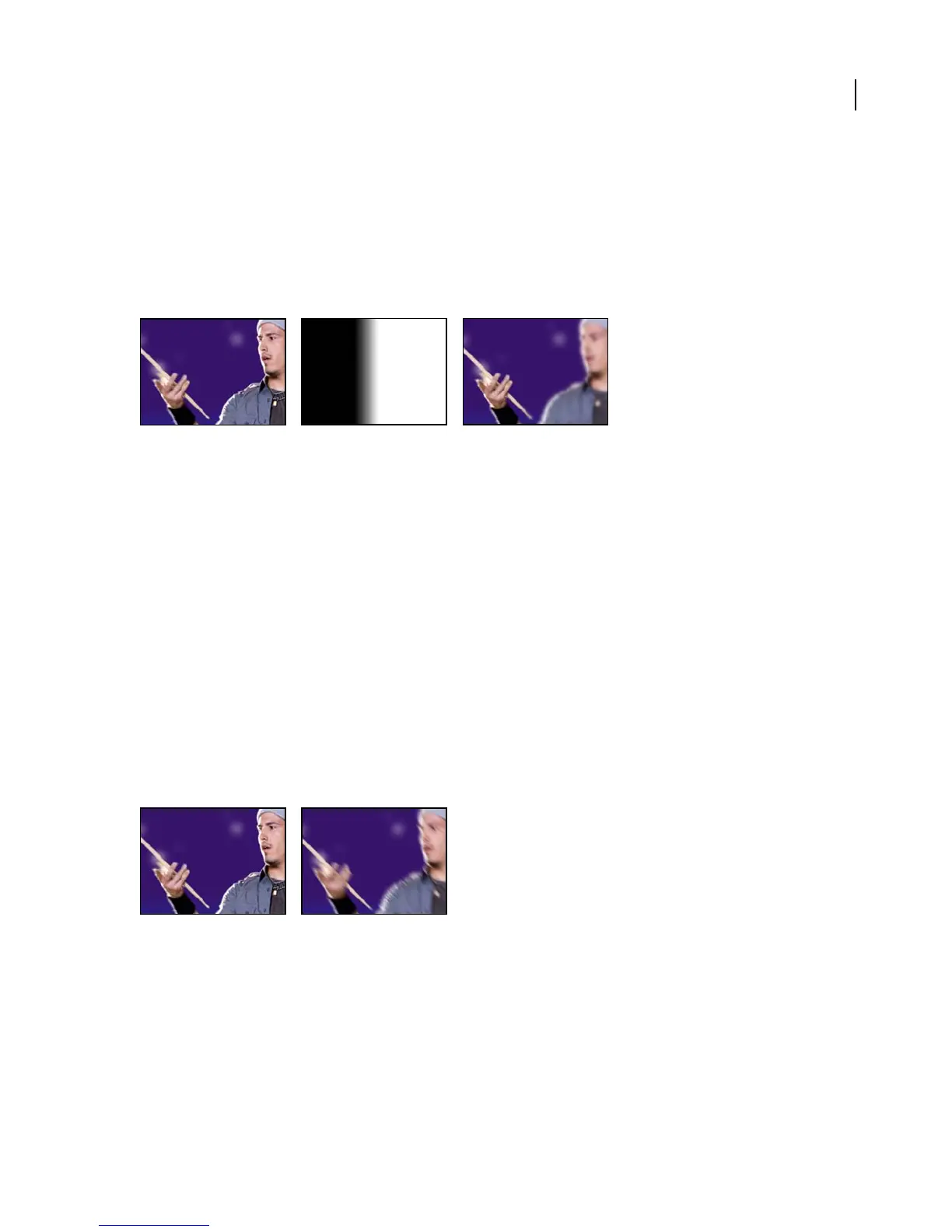
TheCompoundBlureffectblurspixelsintheselectedlayerbasedontheluminancevaluesofablurlayer,alsoknown
as a blurring map. The blur layer, which can be any layer that contains pixels of different luminance values, is overlaid
on top of the selected layer, and the pixels of both layers are matched, one to one. Bright values in the blur layer corre-
spond to more blurring of the affected layer, while dark values correspond to less blurring. The blur layer is used only
as a map; it is not visible in the composition.
This effect works with 8-bpc and 16-bpc color.
Original (left); blur layer (center); result (right)
Blur Layer specifies the layer in the composition to use as the blurring map. Maximum Blur specifies the maximum
amount, in pixels, that any part of the affected layer can be blurred. Stretch Map To Fit stretches the blur layer to the
dimensions of the layer to which it is applied; otherwise, the blur layer is centered on the affected layer. Invert Blur
inverts the values.
This effect is useful for simulating smudges and fingerprints, or changes in visibility caused by atmospheric condi-
tions such as smoke or heat, especially with animated blurring layers. Compound Blur is especially effective in
combination with other effects, such as Displacement Map.
Directional Blur effect
The Directional Blur effect gives a layer the illusion of motion. In previous versions of After Effects, this effect was
called Motion Blur. At Draft quality, the effect is a blur of the image in which each pixel is the unweighted average of
its adjacent pixels. At Best quality, the effect uses Gaussian weighting, producing a smoother, more graduated blur.
The Direction control specifies the direction of the blur. The blur is applied equally around a pixel’s center; therefore,
a setting of 180 degrees and a setting of 0 degrees look the same.
This effect works with 8-bpc, 16-bpc, and 32-bpc color.
Original (left); with effect applied (right)
Fast Blur effect
The Fast Blur effect blurs an image. Specify whether the blur is horizontal, vertical, or both. At Best quality, the Fast
Blur effect is a close approximation of a Gaussian Blur, but it blurs large areas more quickly. Select Repeat Edge Pixels
to blur the contents of the layer while keeping the edges of the layer sharp.
This effect works with 8-bpc, 16-bpc, and 32-bpc color.



 To Next Page