ADOBE AFTER EFFECTS 7.0
User Guide
460
Stroke effect
TheStrokeeffectcreatesastrokeorborderaroundamaskoralongaBezierpath.Youcanalsospecifystrokecolor,
opacity, and spacing, as well as brush characteristics. Specify whether the stroke appears on top of the image, on a
transparent image, or if it reveals the original alpha channel. To use a path created in Illustrator, copy the path and
paste it into a layer in After Effects.
This effect works with 8-bpc color.
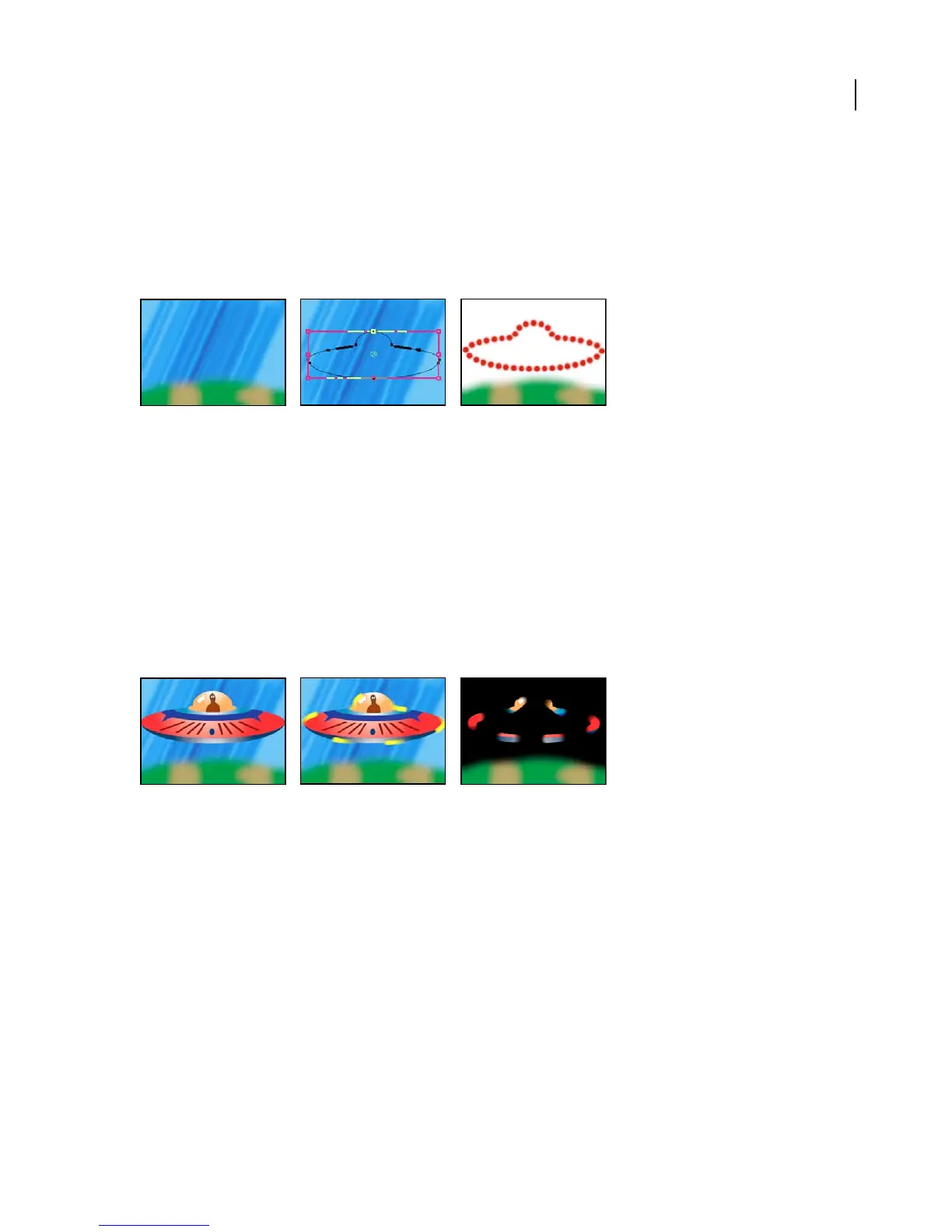
Original (left), with mask (center), and with Stroke applied (right)
Brush Hardness Specifies the edge quality of the stroke, between hard and soft.
Spacing Specifies the spacing between stroke segments.
Paint Style Specifies whether the stroke is applied to the original layer or to a transparent layer.
Vegas effect
The Vegas effect generates running lights and other path-based pulse animations around an object. You can outline
just about anything, surround it with a number of lights or longer pulses, and then animate it to create the effect of
lights chasing around the object.
This effect works with 8-bpc color.
Image contours of the spaceship are used to create animations on a transparent background (right).
Adjust the following controls for the Vegas effect:
Stroke Specifies what you want to use to create a stroke: Image Contours or Mask/Path.
Image Contours Specifies the area where the lights will appear. Vegas sets thresholds for the image and then creates
contours around the edges of the resulting shapes.
• Input Layer Specifies where the strokes appear. High-contrast, grayscale layers, and alpha channels work well and
are easy to work with.
• Invert Input Inverts the input layer prior to creating the stroke.
• If Layer Sizes Differ Determines how to adjust the layers if the size of the input layer differs from that of the layer
to which Vegas is applied. Center centers the input layer in the composition at its original size. Stretch To Fit scales
the input layer to match the layer to which Vegas is applied.
• Channel Specifies the channel or property of the input layer used to define the contours.



 To Next Page