ADOBE AFTER EFFECTS 7.0
User Guide
627
Rendering over a network
Network rendering with watch folders (Pro only)
The Adobe After Effects Professional Watch Folder feature speeds up the rendering process on a network. If you have
a full licensed copy of After Effects Professional, you can set it up to work with render-only versions of After Effects.
Yourlicenseentitlesyoutoinstallasmanycopiesoftherenderengineasyouwantonyournetwork,aslongasone
licensed copy of After Effects Professional is installed on that network.
You cannot use a watch folder and multiple render engines to render a single movie file. However, you can use
multiple render engines to render a sequence of individual still-image files.
When you have multiple render engines on multiple systems monitoring a watch folder, they cooperate to achieve
optimal efficiency. If your queued rendering items are set to Skip Existing Files (a Render Settings option), the render
engines all work on a single render item at once—no render engine renders any frame another render engine has
already worked on. If this option is not selected, each render engine handles a render item itself.
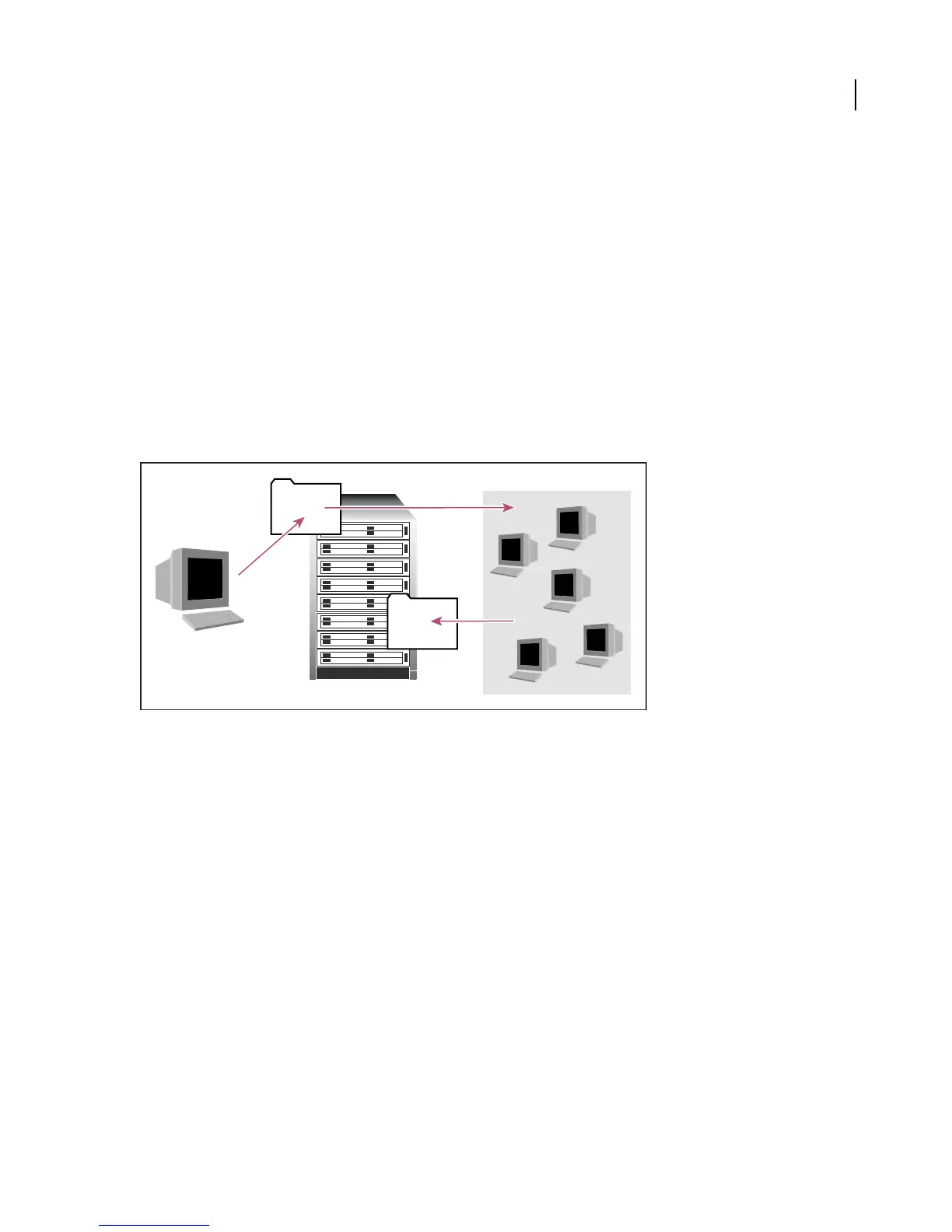
Computer with full version of After Effects Professional (A) saves a project and all source files to a folder (B) on a server. Computers with the
render engine installed (C) open the project and render a still-frame sequence to a designated output folder (D) on the server.
Network considerations
When working with multiple render engines on multiple systems, keep the following guidelines in mind:
• Each Windows computer monitoring the watch folder as a mapped network drive must map that drive using the
same drive letter. If this is a problem, make sure that the computer creating or collecting the project does not access
the volume being watched as a mapped drive letter. For example, connect to the volume as \\network\watch
instead of X:\watch.
• Each Macintosh computer monitoring the watch folder must have a unique name.
• Do not use the same computer to serve a watch folder and to run After Effects in Watch Folder mode. Use a
dedicated server that’s accessible to all render engines to serve your watch folder.
• Make sure that all servers and clients (computers monitoring the watch folder) have hard disks with unique names.
• DonotrendertoorinitiateWatchFoldermodeontherootofavolumeorasharedfolderthatappearsastheroot
when viewed from another computer. Specify a subfolder instead. Also, avoid using high-ASCII or other extended
characters and slashes in file names. For multiple-computer rendering, After Effects includes a “Multi-machine”
sample template that you can use as a starting point.
A
B
D
C



 To Next Page