ADOBE AFTER EFFECTS 7.0
User Guide
569
Keyframe-looping methods
You can use keyframe-looping methods to repeat a series of keyframes. You can use these methods on any property
except marker. Keyframes or duration values that are too large are clipped to the maximum allowable value. Values
that are too small result in a constant loop.
The default argument for keyframe-looping methods is
cycle, which repeats the specified segment. However, you
can substitute
cycle with any of the following arguments:
pingpong Repeats the specified segment, but alternates between repeating forward and backward in the segment.
offset Repeats the specified segment, but offsets each cycle by the difference in the value of the property at the start
and end of the segment, multiplied by the number of times the segment has looped.
continue Does not repeat the specified segment, but continues to animate a property based on the velocity at the
first or last keyframe. For example, if the last keyframe of a layer’s Scale property is 100%, the layer continues to scale
from 100% to the Out point, instead of looping directly back to the Out point. This type does not accept a keyframes
or duration argument.
The active and enabled attributes
Yo u c a n u s e t h e active attribute in an expression to return a Boolean value that reports the status of a layer, camera,
property, property group, or effect.
The
active attribute has the following behaviors:
• When reporting on a layer, active is true if the Video switch is selected and the current time is between the
layer’s In and Out points.
• When reporting on an effect, active is true if the effect is turned on and the layer effect switch is selected.
• When reporting on a camera, active is true if the camera is the Active Camera for the composition at the current
time.
• When reporting on any other property group or property, active is true if the property is enabled.
The
enabled attribute returns a Boolean value that reports whether a property or layer is enabled based on the Video
switch or effect switch in the Timeline panel.
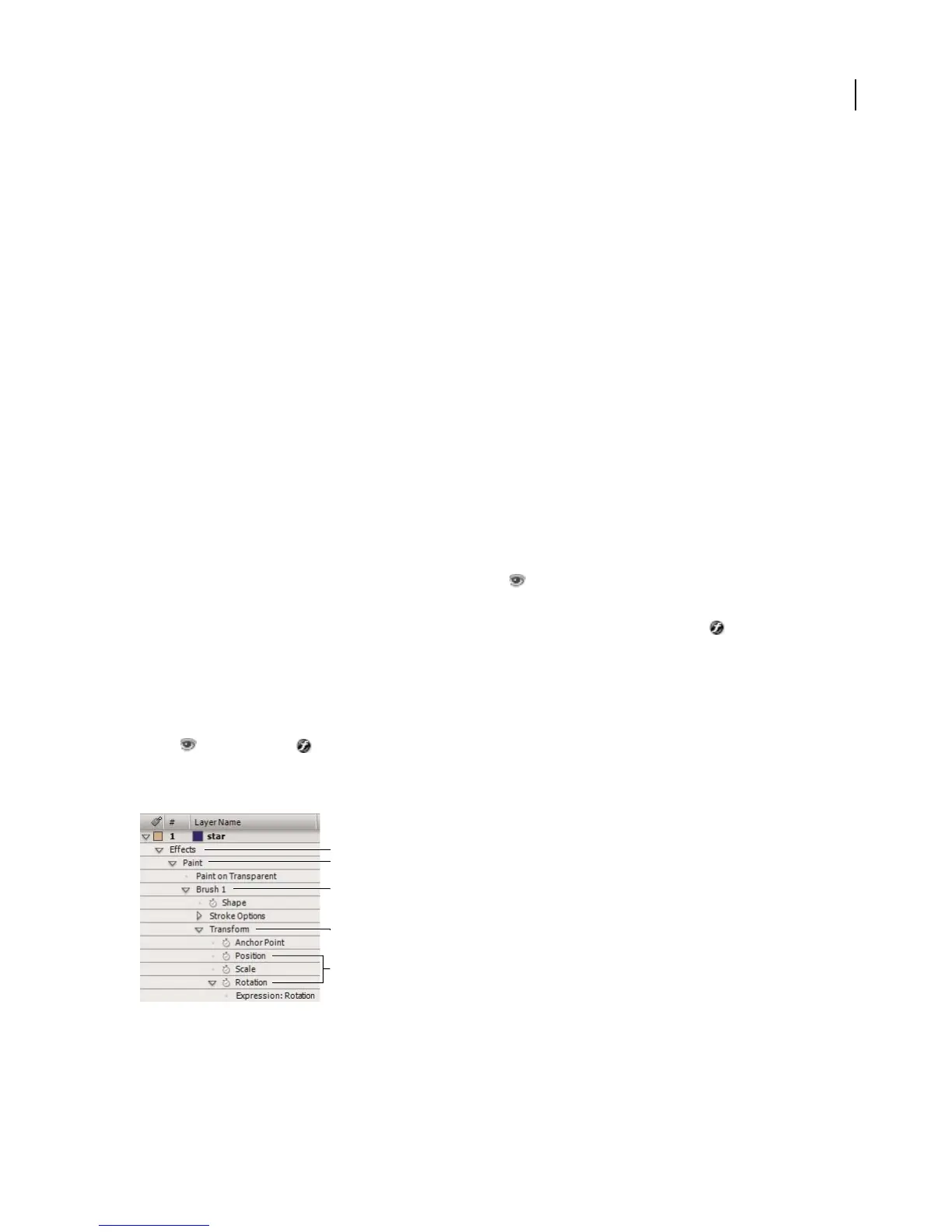
To animate with the propertyGroup method and propertyIndex attribute
Values of propertyGroup relative to the brush stroke’s Position property
A. propertyGroup(4) B. propertyGroup(3) C. propertyGroup(2) D. propertyGroup(1) E. Position’s propertyIndex value is 2; Rotation’s
propertyIndex value is 4.
The example below uses the propertyGroup method and propertyIndex attribute to create swirling paint strokes.
D
C
B
A
E



 To Next Page