ADOBE AFTER EFFECTS 7.0
User Guide
488
value: If you set Balance to 0.0, 3D Glasses creates no 3D depth, and if you set Balance too high, 3D Glasses produces
a highly saturated output.
About red, blue, and green lenses
Whenyouworkwithredandblueimages,thebluecoloringlasseswithredandbluelensesisactuallycyan,notblue.
Red and cyan are complementary colors, producing the best separation because they filter each other out more
efficiently. When you work with red and green images, it may appear that the green is not as bright as the red.
However, viewing the images with red and green lenses produces an even result because green has a higher
luminance value than red.
Basic 3D effect
IfyouareworkingonaprojectthatwascreatedinanolderversionofAfterEffectsandtheBasic3Deffectisapplied
to one or more layers, you can continue to use the Basic 3D effect; otherwise, use the 3D layer option instead.
This effect works with 8-bpc color.
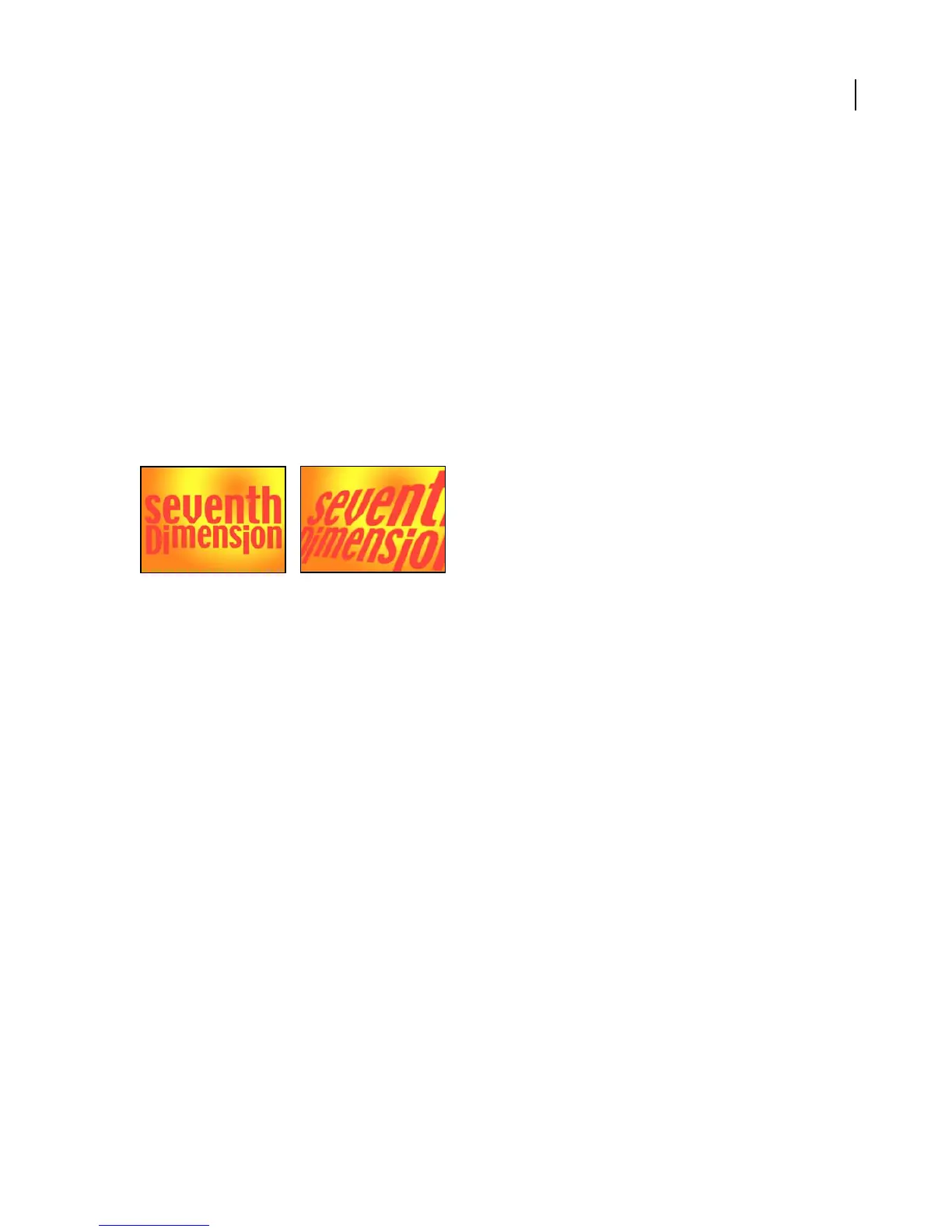
Original (left), and with effect applied (right)
The Basic 3D effect manipulates a layer in 3D space. You can rotate your image around horizontal and vertical axes
and move it toward or away from you. With Basic 3D, you can also create a specular highlight to give the appearance
of light reflecting off a rotated surface. The light source for the specular highlight is always above, behind, and to the
leftoftheviewer.Becausethelightcomesfromabove,theimagemustbetiltedbackwardtoseethisreflection.This
can enhance the realism of the 3D appearance. The specular highlight can be viewed only at Best quality.
The layer’s quality setting affects Basic 3D. Draft quality calculates pixel location to the nearest integer value; Best
quality calculates pixel location to the subpixel level.
Adjust the following controls for the Basic 3D effect:
Swivel Controls horizontal rotation (rotation around a vertical axis). You can rotate past 90˚ to see the back side of
the image, which is the mirror image of the front.
Tilt Controls vertical rotation (rotation around a horizontal axis).
Distance To Image Specifies the image’s distance from the viewer. As the distance gets larger, the image recedes.
Specular Highlight Adds a glint of light that reflects off the surface of the layer, as if an overhead light were shining
on the surface. In Preview mode, the specular highlight is indicated by a red plus sign (+) if it is not visible on the
layer (that is, if the center of the highlight does not intersect the layer) and a green plus sign (+) if the highlight is
visible.
Preview Draws a wireframe outline of the 3D image. The wireframe outline renders quickly. Deselect the Preview
control when you finish manipulating the wireframe image to see your final results. The preview wireframe is drawn
onlyatDraftquality;whenyouswitchtoBestquality,theimagecontentisdrawn.Thisway,youwon’taccidentally
render a Best quality movie in Preview mode.



 To Next Page