ADOBE AFTER EFFECTS 7.0
User Guide
186
Casts Shadows Casts a shadow on layers within the range of that shadow. The direction and angle of the shadows
are determined by the direction and angle of the light sources. Set Casts Shadows to Only if you want the layer to be
invisible but still cast a shadow. Use the Only setting along with Light Transmission to project the colors from the
invisible layer onto a visible layer.
Note: To cast a shadow, select the Casts Shadows option for both the shadow-casting layer and the corresponding light.
Light Transmission Specifies the percentage of light that shines through a layer. Use this option to make layers act
like transparencies and cast their color on another layer. You can also create the effect of light passing through stained
glass by placing a light behind a 3D layer and adjusting the light transmission. A light transmission value of 0 casts
a black shadow and specifies that no light passes through the layer. This setting renders faster; use it if you don’t want
to cast a colored shadow or if you want previews to render quickly. A value of 100 specifies that the full color value
of the shadow-casting layer is projected onto the layer accepting the shadow.
Accepts Shadows Shows the shadow cast on this layer by another layer.
Accepts Lights Specifiesthatthelayercolorisaffectedbythelightthatreachesit.Turnthisoffifyoudon’twantthe
light to change the color of the layer. If you turn this off, the layer can still accept and cast shadows.
Ambient Specifies the level of ambient (nondirectional) reflectivity of the layer. A value of 100% creates the most
reflectivity; a value of 0% creates no ambient reflectivity.
Diffuse Specifies the level of diffuse (omnidirectional) reflectivity of the layer. Applying diffuse reflectivity to a layer
is like draping a dull, plastic sheet over it. Light that falls on this layer reflects equally in all directions. A value of
100% creates the most reflectivity; a value of 0% creates no diffuse reflectivity.
Specular Specifies the level of specular (directional) reflectivity of the layer. Specular light reflects from the layer as
if from a mirror. A value of 100% creates the most reflectivity; a value of 0% creates no specular reflectivity.
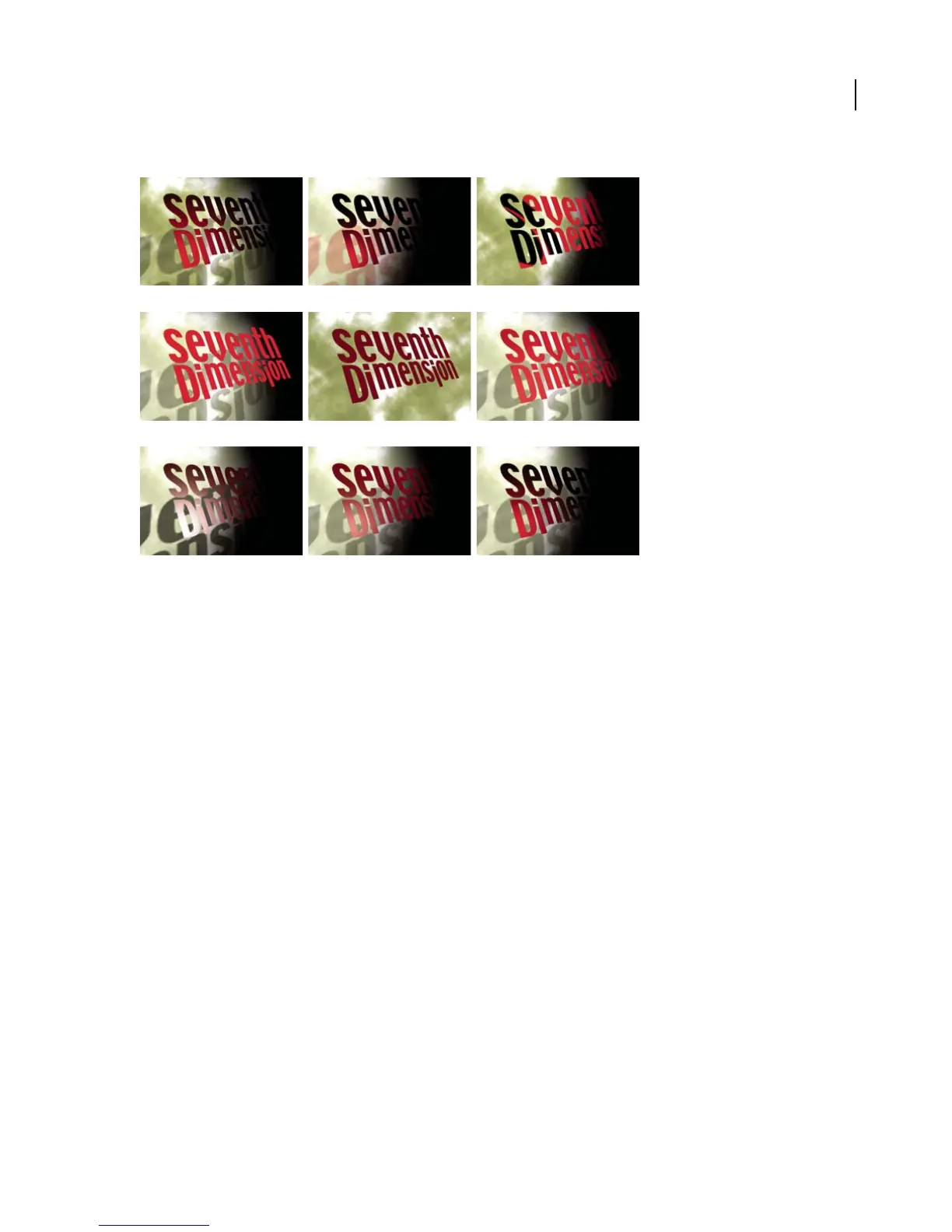
Material Options examples
Casts Shadows Light Transmission Accepts Shadows
Accepts Lights Ambient Diffuse
Specular Shininess Metal



 To Next Page