ADOBE AFTER EFFECTS 7.0
User Guide
193
Note: You can also animate layer properties using expressions. Expressions can operate on layer properties with or
without keyframes. (See “About expressions” on page 555.)
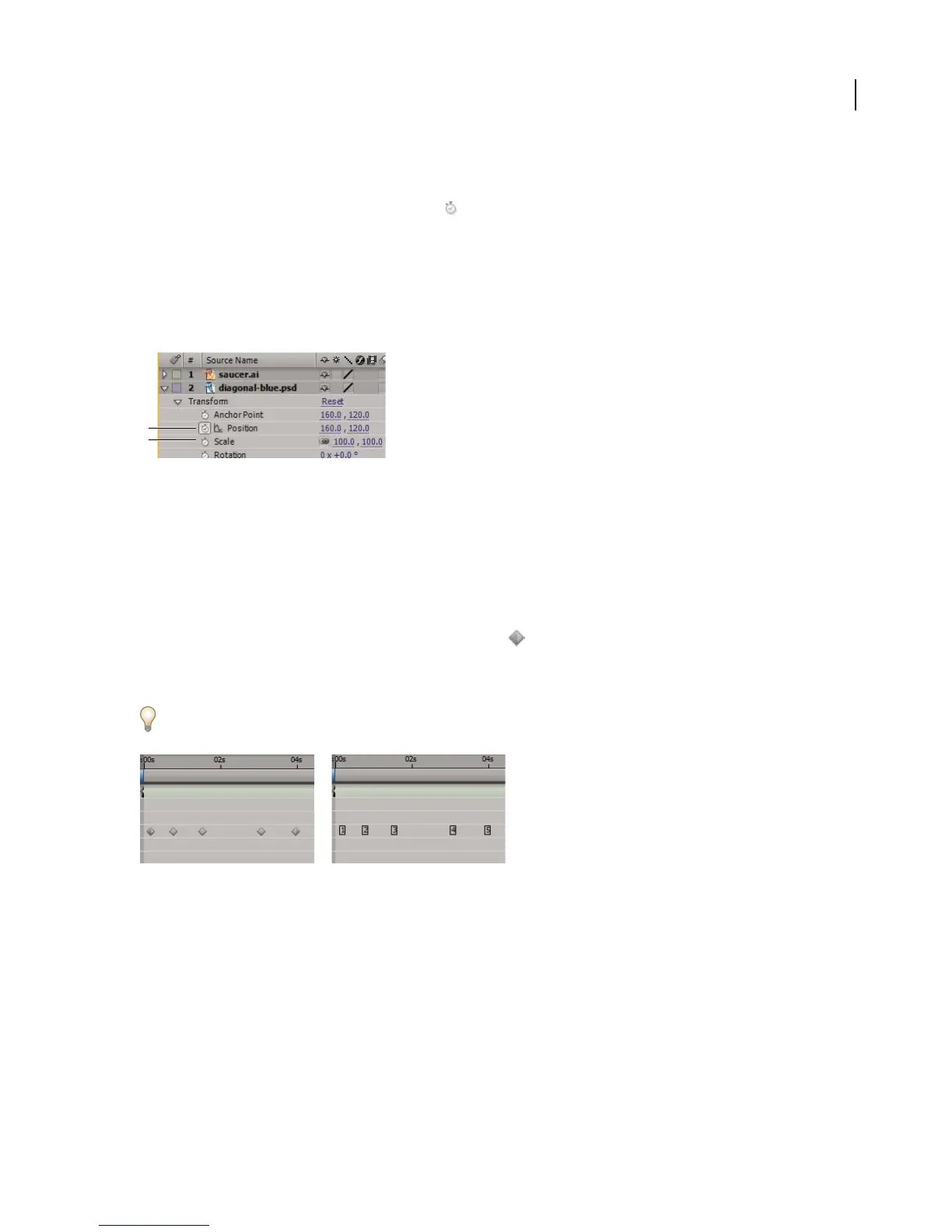
Each layer property has a time-vary Stopwatch icon that you click to begin the process of animating with
keyframes. Once the stopwatch is active for a specific property, After Effects automatically sets new keyframes
whenever you change the current time and the property value. When the stopwatch is inactive for a property, the
propertyhasnokeyframes.Ifyoutypeavalueforalayerpropertywhilethestopwatchisinactive,thevalueremains
in effect for the duration of the layer. If you deselect the stopwatch, any existing keyframes for that layer property
disappear,sodon’tdeselectthestopwatchunlessyou’resurethatyouwanttopermanentlydeleteallofthekeyframes
for that property.
Stopwatch icons
A. Active stopwatch B. Inactive stopwatch
See also
“About interpolation” on page 218
Keyframe icons
In layer bar mode, the appearance of a keyframe icon depends on the interpolation method you choose for the
interval between keyframes. When half of the icon is dark gray , the dark half indicates that there is no keyframe
adjacent to that side, or that its interpolation is overridden by the Hold interpolation applied to the preceding
keyframe. Selected keyframes have a yellow highlight.
Change the keyframe icons to numbers by choosing Use Keyframe Indices in the Timeline panel menu.
Keyframes as icons compared to keyframes as numbers
In Graph Editor mode, the appearance of a keyframe icon depends on whether the keyframe is selected, unselected,
or semi-selected (when another keyframe in the same property graph is selected). Selected keyframes are solid
yellow. Unselected keyframes retain the color of their corresponding graph. Semi-selected keyframes are represented
by a hollow yellow box.
Keyframes in Graph Editor mode may have direction handles attached to one or both sides. Direction handles are
used to control Bezier interpolation.
B
A



 To Next Page