ADOBE AFTER EFFECTS 7.0
User Guide
419
Photo Filter effect
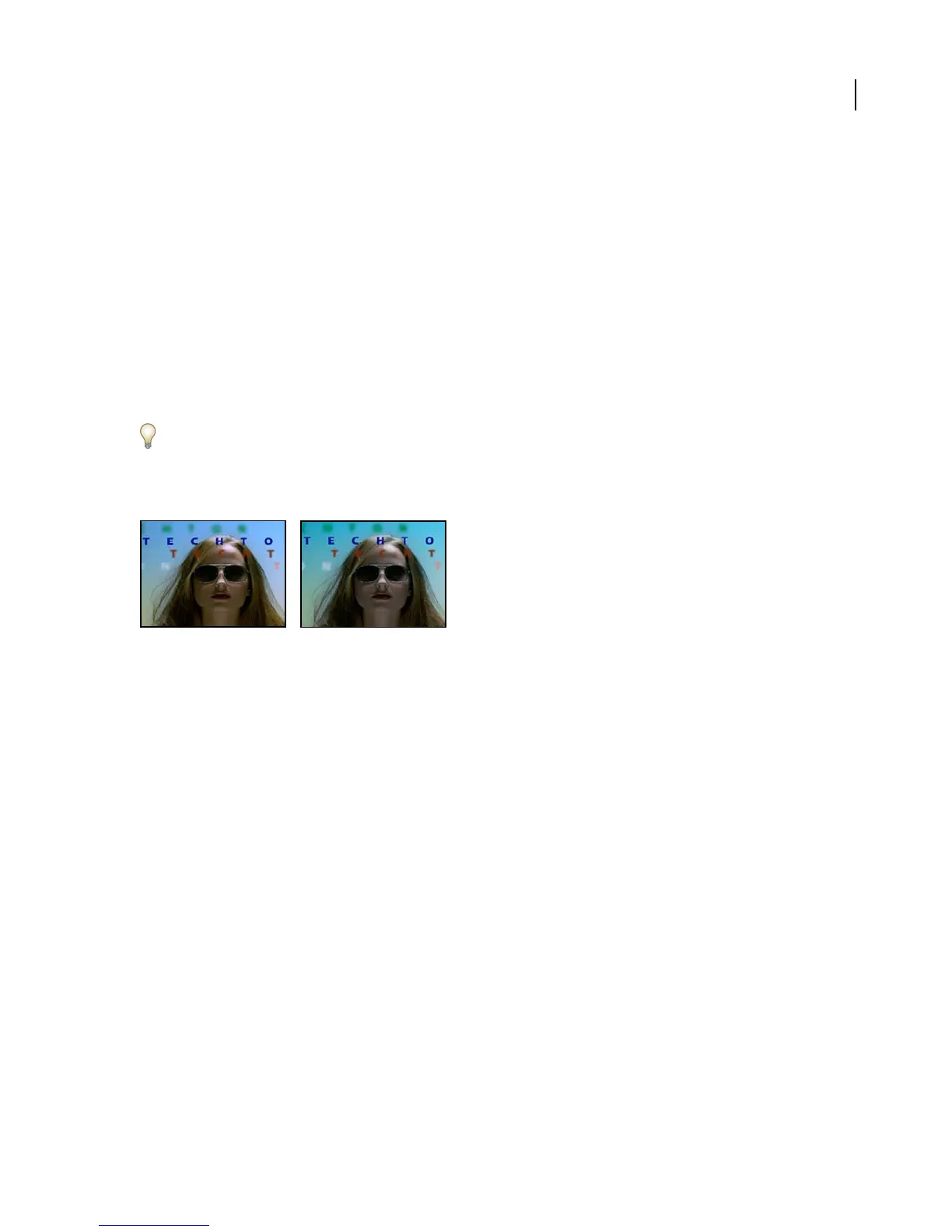
ThePhotoFiltereffectmimicsthetechniqueofputtingacoloredfilterinfrontofthecameralenstoadjustthecolor
balance and color temperature of the light transmitted through the lens and exposing the film. You can choose a
color preset to apply a hue adjustment to an image, or you can specify a custom color using the Adobe Color Picker
or the eyedropper.
You can use the Photo Filter effect controls to do the following:
• To use a color preset for the filter color, choose an option from the Filter pop-up menu.
• To select a custom color for the filter color, click the Color control’s color swatch to select a color using the Adobe
Color Picker, or click the eyedropper and click a color anywhere on your computer screen.
• To set the amount of color applied to the image, adjust Density.
• To ensure that the image isn’t darkened by the effect, select Preserve Luminosity.
To retain Photo Filter adjustment layers created in Photoshop CS, import the Photoshop file into your After Effects
project as a composition rather than as footage. If you changed your default Photoshop color settings, After Effects
may not be able to exactly match the color of the Photo Filter.
This effect works with 8-bpc and 16-bpc color.
Original (left), and with effect applied (right)
Photo Filter effect color preset categories
Warming Filter (85) and Cooling Filter (80) Color conversion filters that tune the white balance in an image. If an
image was photographed with a lower color temperature of light (yellowish), the Cooling Filter (80) makes the image
colors bluer to compensate for the lower color temperature of the ambient light. Conversely, if the photo was taken
with a higher color temperature of light (bluish), the Warming Filter (85) makes the image colors warmer to
compensate for the higher color temperature of the ambient light.
Warming Filter (81) and Cooling Filter (82) Light balancing filters for minor adjustments in the color quality of an
image. The Warming Filter (81) makes the image warmer (yellower), and the Cooling Filter (82) makes the image
cooler (bluer).
Individual Colors Apply a hue adjustment to the image depending on the color preset you choose. Your choice of
color depends on how you're using the Photo Filter command. If your photo has a color cast, you can choose a
complement color to neutralize the color cast. You can also apply colors for special color effects or enhancements.
For example, the Underwater color simulates the greenish-blue color cast caused when photographing underwater.
PS Arbitrary Map effect
The PS Arbitrary Map effect is intended only to provide compatibility with projects created in earlier versions of
After Effects that use the Arbitrary Map effect. For new work, use the Curves effect.
The PS Arbitrary Map effect applies a Photoshop arbitrary map file to a layer. An arbitrary map adjusts the brightness
levels of an image, remapping a specified brightness range to darker or brighter tones. In the Curves window in
Photoshop, you can create an arbitrary map file for the entire image or for individual channels.



 To Next Page