ADOBE AFTER EFFECTS 7.0
User Guide
294
Working with Chinese, Japanese, and Korean text
After Effects provides several options for working with Chinese, Japanese, and Korean (CJK) text. Characters in CJK
fonts are often referred to as double-byte characters because they require more than one byte of information to
express each character.
To display CJK font name in English, choose Show Font Names In English from the Character panel menu.
To adjust tsume
Tsume reduces the space around a character by a specified percentage value. The character itself is not stretched or
squeezed as a result. When tsume is added to a character, spacing around both sides of the character is reduced by
an equal percentage.
1 Select the characters you want to adjust.
2 In the Character panel, enter or select a percentage for Tsume . The greater the percentage, the tighter the
compression between characters. At 100% (the maximum value), there is no space between the character’s bounding
box and its em box.
To specify how leading is measured
1
Select the paragraphs you want to adjust.
2 Choose Top-To-Top Leading or Bottom-To-Bottom Leading from the Paragraph panel menu. A check mark
indicates which option is selected.
To use tate-chuu-yoko
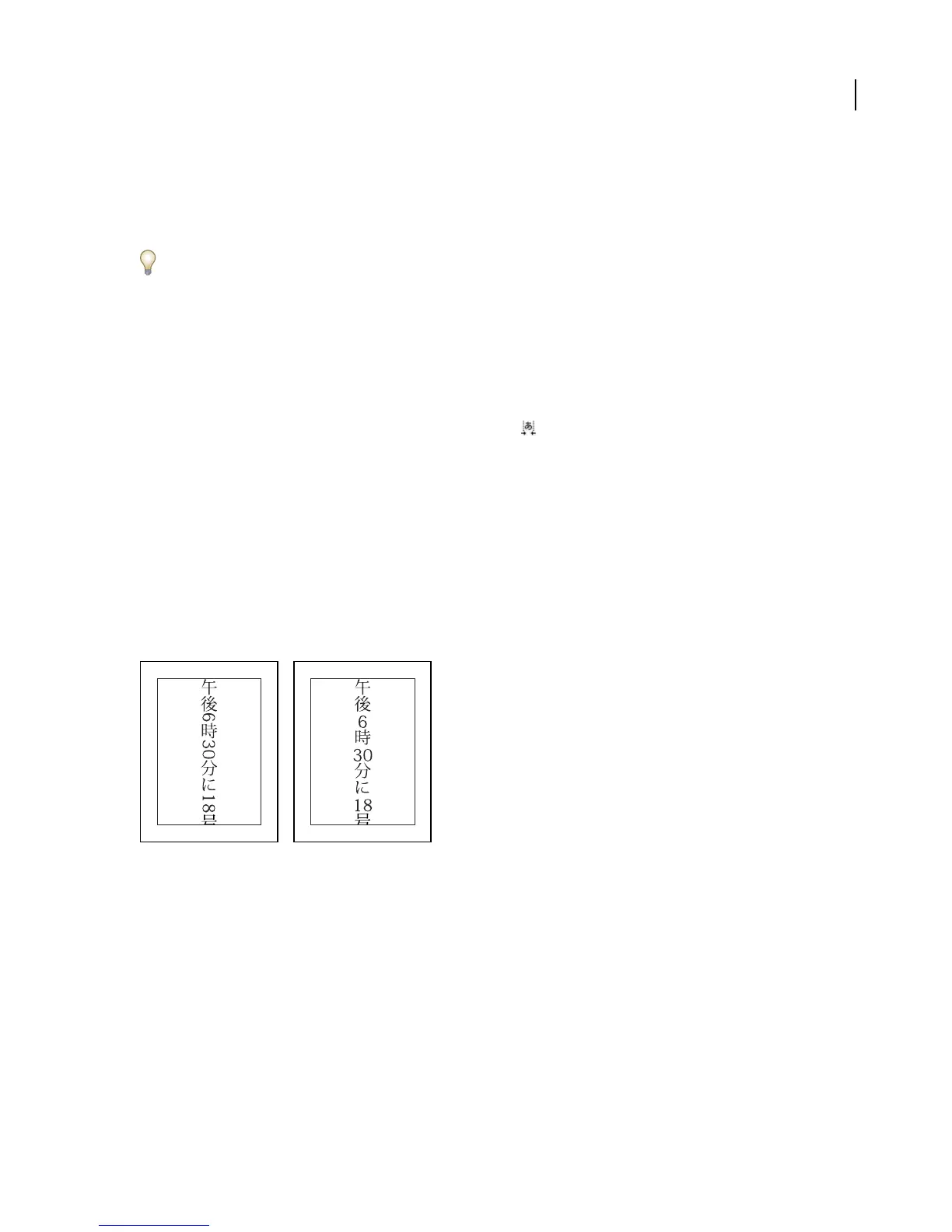
Tate-chuu-yoko (also called kumimoji and renmoji) is a block of horizontal text laid out within a vertical text line.
Original layer (left) and after tate-chuu-yoko is applied (right)
1 Select the characters that you want to rotate.
2 Choose Tate-Chuu-Yoko from the Character panel menu. (A check mark indicates that the option is turned on.
To turn the option off, choose Tate-Chuu-Yoko again.)
Using tate-chuu-yoko does not prevent you from editing and formatting text; you can edit and apply formatting
options to rotated characters as you do to other characters.



 To Next Page