ADOBE AFTER EFFECTS 7.0
User Guide
462
Mid-point Opacity Specifies the opacity of the midpoint of the stroke. This works in terms of relative opacity, not
absolute opacity. Setting this to 0 makes the change in opacity smooth from the start point to the end point, as if there
were no midpoint at all.
Mid-point Position Specifies the location of the midpoint within a segment: Lower values move the midpoint closer
tothebeginning;highervaluesmovethemidpointclosertotheend.Usethiscontroltomovethemidpointopacity
from the center of the stroke.
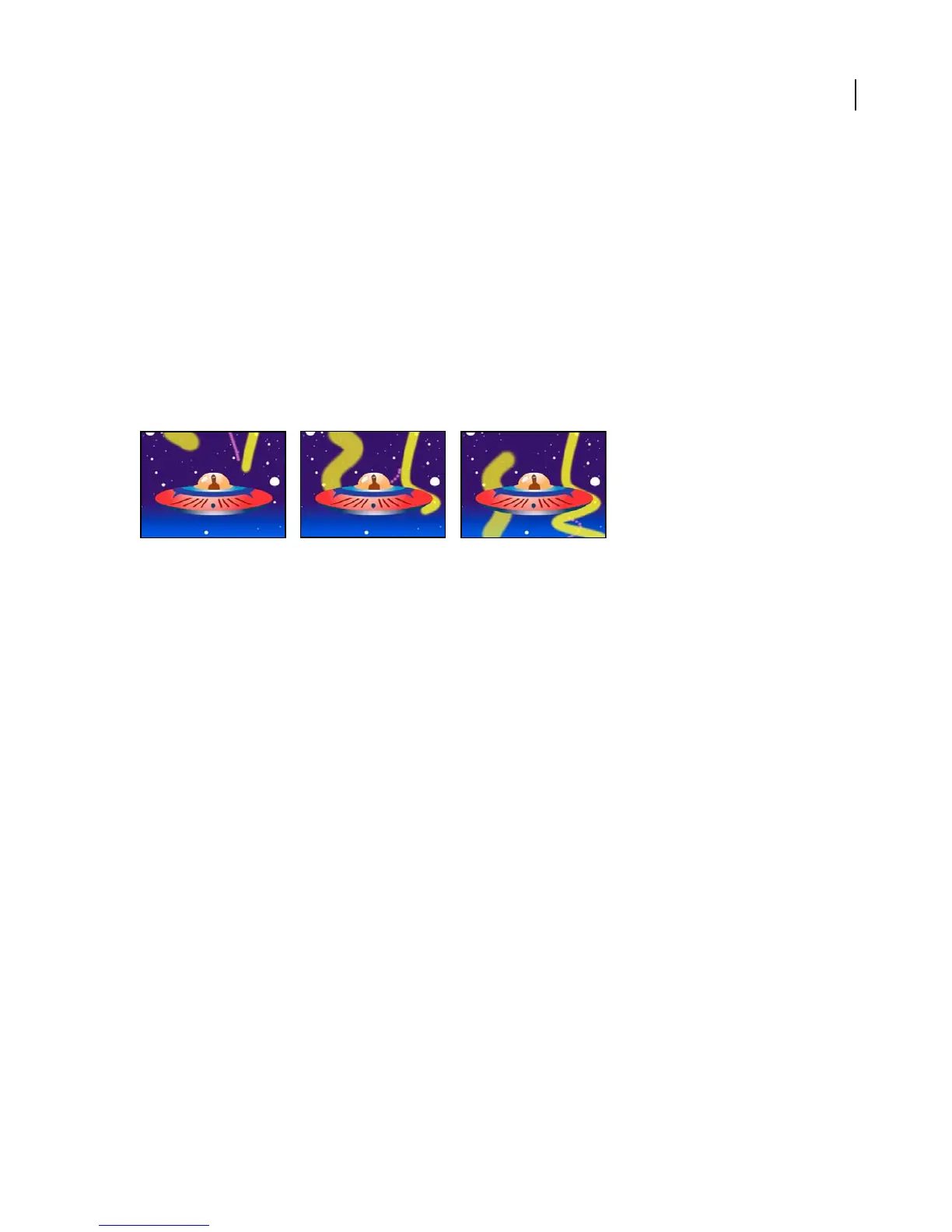
Write-on effect
The Write-on effect animates strokes on a layer. For example, you can simulate the writing of cursive text or create
snakelike movement for a stroke. Using the Write-on effect, you can animate the brush size, color, hardness, and
opacity of a stroke.
This effect works with 8-bpc color.
Animating the Write-on effect
Other methods of animating paint strokes and text are also available. For example, you can animate text by using the
type tools and text animators. (See “About text animation” on page 295.)
Adjust the following controls for the Write-on effect:
Brush Position Specifies where the stroke begins.
Color, Brush Size, Brush Hardness, and Brush Opacity Specify the size and appearance of the stroke.
Stroke Length Specifies the length, in seconds, of the stroke at any moment. If this value is 0, the stroke has
unlimited length. Use a single stroke length (not 0) for all keyframes to create a snakelike movement of the stroke
acrossthelayer.Changethestrokelengthatkeyframestomakethelengthofthestrokeexpandandcontractasitis
drawn.
Brush Spacing Specifies the time interval, in seconds, between dabs of color as the stroke is drawn. Smaller values
produce smoother paint strokes but take more time to render.
Paint Time Properties Specifies whether paint properties (color and opacity) are applied to each stroke segment or
totheentirestroke.Noneappliescolorandopacityspecifiedateachkeyframetotheentirestroke.Colorappliesthe
color specified at a keyframe to the stroke starting at that keyframe until it is changed at a later keyframe. The opacity
specified at each keyframe is applied to the entire stroke. Opacity applies the opacity specified at a keyframe to the
stroke starting at that keyframe until it is changed at a later keyframe. The color specified at each keyframe is applied
to the entire stroke.
Brush Time Properties Specifies whether brush properties (size and hardness) are applied to each stroke segment or
to the entire stroke. None applies the brush size and hardness specified at each keyframe to the entire stroke. Size
applies the brush size specified at a keyframe to the stroke starting at that keyframe until it is changed at a later
keyframe. The hardness specified at each keyframe is applied to the entire stroke. Hardness applies the hardness
specifiedatakeyframetothestrokestartingatthatkeyframeuntilitischangedatalaterkeyframe.Thesizespecified
at each keyframe is applied to the entire stroke. Size & Hardness applies both the brush size and hardness specified
at a keyframe to the stroke starting at that keyframe until they are changed at a later keyframe.



 To Next Page