ADOBE AFTER EFFECTS 7.0
User Guide
297
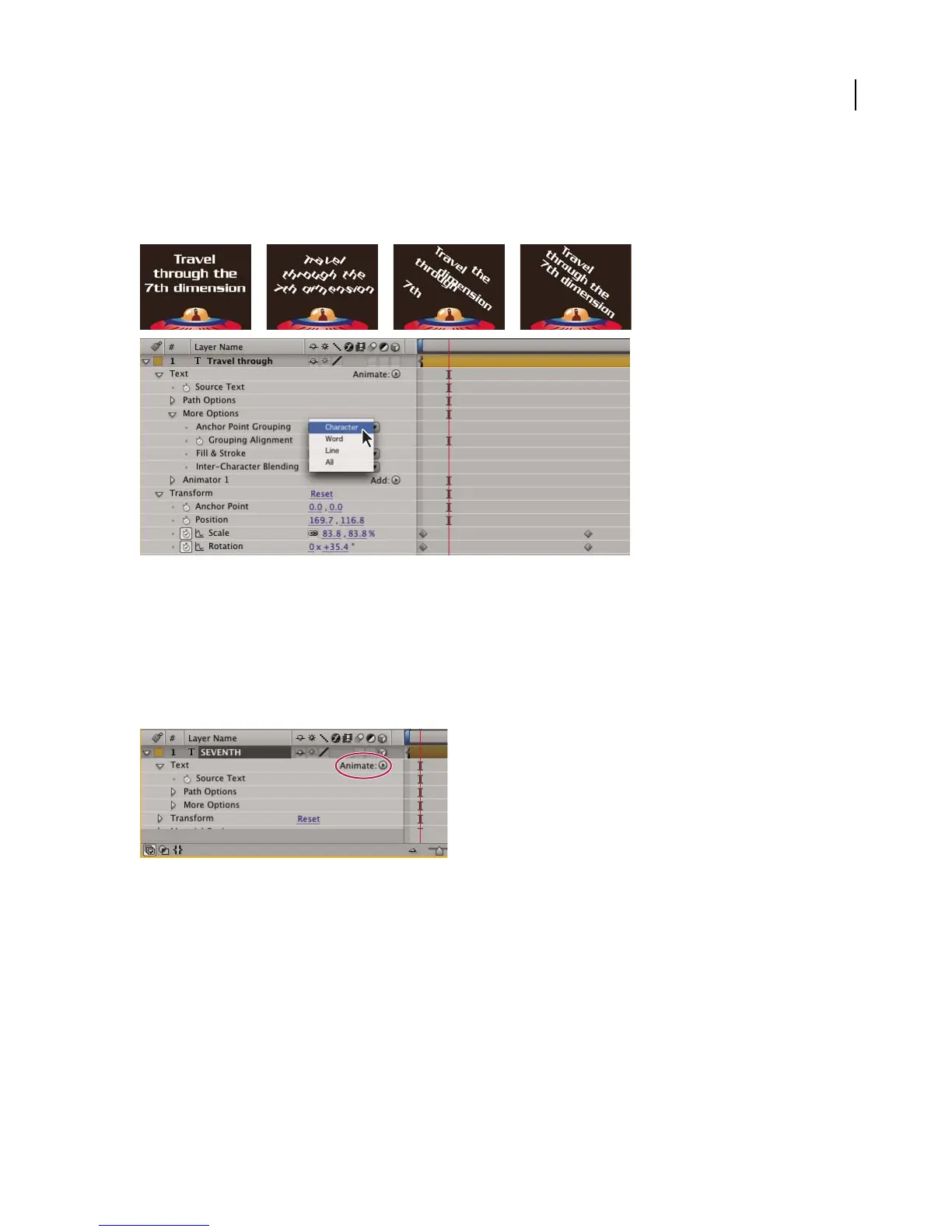
Text animator groups animate a character’s position, shape, and size-related properties relative to each character's
own anchor point. The text property Anchor Point Grouping lets you reposition each character’s anchor point
relative to its word, line, or entire text block. In addition, you can control the alignment of the anchor point relative
to the anchor point group and the font with the Grouping Alignment property.
Original text, then rotated and with Grouping Alignment set to Character, Word, and Line
1 Select a text layer in the Timeline panel, or select the specific characters you want to animate in the Composition
panel.
2 Do one of the following:
• Choose Animation > Animate Text and then choose a property from the submenu.
• Choose a property from the Animate menu, located in the Switches/Mode column of the Timeline panel.
Animate menu
3 In the Timeline panel or in the Graph Editor, adjust the animator property values.
4 Expand the Range selector and set keyframes for Start or End by doing one of the following:
• Drag or type the values in the Timeline panel.
• Drag the selector bars in the Composition panel.



 To Next Page