5 Starting a new scan
Before starting a new scan, you must:
l
Add a new patient, as described in Adding new patients or search for an existing patient, described in Searching
for existing patients.
l
Check whether there are any particles on the wand. If so, use a CaviWipe1 to remove them.
l
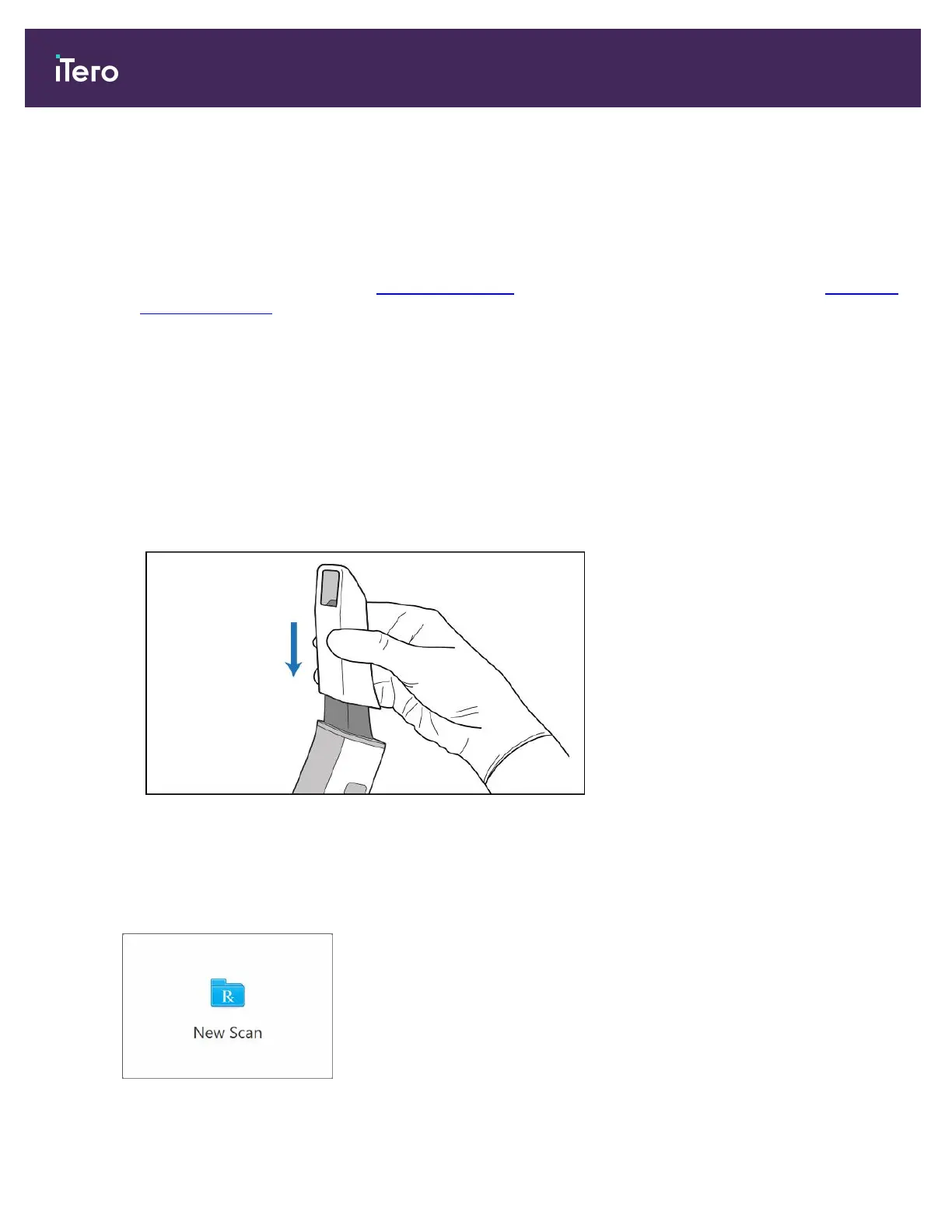
Apply a new wand sleeve, as described below.
5.1 Applying a wand sleeve
To apply a wand sleeve:
1. Gently remove the blue protective sleeve from the wand.
2. Gently slide a new sleeve onto the tip of the wand until it clicks into place.
Figure 76: Gently slide the new sleeve into place
5.2 Starting the scan
On the home screen, tap the New Scan button to start the scanning process.
iTero Element 5D and iTero Element 5D Plus imaging systems User manual
82 © 2022 Align Technology, Inc. All rights reserved.



 To Next Page