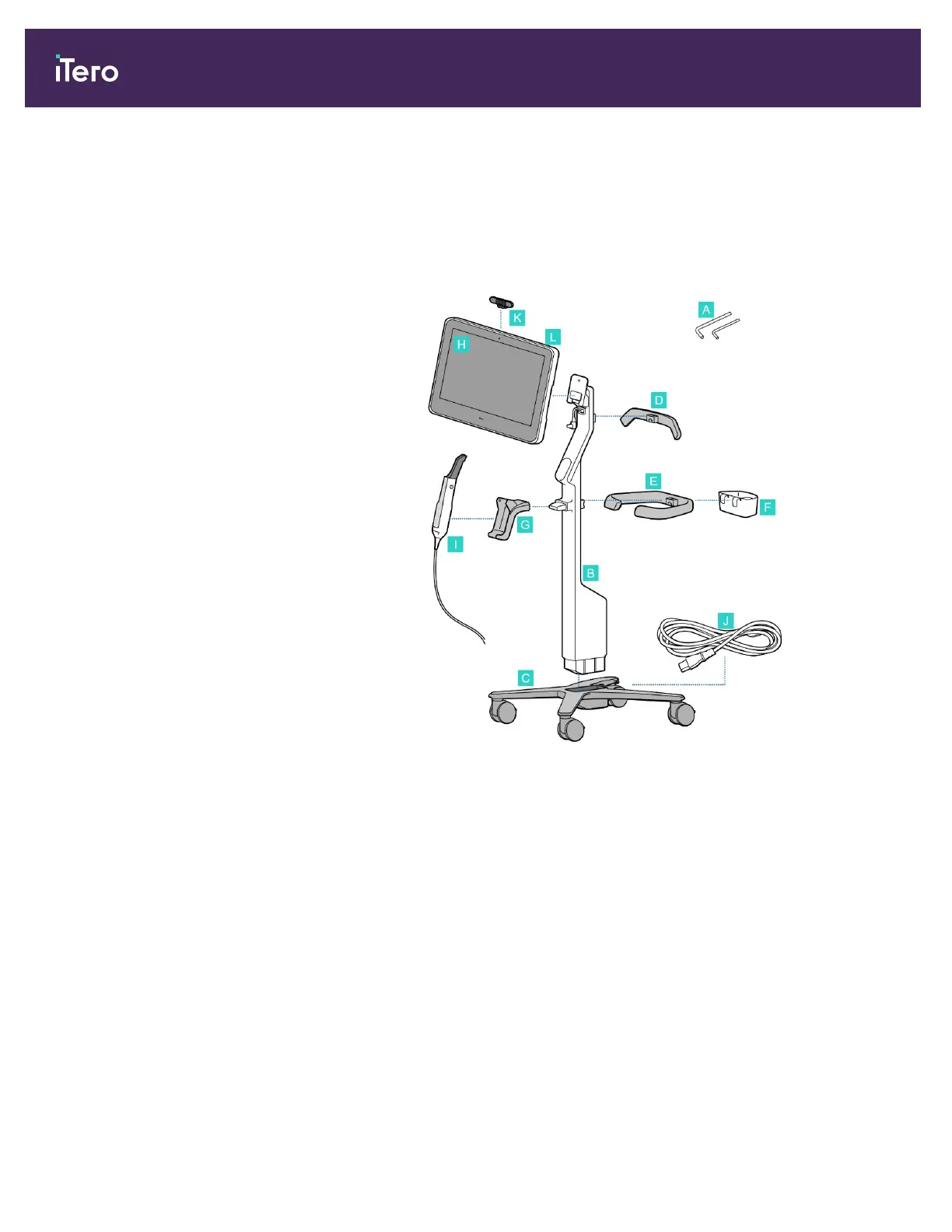
2.3 Assembling the iTero Element 5D Plus and 5D Plus Lite scanner – cart configuration
The scanner packaging is designed in a way that provides a simple and easy assembly process.
Follow the instructions below to assemble the scanner.
Contact iTero Support for additional help.
A 2x Allen keys
(in the white foam on top of the
post)
B Post
C Wheel base
D Upper handle
(in the accessory box)
E Main handle
(in the accessory box)
F New-sleeve basket
(in the accessory box)
G Cradle
H Full HD touch-screen computing
unit
I Wand
J Power cable
K Webcam
L Power switch
iTero Element 5D and iTero Element 5D Plus imaging systems User manual
20 © 2022 Align Technology, Inc. All rights reserved.



 To Next Page