l
Edit the scan:
o
Delete a segment, described in Deleting a segment
o
Delete a selection, described in Deleting a selection
o
Fill in missing anatomy, described in Filling in missing anatomy
o
Disable A.I cleanup, described in Disabling A.I. cleanup
5.5.3.1 Additional scan feedback
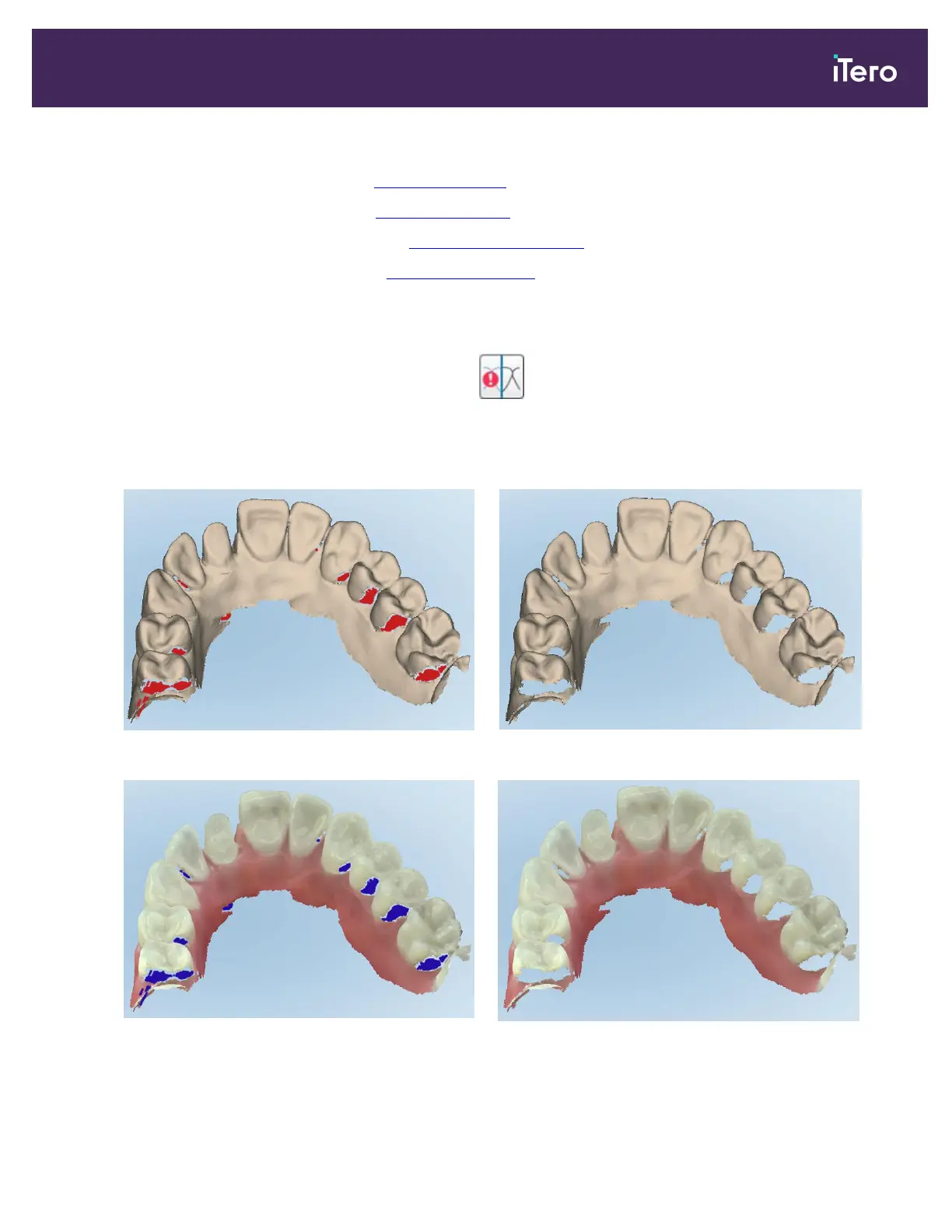
You can activate the additional scan feedback mode to alert you to the areas that need additional scanning,
to ensure that critical areas that could compromise the whole model are not missed.
Areas with missing anatomy are highlighted in red when scanning in monochromatic mode, and purple when
scanning in color mode.
Figure 107: Areas with missing anatomy shown with and without additional scan feedback – monochrome
Figure 108: Areas with missing anatomy shown with and without additional scan feedback – color mode
iTero Element 5D and iTero Element 5D Plus imaging systems User manual
© 2022 Align Technology, Inc. All rights reserved. 109



 To Next Page