11.2.2 Wand cleaning and disinfection
Before cleaning and disinfecting the wand, ensure that the sleeve has been removed.
Cleaning
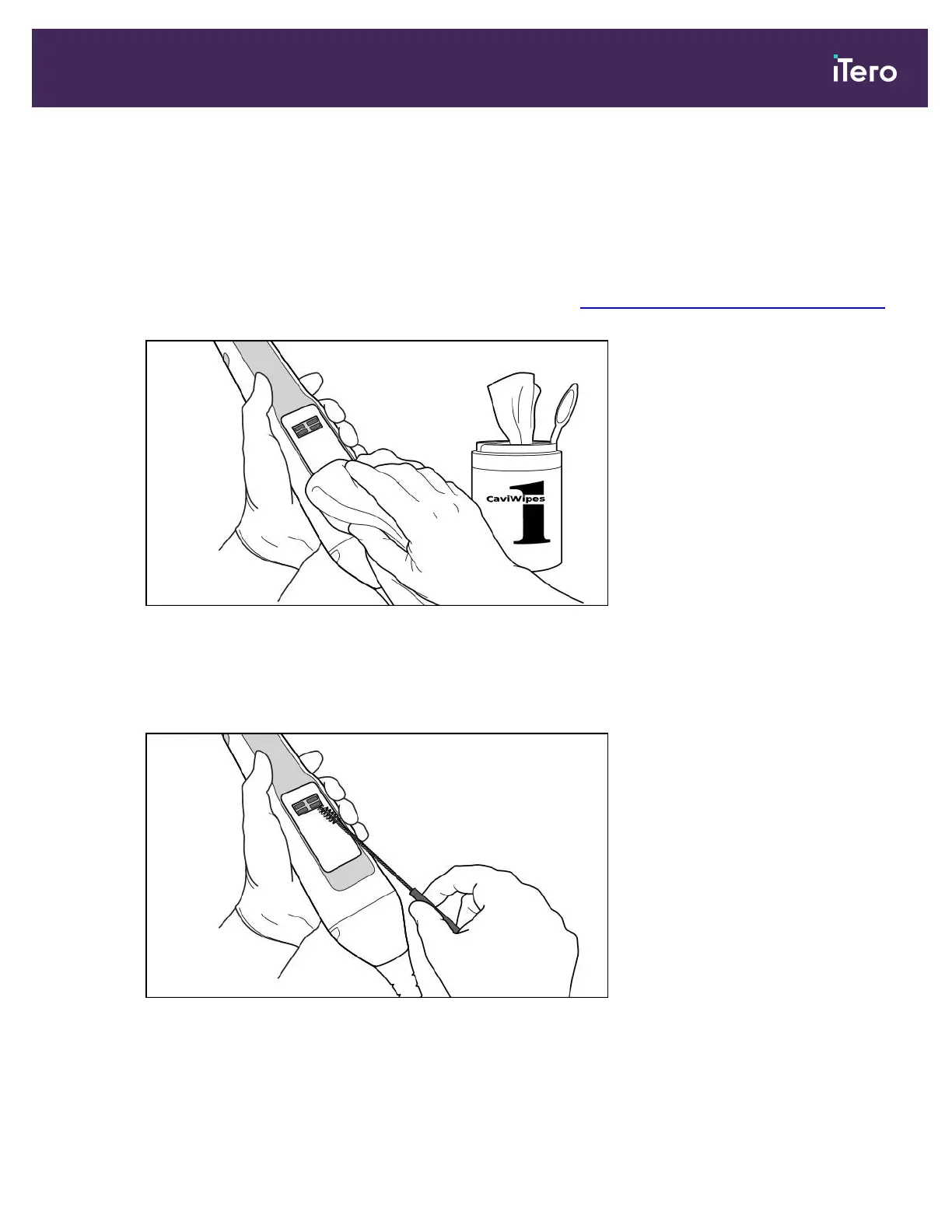
1. Using CaviWipes1, remove any gross contaminants on the wand body and wand tip for a minimum of one (1)
minute.
Note: If you are using an alternative disinfectant, please refer to Approved cleaning and disinfecting materials
for the required contact time.
Figure 203: Remove gross contaminants using CaviWipes1
2. Using the soft bristle brush, remove any remaining marks and stains on the wand body and wand tip, paying
special attention to the grooves, indents, joints, vents, etc. Brush until visibly clean.
CAUTION: Do not use the brush on the optical surface to prevent damage to the wand.
Figure 204: Remove marks and stains using a soft bristle brush
3. Using CaviWipes1, remove any remaining contaminants on the wand body and wand tip.
4. Visually inspect the device in a well-lit area to ensure all surfaces are visibly clean.
iTero Element 5D and iTero Element 5D Plus imaging systems User manual
© 2022 Align Technology, Inc. All rights reserved. 185



 To Next Page