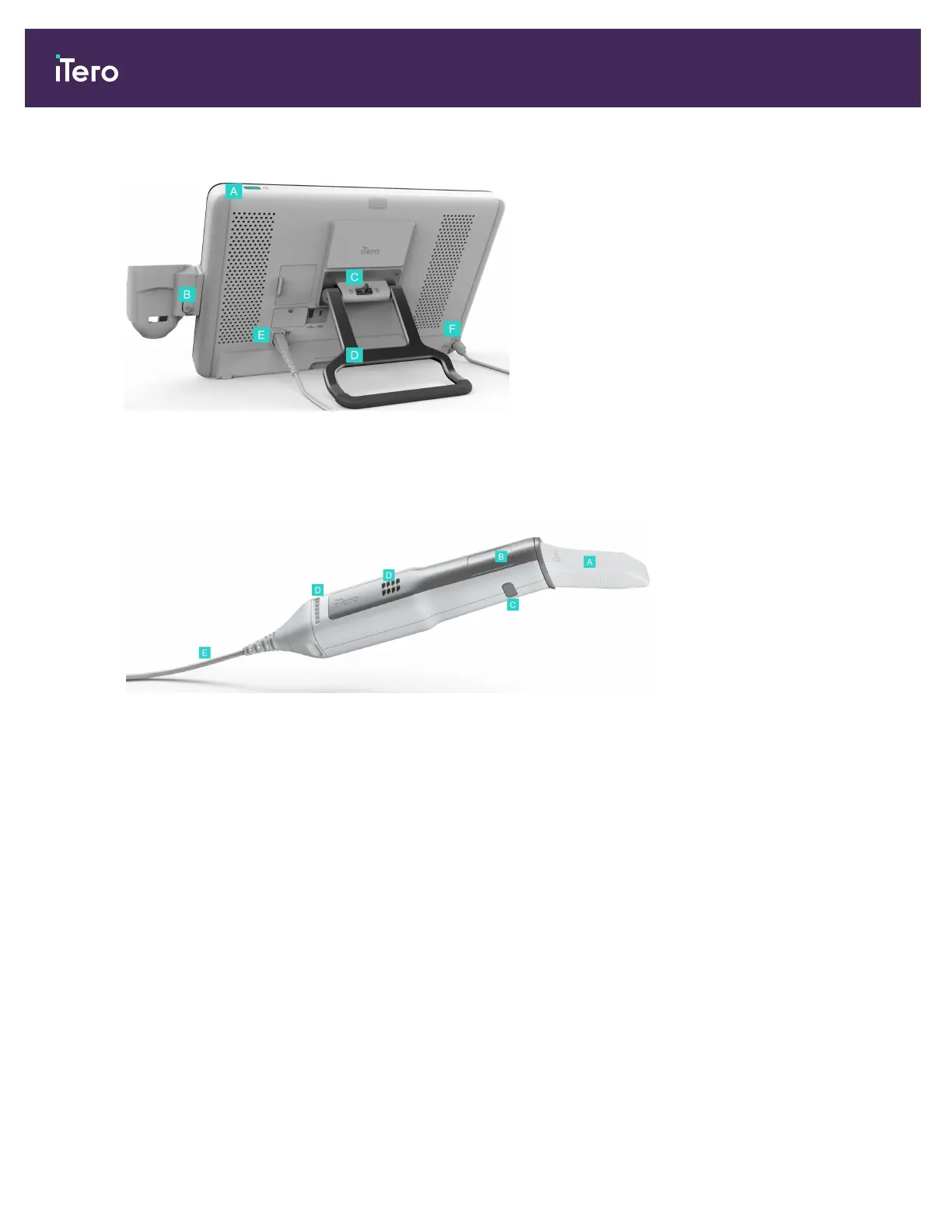
Rear view
A Power switch
B Cradle release button
C Locking latch
D Carrying
handle/stand
E Wand cable
F Power cable
Figure 7: Rear view of the iTero Element 5D Plus mobile-configuration imaging system
1.8.5 iTero Element 5D wand
A Disposable sleeve
B Touchpad
C Side buttons: Scan, on/off,
touchpad activation
D Air vents
E Detachable wand cable with
USB connector
Figure 8: iTero Element 5D wand
Note: In order to protect the wand cable, the cable cap is designed to detach from the wand if too much pulling
force is applied. If this happens, gently reattach the cable cap.
iTero Element 5D and iTero Element 5D Plus imaging systems User manual
8 © 2022 Align Technology, Inc. All rights reserved.



 To Next Page