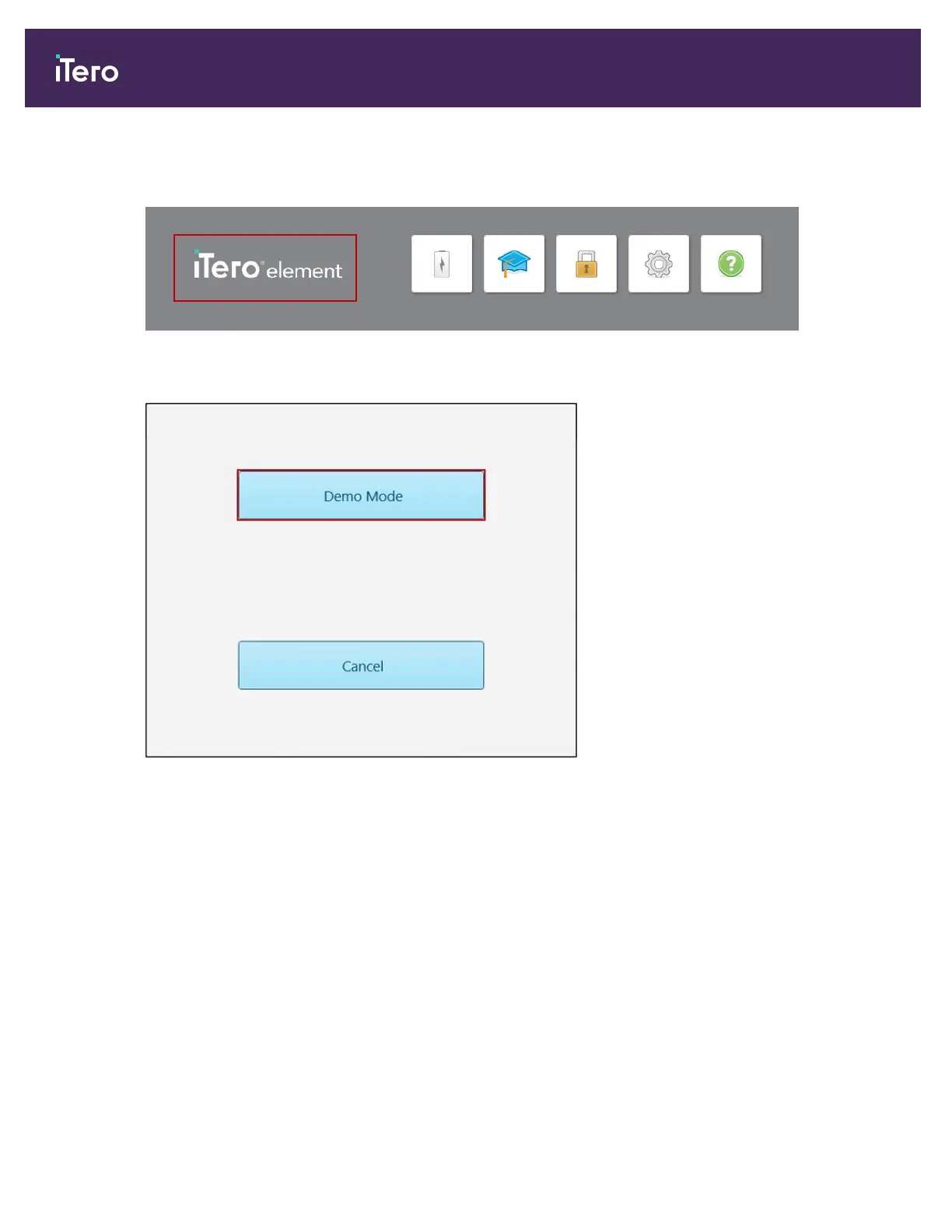
To enter Demo Mode after logging in:
1. Tap the iTero Element logo at the top of the scanner screen.
Figure 30: iTero Element logo
2. Tap Demo Mode.
Figure 31: Demo Mode option
iTero Element 5D and iTero Element 5D Plus imaging systems User manual
40 © 2022 Align Technology, Inc. All rights reserved.



 To Next Page