EasyManua.ls Logo

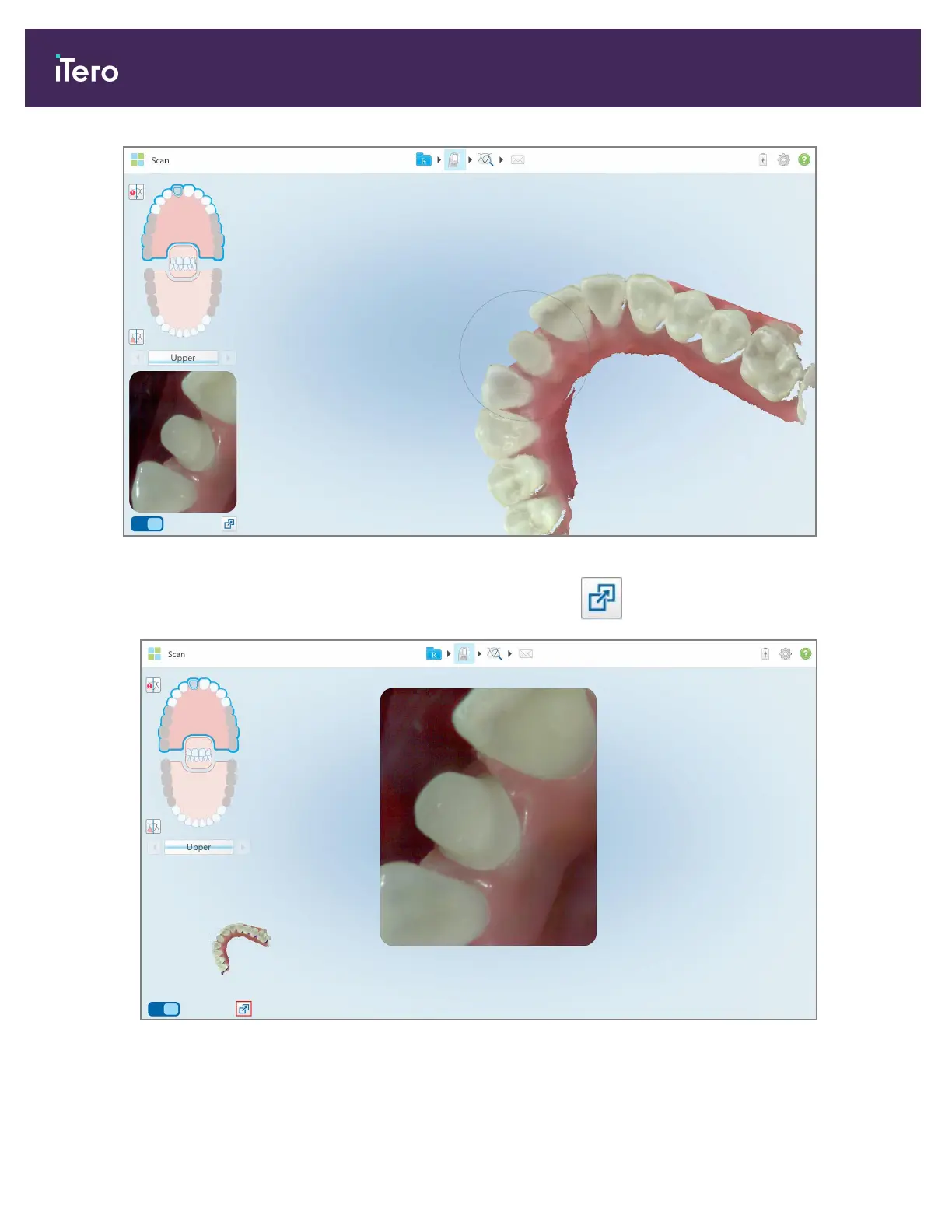
Align Technology iTero Element 5D - Figure 111: Default View - 3 D Scan in the Center of the Window and Viewfinder on the Left; Figure 112: Large Viewfinder in the Center of the Screen and 3 D Image on the Left

Align Technology iTero Element 5D
246 pages
Print Icon
To Next Page IconTo Next Page
To Previous Page IconTo Previous Page
Loading...
Figure 111: Default view 3D scan in the center of the window and viewfinder on the left
l
To switch to a large viewfinder in the center of the screen, tap the button.
Figure 112: Large viewfinder in the center of the screen and 3D image on the left
iTero Element 5D and iTero Element 5D Plus imaging systems User manual
112 © 2022 Align Technology, Inc. All rights reserved.


Table of Contents