To zoom in or out using the zoom button:
1.
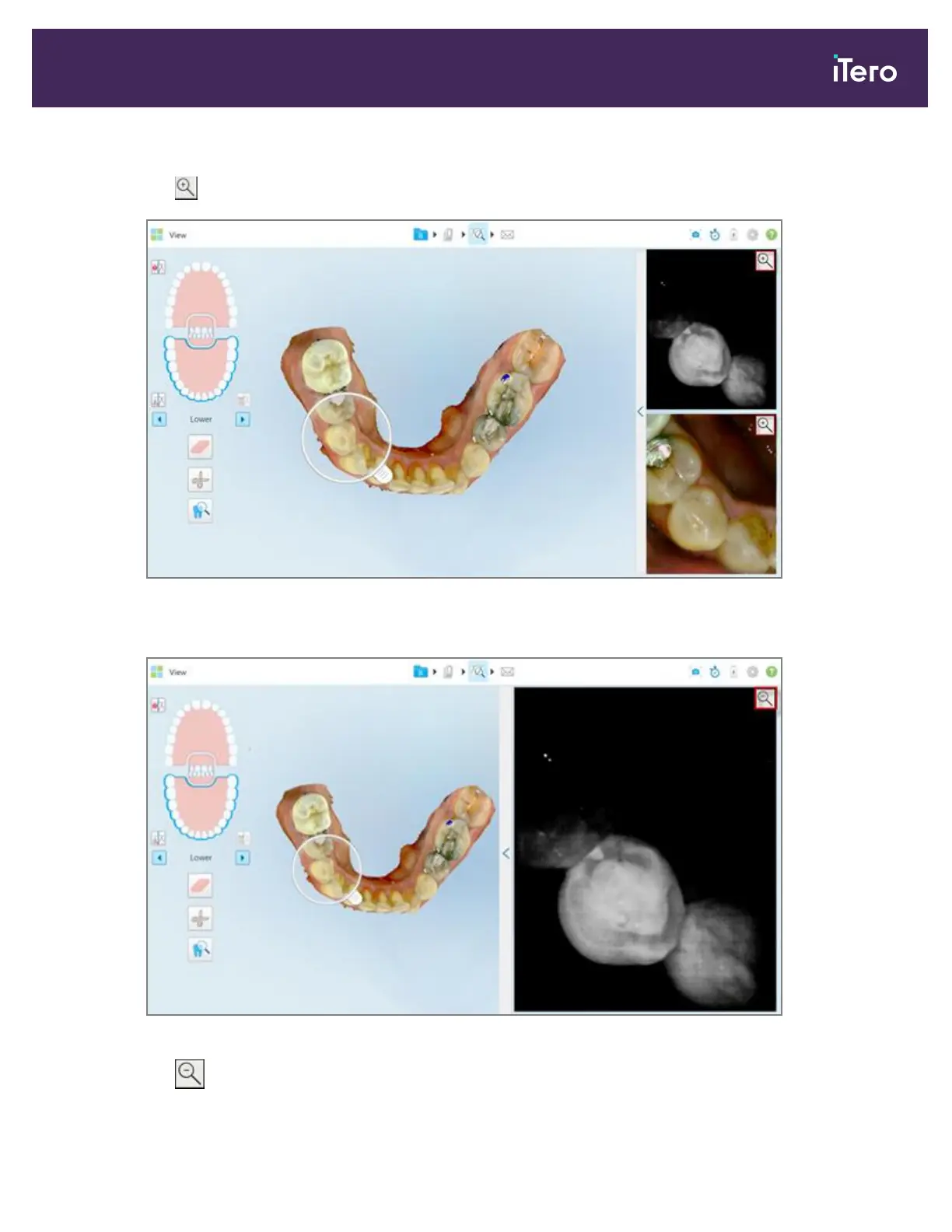
Tap on either the NIRI or the colored intraoral image to zoom in to that view.
Figure 182: Zoom-in buttons on the images in the image pane
The image in the image pane is enlarged and only the specific image is displayed.
Figure 183: Only the zoomed-in image is displayed in the enlarged image pane window
2.
Tap on the enlarged 2D image to return the image to the default size.
iTero Element 5D and iTero Element 5D Plus imaging systems User manual
© 2022 Align Technology, Inc. All rights reserved. 169



 To Next Page