After you have reviewed the scan, tap on the toolbar to send the scan to the lab or to storage, as described
in Sending the scan.
5.6.1 Missing scan segment notifications
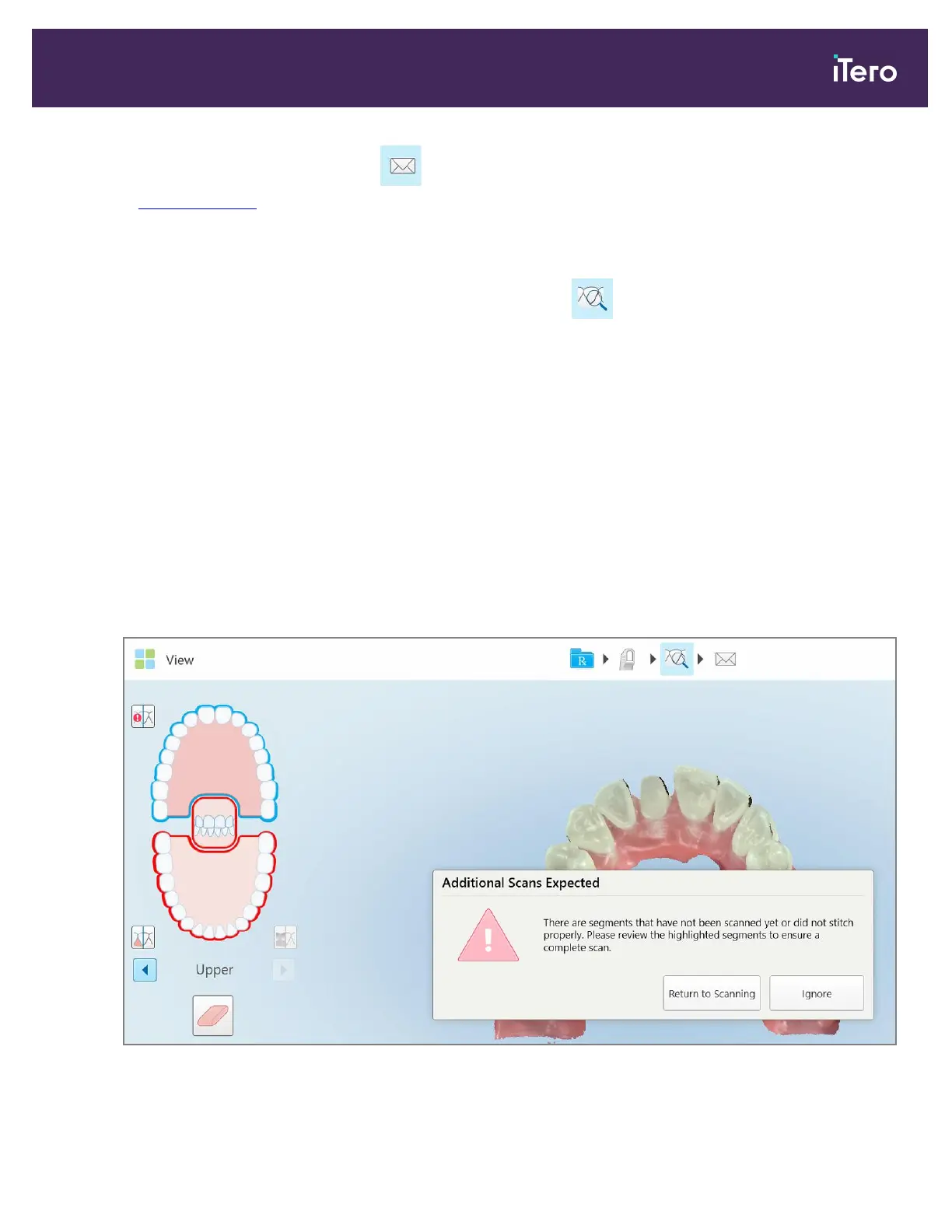
If there are missing scan segments or bite scans when you tap the button, you will be notified at the
beginning of the post-processing stage, and you will be able to go back and fix the scan, in order to reduce manual
intervention later on.
Notifications are displayed in the following cases:
l
Missing prep or arch – segments were not scanned or not stitched together properly
l
Bite issues
l
Missing bite
l
Bite scanned from one side only
l
Discrepancy between the left and the right bite scans
In addition, the bite section in the navigation controls is highlighted in red.
The message may be generic, or very specific to the issue including guidance on how to correct the issue. In some
cases, you may be warned that the case may be returned from the lab if you do not fix the issues.
Figure 115: Missing scan message and missing segments highlighted in red
iTero Element 5D and iTero Element 5D Plus imaging systems User manual
© 2022 Align Technology, Inc. All rights reserved. 115



 To Next Page