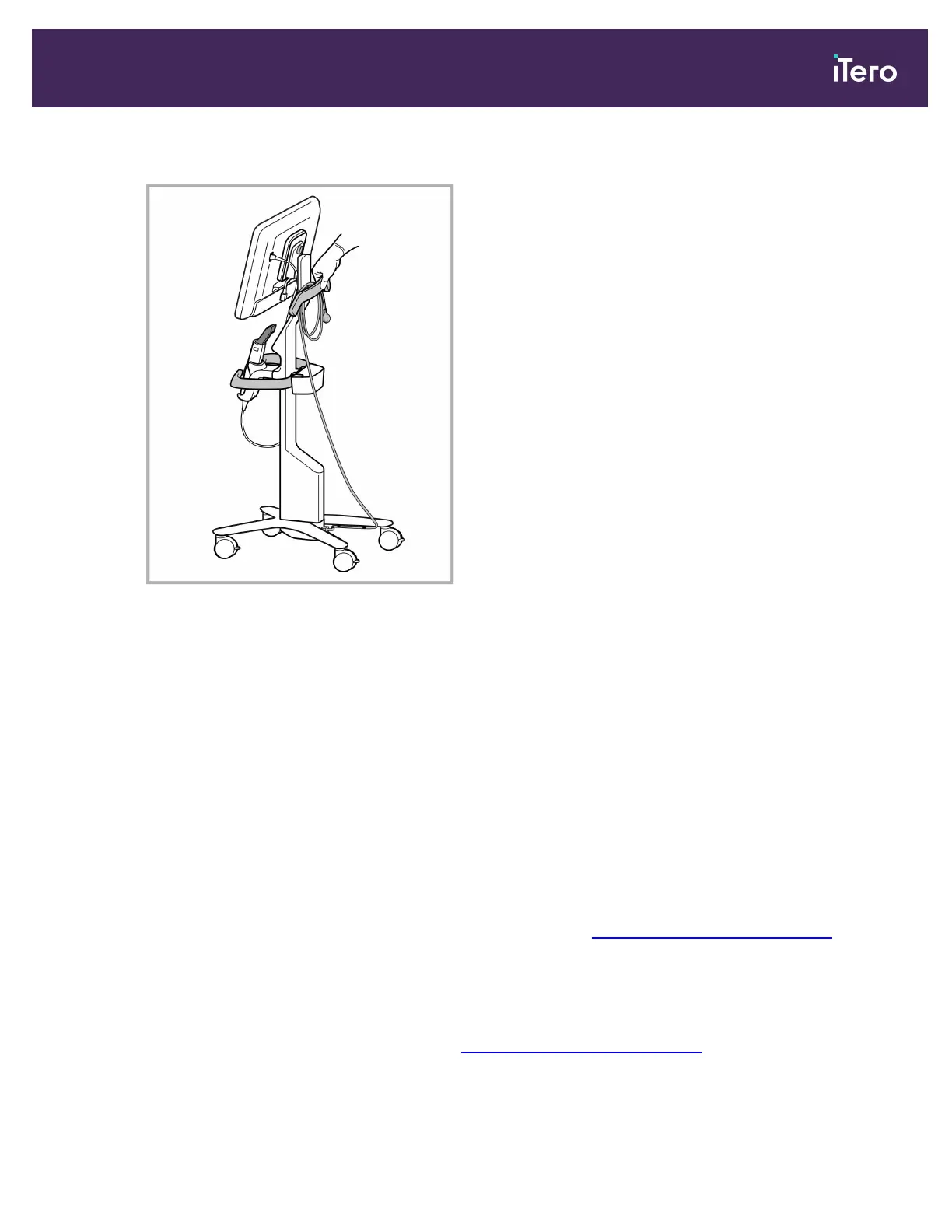
Note: If the scanner needs to be lifted, lift it using the upper handle and the post.
Figure 47: Moving the scanner
To move the cart-configuration scanner while in a seated position:
l
Use the main handle to move the scanner.
l
The screen height is optimized for a more ergonomic experience while seated. If required, you can adjust the tilt
of the screen.
Note: Do not use the wand or the wand cable to move the scanner, in order to prevent the scanner from toppling
over or damage to the cable.
4.4.4 Carrying the iTero Element 5D Plus mobile-configuration scanner within the clinic
The mobile-configuration scanner can be carried between rooms within the clinic as well as transported between
clinics.
When carrying the scanner, you should always move the handle to carrying position and wind the wand cable
around the cradle. For more information on carrying the scanner, see Moving the scanner within the clinic.
To carry the mobile-configuration scanner within the clinic:
1. Disconnect the power supply.
2. While holding the screen with one hand, slide the locking latch to unlock the handle and then move the handle
to carrying position. For more information, see Moving the scanner within the clinic.
iTero Element 5D and iTero Element 5D Plus imaging systems User manual
© 2022 Align Technology, Inc. All rights reserved. 55



 To Next Page