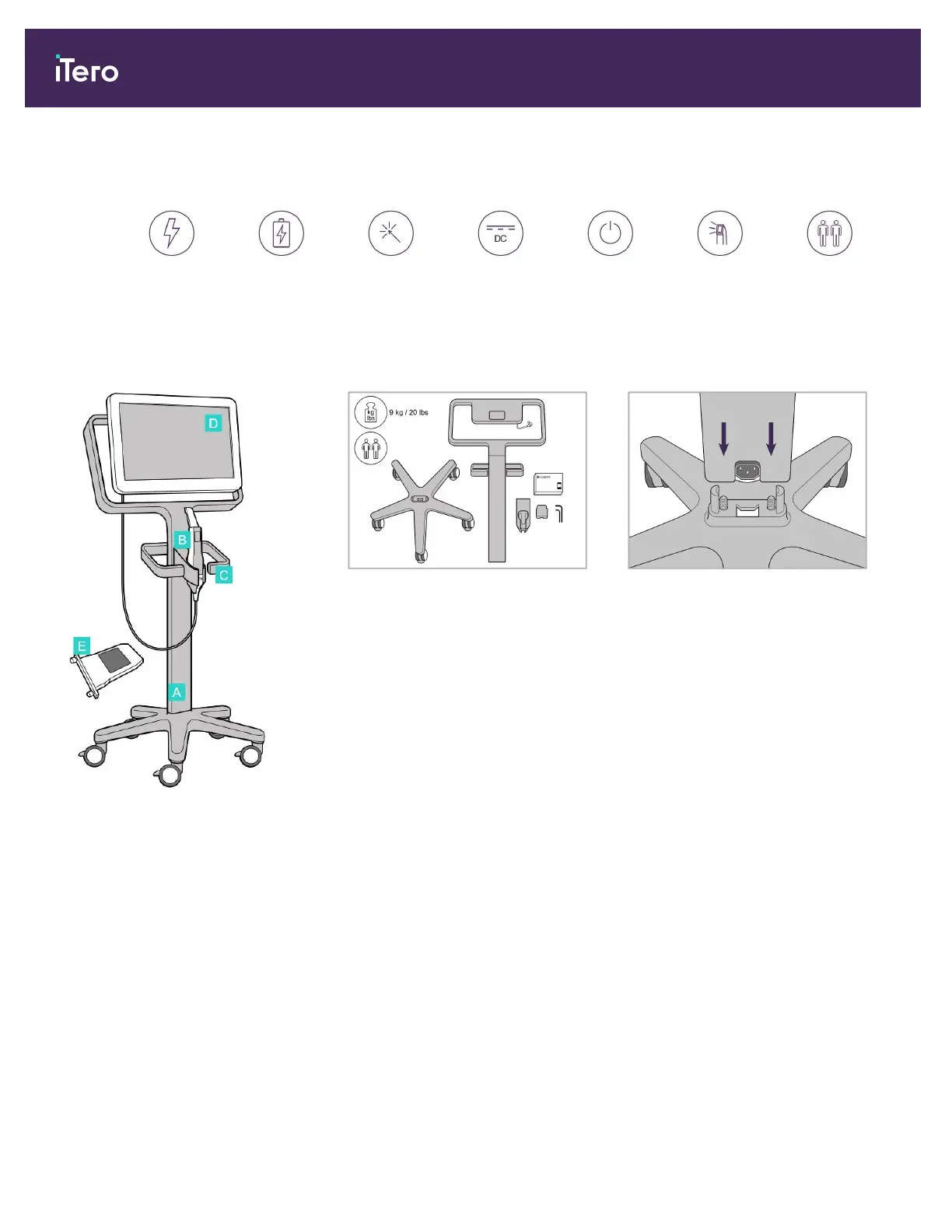
2.1 Assembling the iTero Element 5D wheel-stand configuration scanner
Follow the instructions below to assemble the iTero Element 5D wheel-stand configuration scanner.
AC power Battery Click DC power Power button Wand
2 people are
required for
installation
A Wheel stand
B Wand with cable
C Wand cradle
D HD touch screen
E External battery
1. Check the contents of the boxes. 2. Connect the post to the wheel base.
iTero Element 5D and iTero Element 5D Plus imaging systems User manual
14 © 2022 Align Technology, Inc. All rights reserved.



 To Next Page