5.4.2 Disabling NIRI capture
Note: This section is not relevant for iTero Element 5D Plus Lite systems.
When patients are scanned, the NIRI data is captured by default. However, you can disable capturing the NIRI
data, before starting a new scan. In this case, none of the NIRI features are displayed in the GUI, and NIRI data is
not captured, saved, or sent.
If required, NIRI capture can also be disabled for all scans by default, as described in Defining the Rx settings.
To disable NIRI for a specific scan:
l
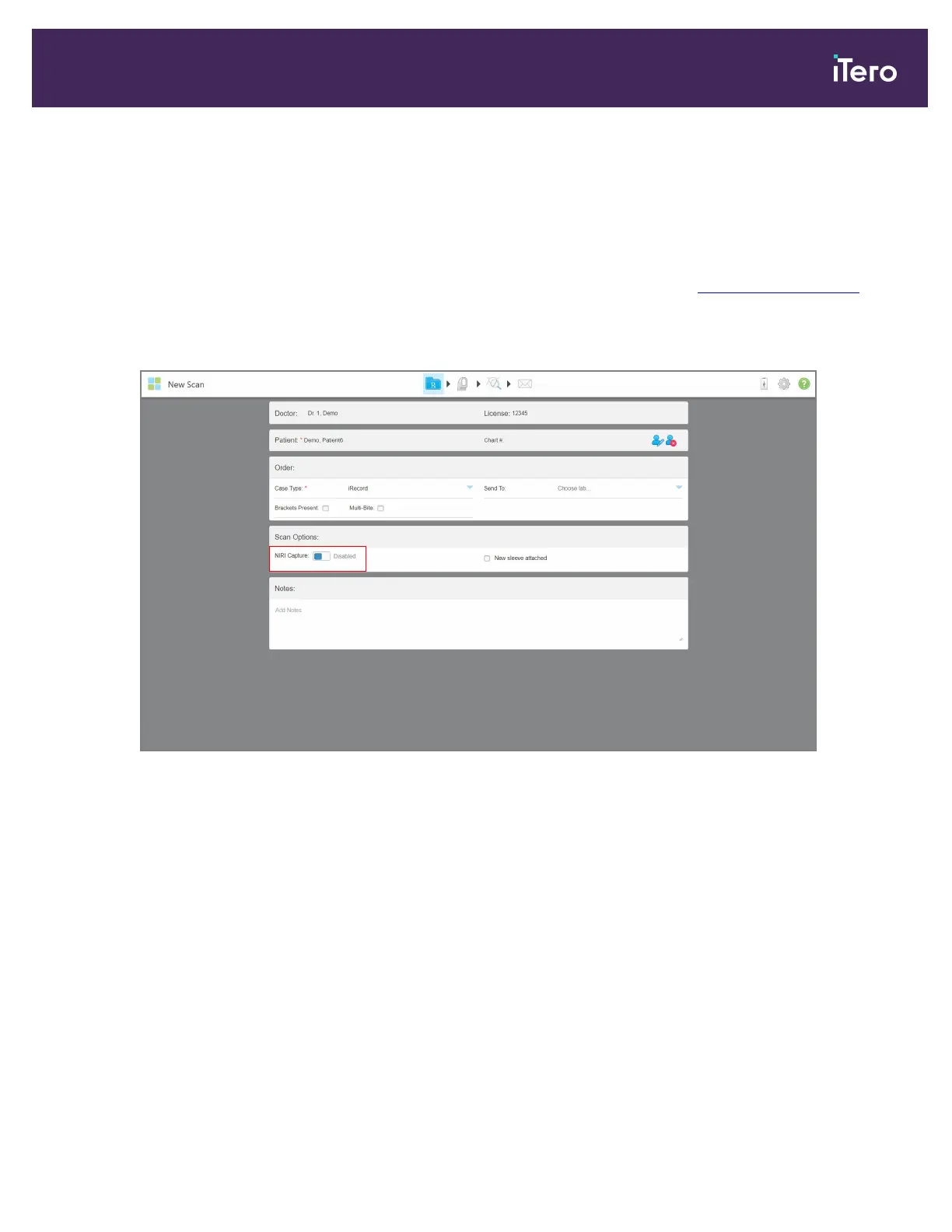
When starting a new scan, in the New Scan window, toggle the NIRI Capture option to Disabled.
Figure 100: Disabling NIRI capture for a specific case
Note: This option cannot be changed after you have started scanning.
iTero Element 5D and iTero Element 5D Plus imaging systems User manual
© 2022 Align Technology, Inc. All rights reserved. 103



 To Next Page