contrast of images in the image pane
l
Capture screenshots of the image, as described in Working with the Snapshot tool
To activate the Review tool:
l
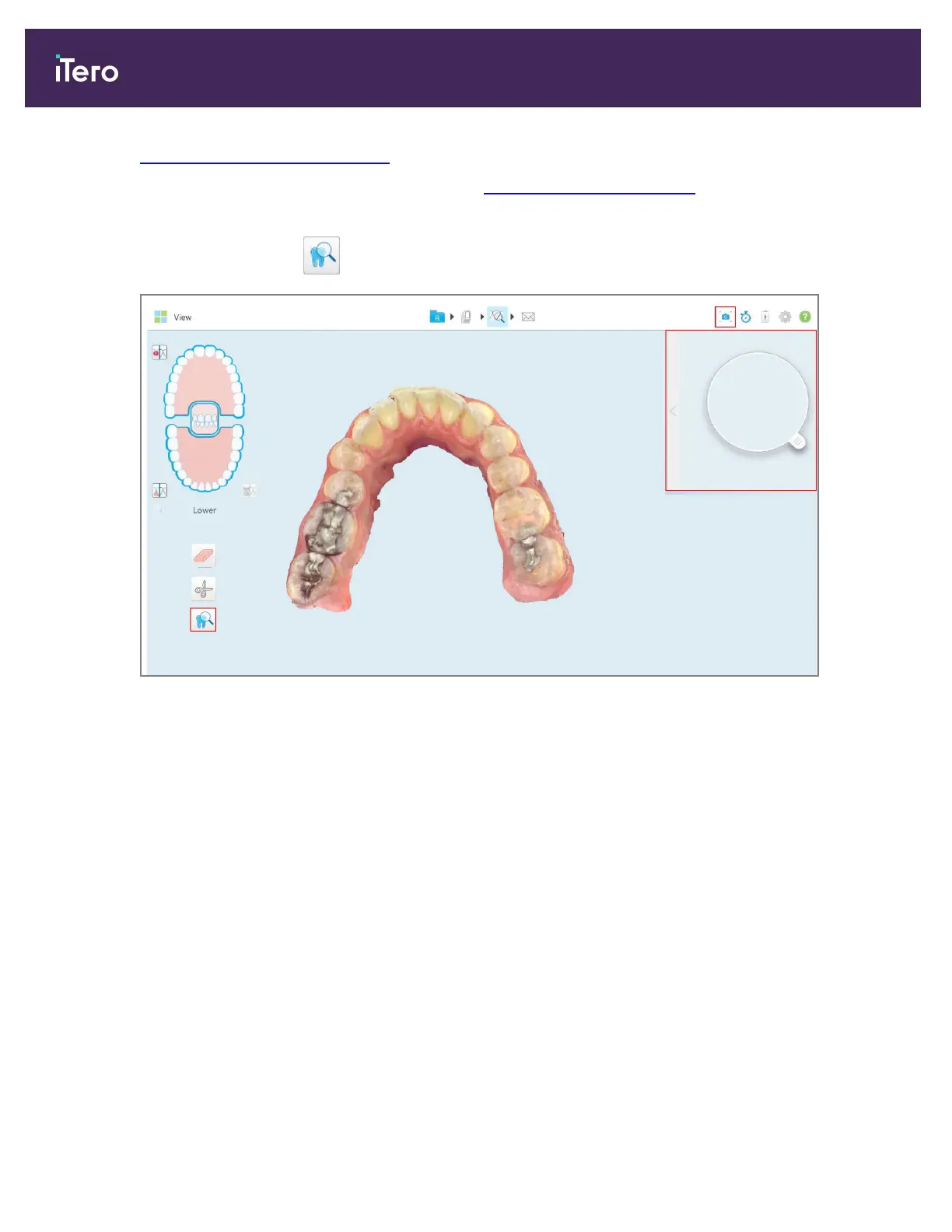
In the View window, tap and then drag the loupe from the right pane over an area of interest.
Figure 186: Review tool with the Snapshot tool on the toolbar and the loupe in the right pane
iTero Element 5D and iTero Element 5D Plus imaging systems User manual
172 © 2022 Align Technology, Inc. All rights reserved.



 To Next Page