a. Tap OK to proceed.
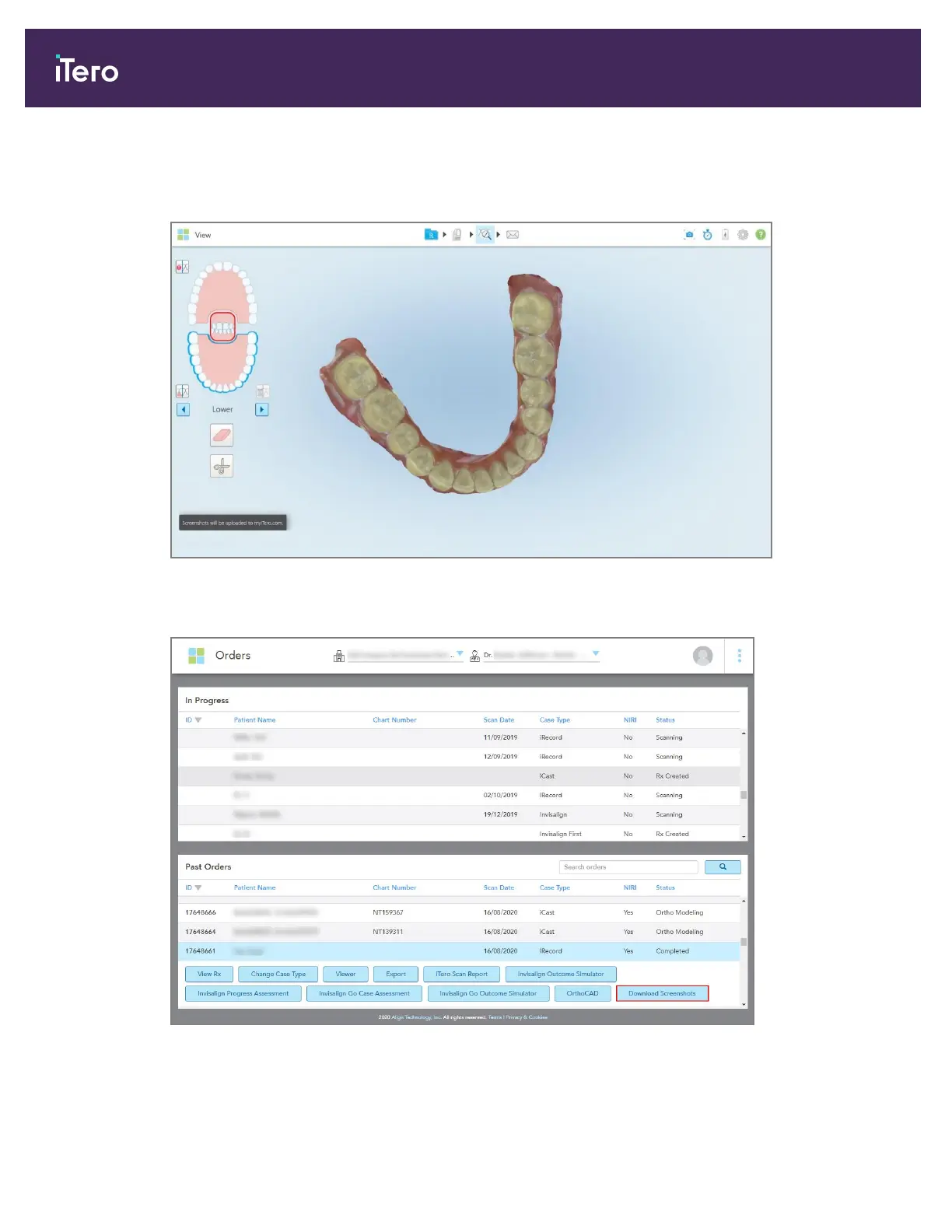
A pop-up message is displayed notifying that the screenshots will be uploaded to MyiTero.
Figure 200: Notification that the screenshots will be uploaded to MyiTero
The screenshots can now be downloaded from MyiTero, from the Orders page or the Viewer.
Figure 201: Option to download screenshots from the Orders page in MyiTero
Note: The NIRI column is not displayed for iTero Element 5D Plus Lite systems.
iTero Element 5D and iTero Element 5D Plus imaging systems User manual
182 © 2022 Align Technology, Inc. All rights reserved.



 To Next Page