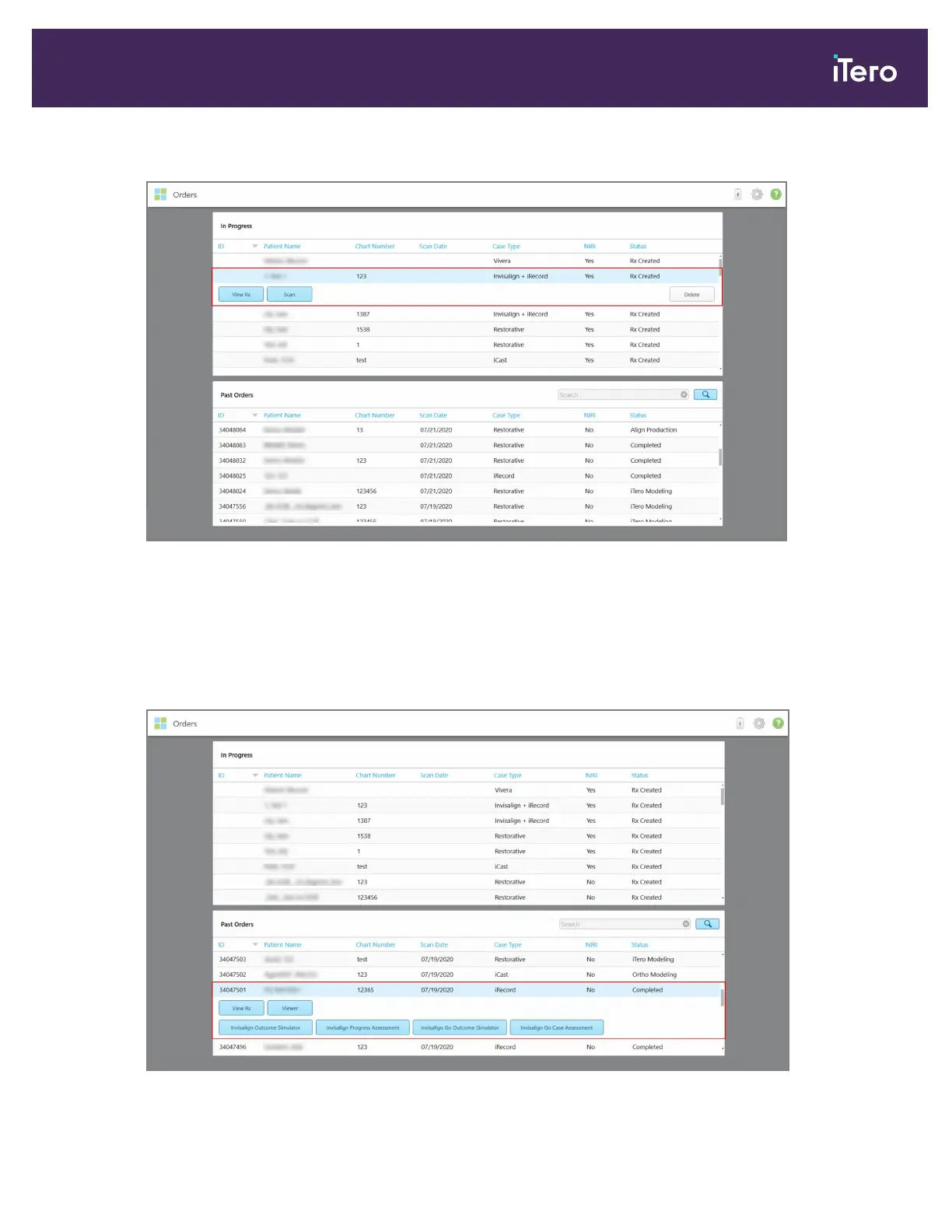
2. Tap on an order in the In Progress pane to view the following options:
Figure 137: In Progress pane – options
o
View Rx: Opens the Rx Details window, enabling you to view the prescription for this order.
o
Scan: Opens the Scan window, enabling you to create a new scan or continue scanning the patient.
o
View Scans: Opens the View window, enabling you to review the current scan.
3. Tap an order in the Past Orders pane to view the following options, depending on the case type:
Figure 138: Past Orders pane – options
iTero Element 5D and iTero Element 5D Plus imaging systems User manual
© 2022 Align Technology, Inc. All rights reserved. 133



 To Next Page