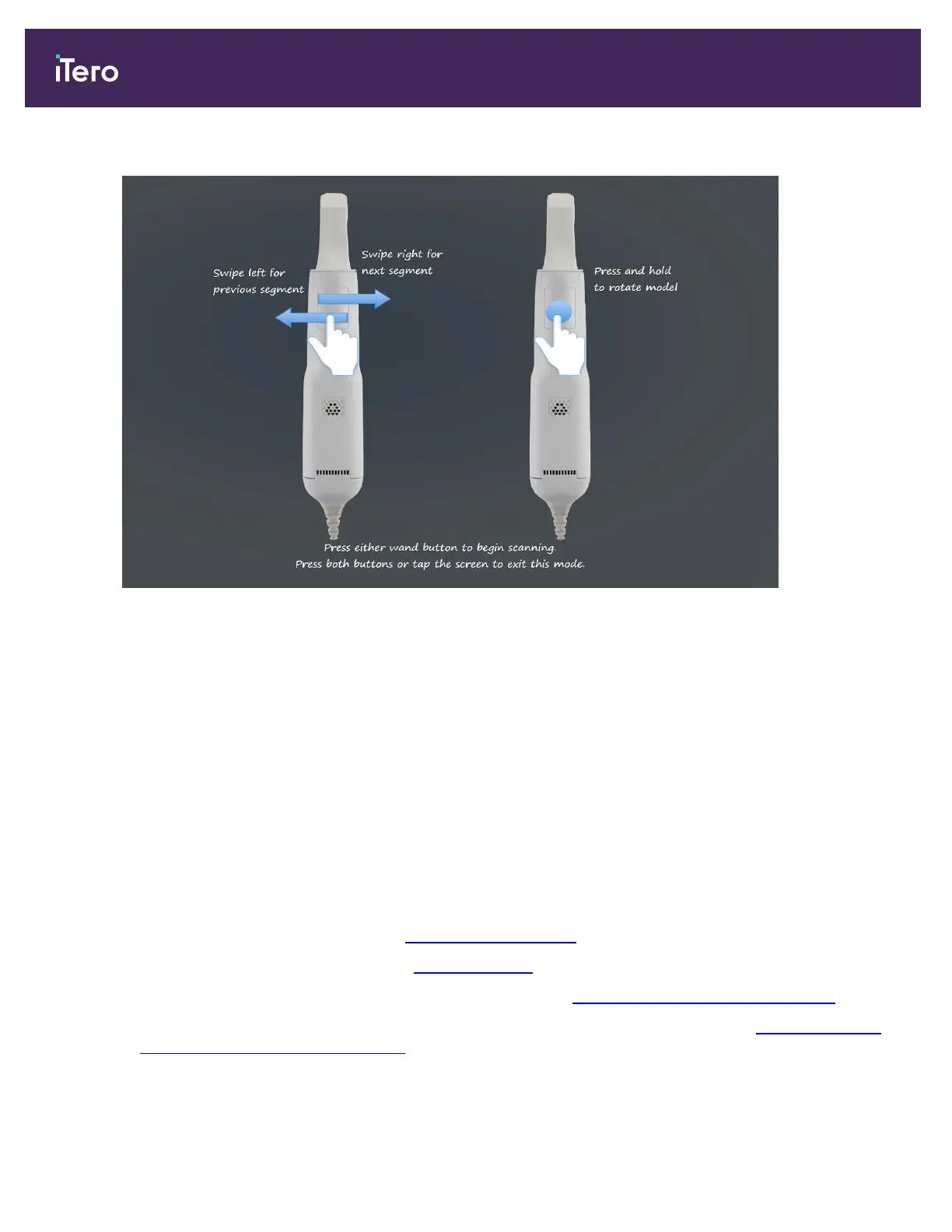
In addition, if you press both wand buttons simultaneously, the following guidance is displayed:
Figure 106: Wand guidance
To allow optimal capturing of the NIR images, the wand should be held 0-3mm above the patient’s teeth.
5.5.2 Scanning best practices
iTero recommends the following best practices for scanning restorative cases:
l
Ensure that the prepped tooth and the surrounding area is free of debris, saliva, and blood contamination.
l
The prepped tooth should be dry, and the margin line should be clear of tissue.
l
You should be familiar with proper scanning techniques and avoid over scanning.
5.5.3 Scan options
In Scan mode, you can select the following options:
l
Additional scan feedback, described in Additional scan feedback
l
Toggle color/monochrome, described in Scan color toggle
l
Toggle between the 3D and the viewfinder display, described in Toggling the 3D and viewfinder display
l
Toggle between displaying a color image or a NIRI image in the viewfinder, as described in Toggling between
color and NIRI images in the viewfinder – relevant for iTero Element 5D and iTero Element 5D Plus systems
only
iTero Element 5D and iTero Element 5D Plus imaging systems User manual
108 © 2022 Align Technology, Inc. All rights reserved.



 To Next Page