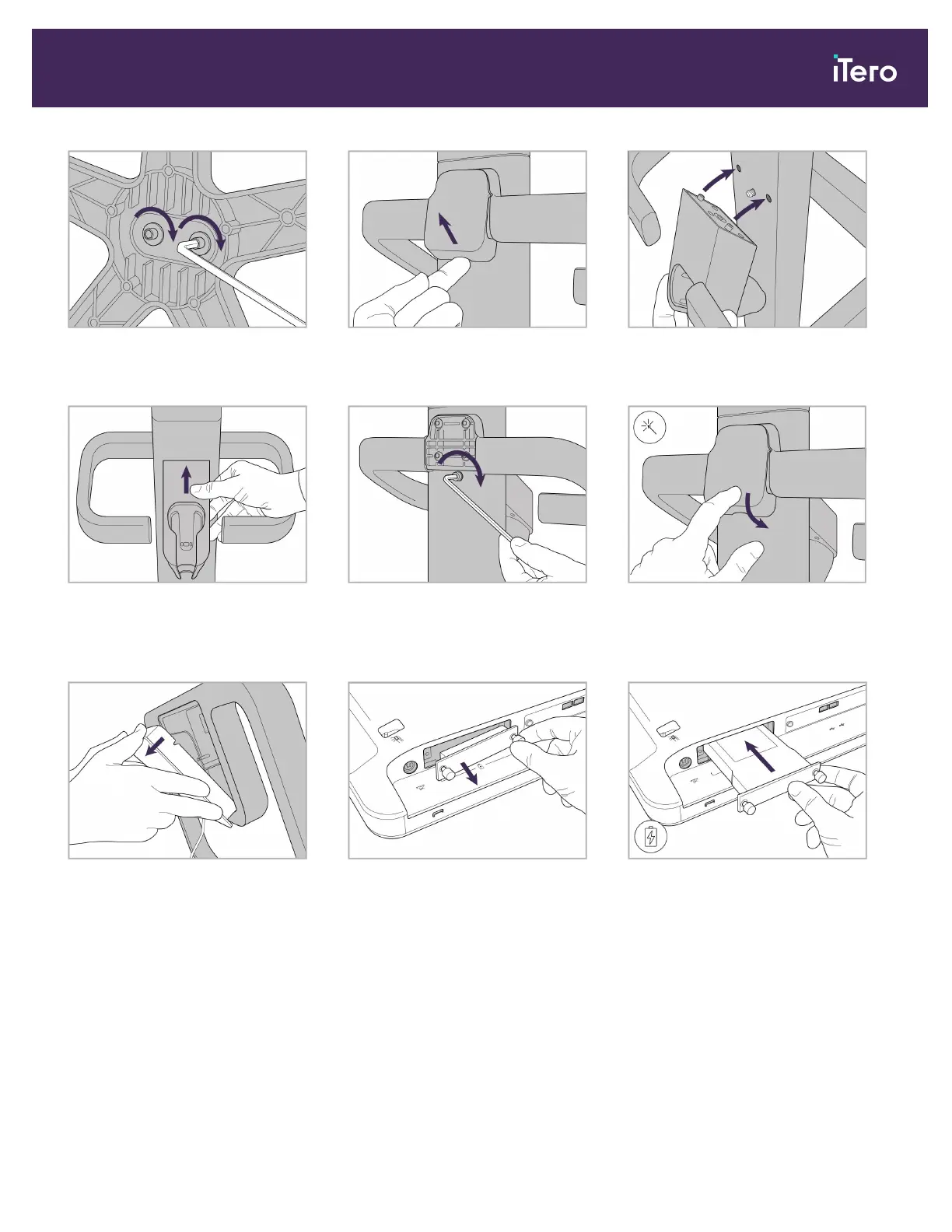
3. Tighten the two Allen screws using
the larger Allen key.
4. Remove the cover from the back of
the handle.
5. Attach the wand cradle to the front
of the wheel stand.
6. Hold the cradle. 7. Tighten the back of the wand cradle
with the Allen screw using the
smaller Allen key.
8. Reattach the cover behind the
handle.
9. Remove the magnetic cover from
the back of the
wheel- stand frame.
10. Loosen the thumbscrews and
remove the battery cover.
11. Slide the battery into the battery slot
and tighten the thumbscrews.
iTero Element 5D and iTero Element 5D Plus imaging systems User manual
© 2022 Align Technology, Inc. All rights reserved. 15



 To Next Page