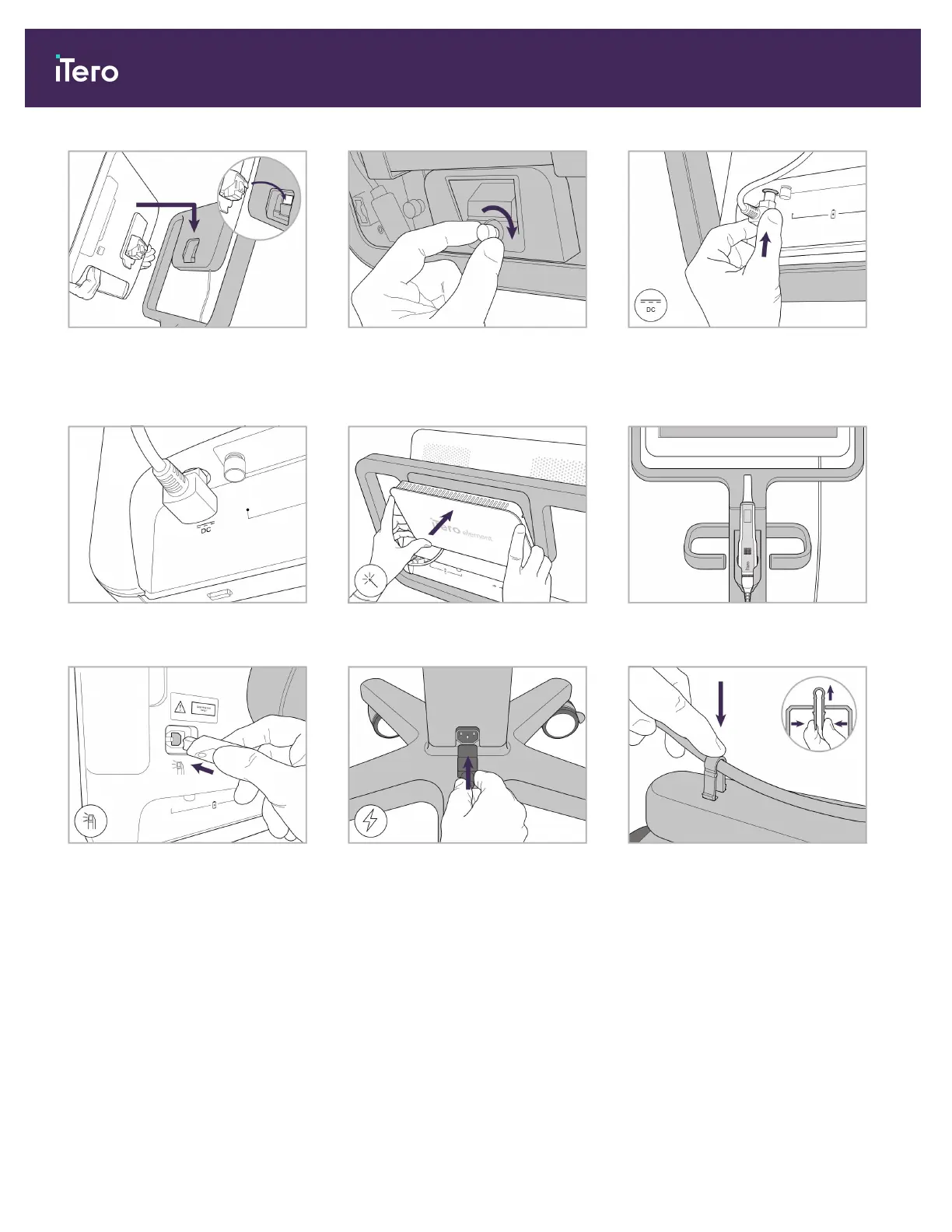
12. Lift the touch screen to mount it. 13. Turn the scanner around and
tighten the thumbscrew to secure
the screen.
14. Connect the power cable to the port
labeled DC, as shown in the next
image.
Power cable inserted.
15. Attach the magnetic back cover. 16. Place the wand in the cradle.
17. Connect the wand cable to the back
of the touch screen.
18. Connect the power cable on the
bottom of the wheel stand.
19. Secure the cable to the bottom of
the wheel stand with the clip.
iTero Element 5D and iTero Element 5D Plus imaging systems User manual
16 © 2022 Align Technology, Inc. All rights reserved.



 To Next Page