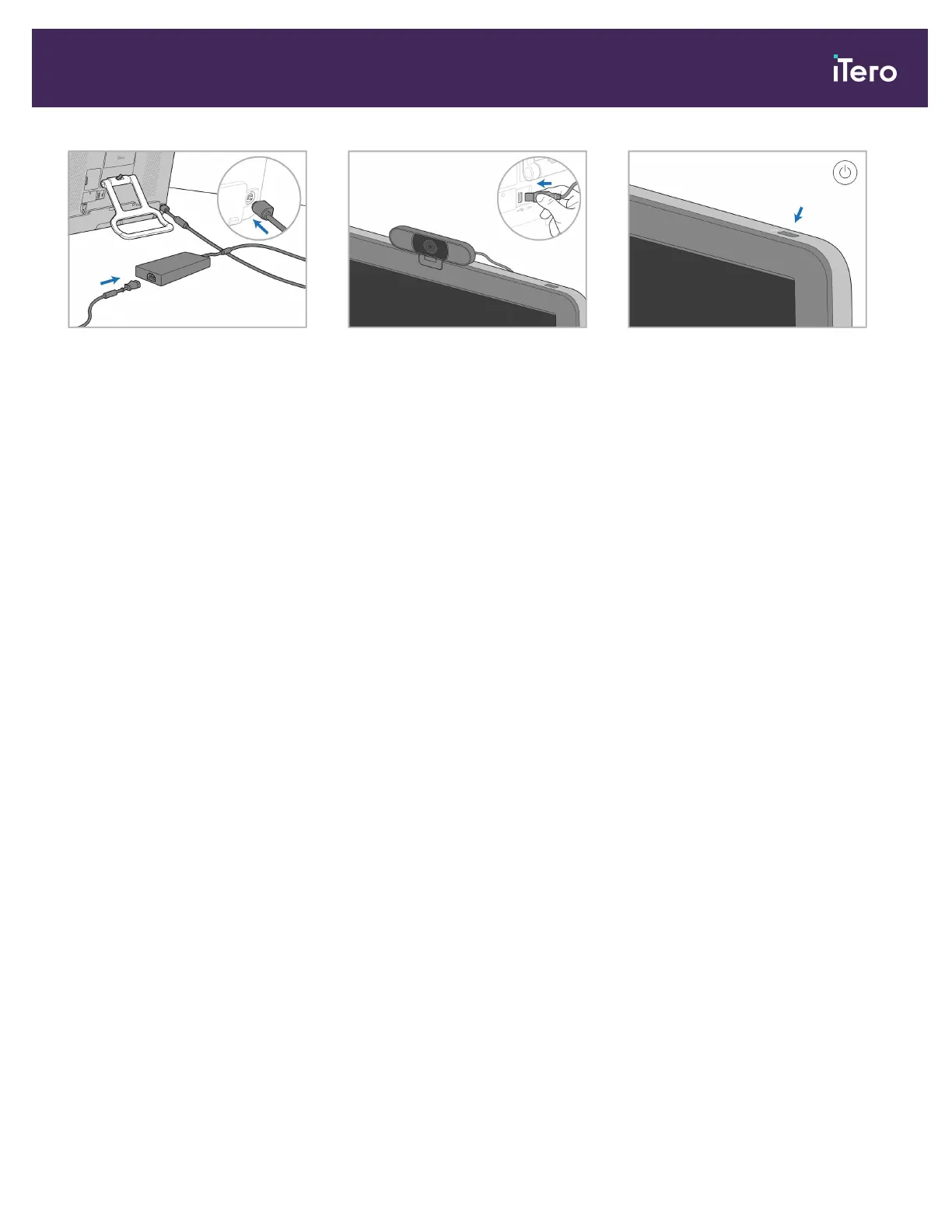
8. Connect the power cable to the
power supply. Connect the one side
of the cable to the back of the
computing unit and the other to a
power outlet.
Note: Place the cable in a safe
manner so that no one is likely to
accidentally trip over it.
9. For remote training or support
sessions, position the webcam on
the computing unit and then
connect it to the USB port at the
back of the computing unit.
Note: The webcam is packed in the
scanner box.
10. Press the power button to turn on
the scanner.
Notes:
l
The webcam must be disconnected after each training or support session.
l
Always return the wand to the cradle after each use.
l
The wand and cradle should be cleaned and disinfected before each patient.
iTero Element 5D and iTero Element 5D Plus imaging systems User manual
© 2022 Align Technology, Inc. All rights reserved. 27



 To Next Page