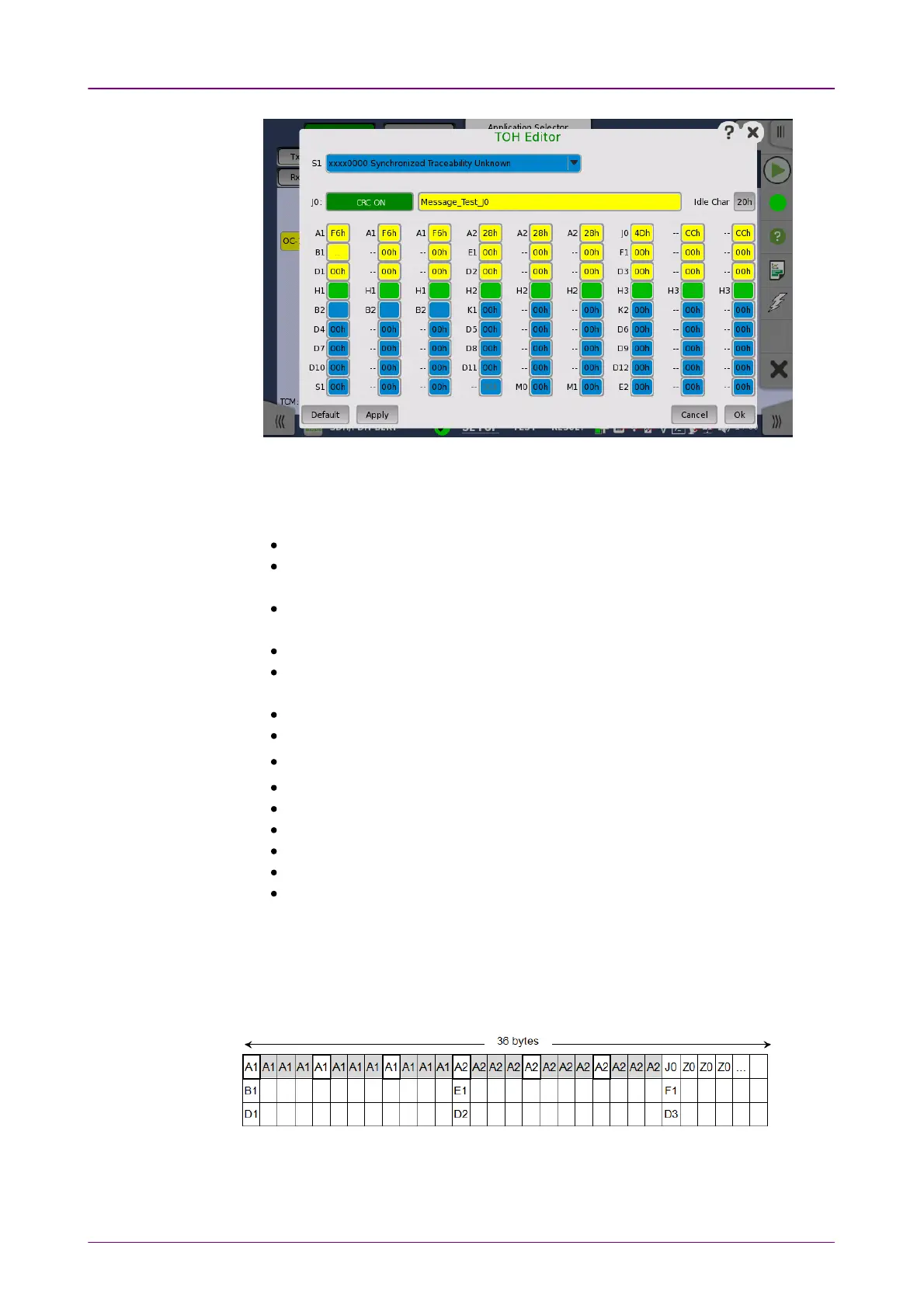
POH EditorPOH Editor
The setup principle is the same in this editor dialog box as in the SONET
structure. Touching a button or opening a drop-down menu will open for new
editor dialog boxes, new value selections etc.
S1S1: Synchronization status
J0J0: Regenerator section trace
Idle Char is an ASCII code used for the padding.
A1A1, A2A2: Framing
Defined A1 as F6h (1111011b), A2 as 28h (00101000b).
B1B1: BIP-8 (Bit Interleaved Parity) This byte cannot be set.
E1E1, E2E2: Orderwire
E1 is part of the Section Overhead, E2 is part of the Line Overhead.
F1F1: User channel
D1-D3D1-D3: Section data communication channel (DCC
R
)
D4-D12D4-D12: Line data communication channel (DCC
M
)
B2B2: BIP-N×24 These bytes cannot be set.
K1K1, K2K2(bit 1 to bit 5): Automatic protection switching (APS) channel
K2K2(bit 6 to bit 8): RDI-L (Line Remote Defect Indication)
M0M0, M1M1: REI-L (Line Remote Error Indication)
Z2Z2: Spare byte
H1H1, H2H2, H3H3:STS pointer These bytes cannot be set.
This editor format is the same as TOH of OC-3/STS-3. For OC-12/48/192, TOH
bytes in other column are filled with value set by the editor. In case of OC-12
TOH in following figure, you can edit A1A2 bytes in thicker lines cell. The bytes
in gray cell are filled with the value in left side cell in thicker lines.
Touching a POHPOH button launches the STS-x POH EditorSTS-x POH Editor or VT-2/VT1.5 POHVT-2/VT1.5 POH
EditorEditor dialog box. The contents of the dialog depends on which path overhead
you are configuring.














 To Next Page