GraphicalGraphical
presentationpresentation
Protocol interpretationProtocol interpretation
ConfigurationConfiguration
RequestRequest
The graphical presentation consists of a bar diagram of the automatic switching
times. Results may be affected by unexpected alarms/errors.
Shows the screen displaying the Protocol interpretation.
Protection interpolation button appears when SDH or SONET layer is present.
55..88..33..33 Protocol interpretationProtocol interpretation
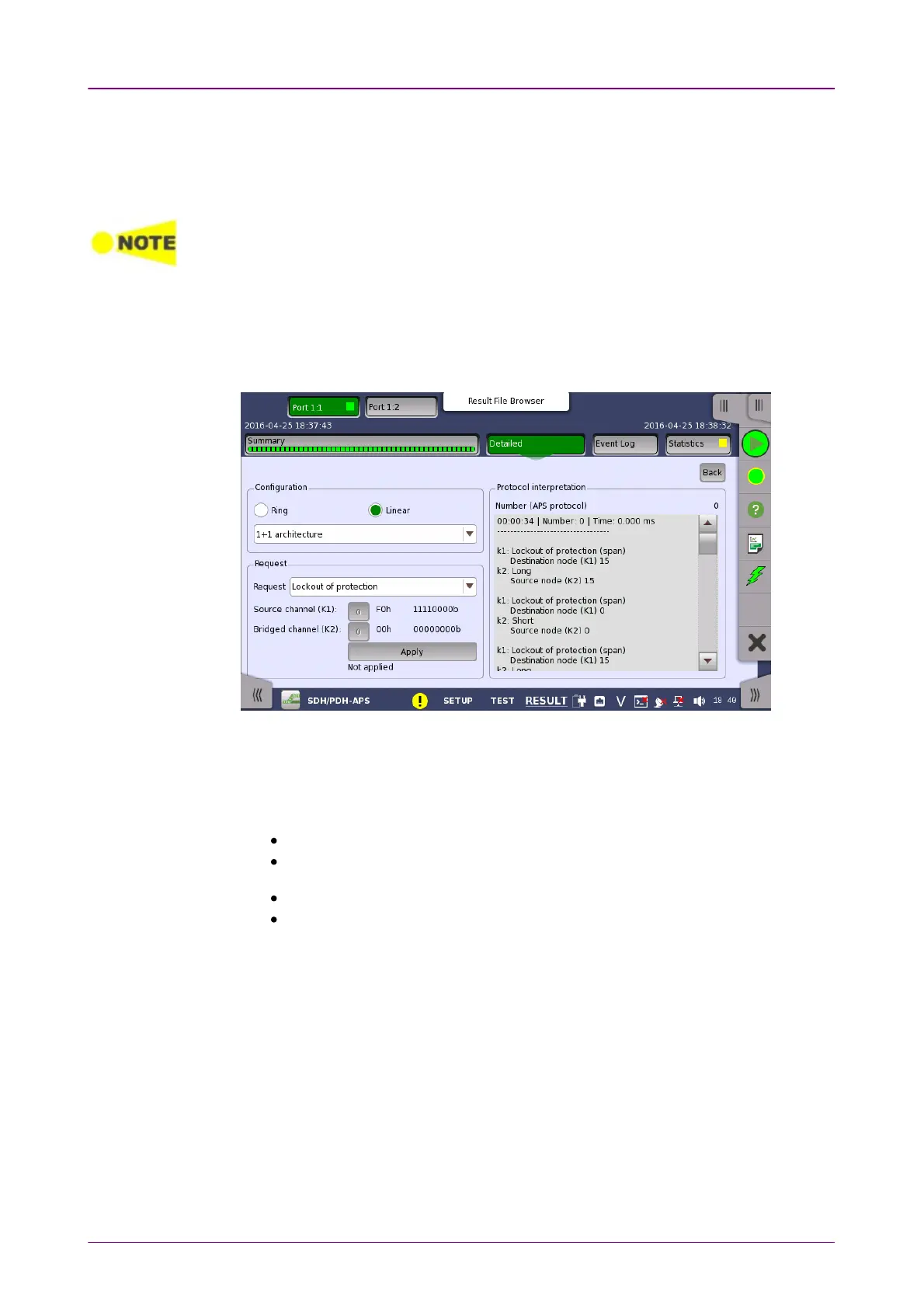
Touching the Protocol interpretationProtocol interpretation button on the DetailedDetailed screen will display
the following screen.
This screen shows a protocol interpretation for the selected port (i.e. detailed
decoding information about K1 and K2 during the test). It also contains a set of
parameters that allow you configure the requests used in the test.
Select the configuration from below.
RingRing: MS shared protection ring / BLSR (Bidirectional line switched ring)
LinearLinear: Linear VC trail protection / UPSR (Unidirectional path switched ring)
Short pathShort path, Long pathLong path: Type of substitute path for Ring protection.
1+1 architecture1+1 architecture, 1:n architecture1:n architecture: Type of the architecture for Liner protection.
RequestRequest
Use the drop-down menu to select the relevant request type (Forced switchForced switch,
Signal failSignal fail etc.).
Destination node / Source channel (K1)Destination node / Source channel (K1)
Touch the field to set the channel number of the K1 byte (bits 5-8). Possible
values are 00 to 1515.
Source node / Bridged channel (K2)Source node / Bridged channel (K2)
Touch the field to set the channel number of the K2 byte (bits 1-4). Possible
values are 00 to 1515.
ApplyApply














 To Next Page