Pattern ErrorsPattern Errors
TransportTransport
These items appear if PDH TxPDH Tx and PDH RxPDH Rx, or DSn TxDSn Tx and DSn RxDSn Rx are selected
on Setup screen.
E1E1
G.821, G.826, M.2100, G.821 (expired)
E3E3
G.826, M.2100
E4E4
G.826, M.2100
DS1/J1DS1/J1
G.821, G.826, M.2100, G.821 (expired)
DS3DS3
G.826, M.2100
Apply G.821 to the equipment designed prior to the adoption of revised ITU-T
Recommendation G.826 on 14 December, 2002.
G.821(expired) is provided for backward compatibility to the previous model
CMA3000. This standard is not recommended for normal use.
55..99..22..33 ThresholdsThresholds
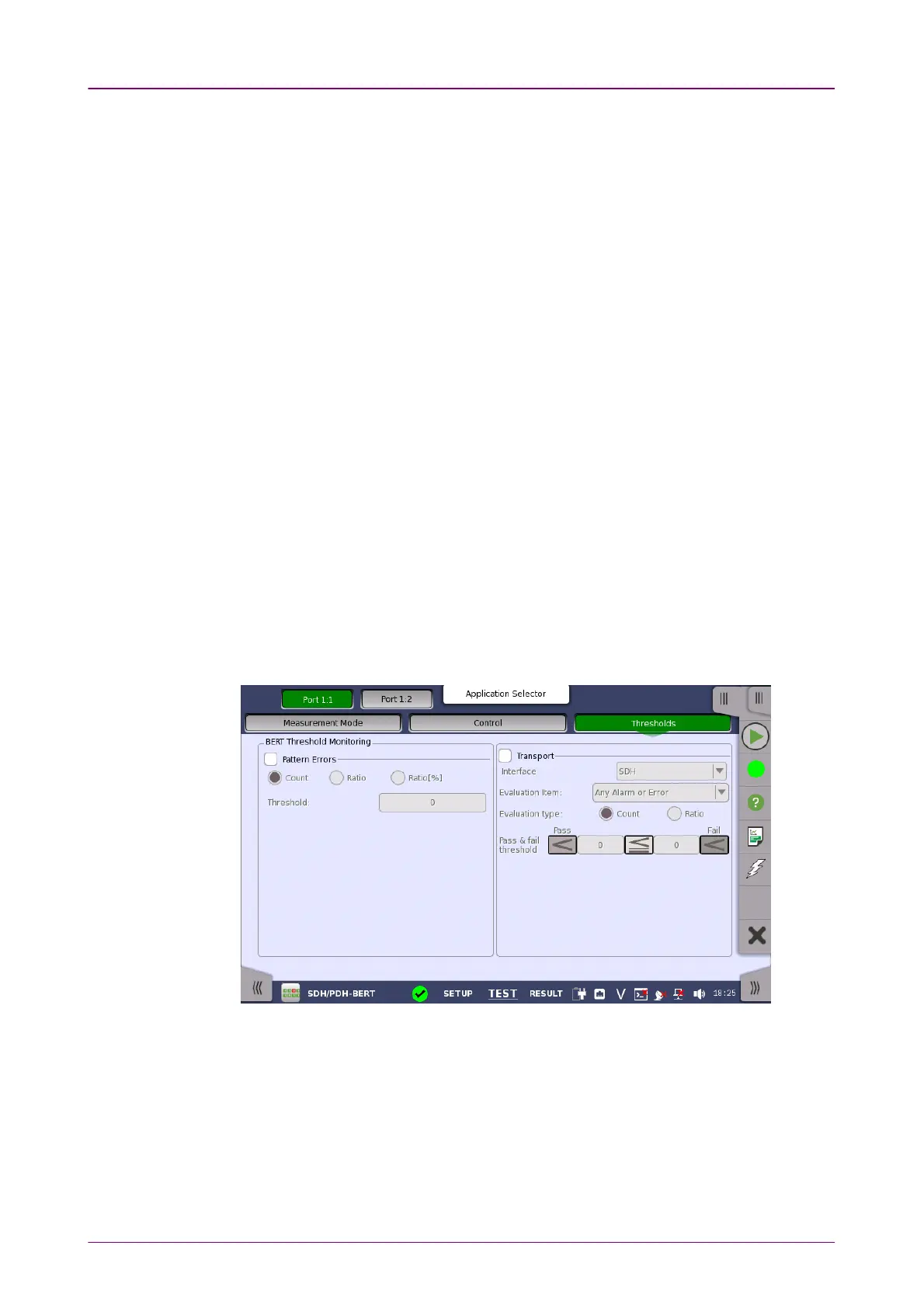
Touching the ThresholdsThresholds button in the navigation area displays the following
screen.
This screen contains the parameters for setting up the various threshold values
(i.e. limits) for errors and Pass/Fail status that are used during the monitoring.
Allows you to enable monitoring of pattern errors (i.e. bit errors) and to set up
a threshold value for the bit error ratio.
Choose whether the threshold is specified as an absolute value or a percentage,
using the CountCount, RatioRatio and Ratio [%]Ratio [%] radio buttons, and then specify the value
in the ThresholdThreshold field.
Select the check box to enable the transport-related parameters.














 To Next Page