Port definitionPort definition
Clock ConfigurationClock Configuration
The configuration options available in the setup area of the screen are
described below. The status information is described in a separate section.
66..11..11..11 Port configuration parametersPort configuration parameters
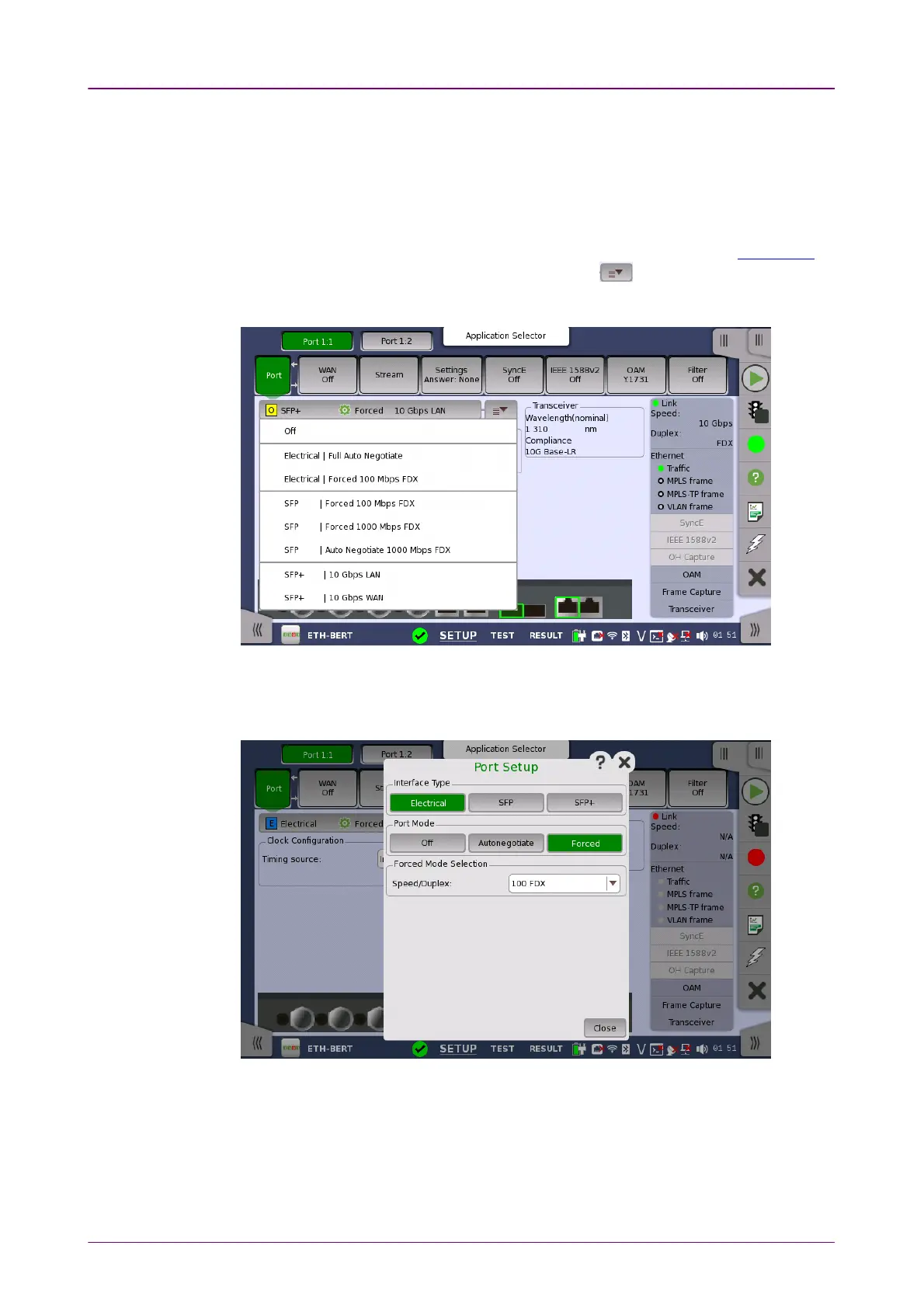
You can use either a 'quick mode' or a 'detailed mode' to set up the port.
Touching the long button at the top of the setup area will launch the Port Setup
dialog box. Touching the right part of the button ( ) will open the
quick
setup menu
.
The quick setup menu contains a number of predefined port configurations
(e.g. Electrical | Forced 100 Mbps FDXElectrical | Forced 100 Mbps FDX). The detailed mode dialog allows you
to specify the configuration yourself.
The detailed mode (Port SetupPort Setup) dialog box is described in a separate section
below.
Timing sourceTiming source
Select a source to synchronize all Ethernet transmitters to.
The possible sources are:














 To Next Page