LLC1LLC1
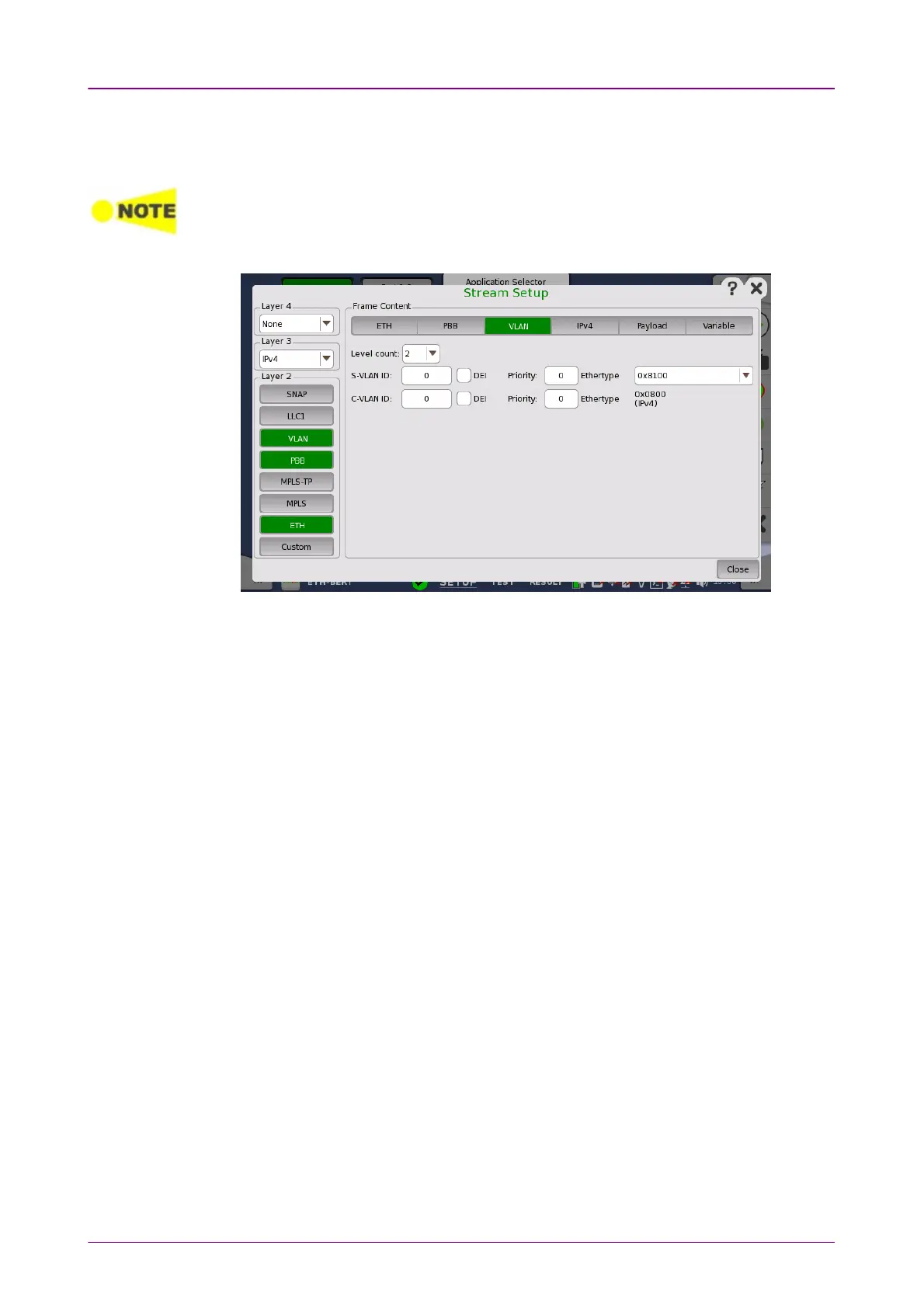
Up to eight levels of VLAN can be inserted in the frame. The number of VLAN
fields is selected through the Level countLevel count drop-down menu, and each level is
set up individually.
For Ping application, the VLAN level count is supported up to 2.
When the VLAN level count is 2, the two VLAN levels will be designated S-VLAN and C-
VLAN. S-VLAN is short for Service provider VLAN and C-VLAN is short for Customer
VLAN.
IDID
Touching the IDID (VLAN ID) button launches a setup dialog box from which it
is possible to set up a denoting of the virtual LAN.
DEIDEI
Selecting the DEIDEI check box sets a 1-bit flag denoting whether MAC addresses
inside the frame are in canonical format.
PriorityPriority
It is possible to set up the priority level of each frame.
EthertypeEthertype
When the Level count is more than one, select the type from 0x81000x8100, 0x88A80x88A8,
0x91000x9100 or 0x92000x9200.
When IPv4IPv4 or IPv6IPv6 is set to Layer 3, the Ethertype of the highest level is
automatically defined, based on the next protocol element. When NoneNone is set to
Layer 3, it can be set between 0x05DD to 0xFFFF.
Touching the LLC1LLC1 layer button displays the parameters available for the
Logical Link Control
protocol layer.














 To Next Page