VariableVariable
When the check box
is
selected, Payload pattern is divided and set to the
payload in Ethernet frames so that the payload pattern is successive through
Ethernet frames.
The
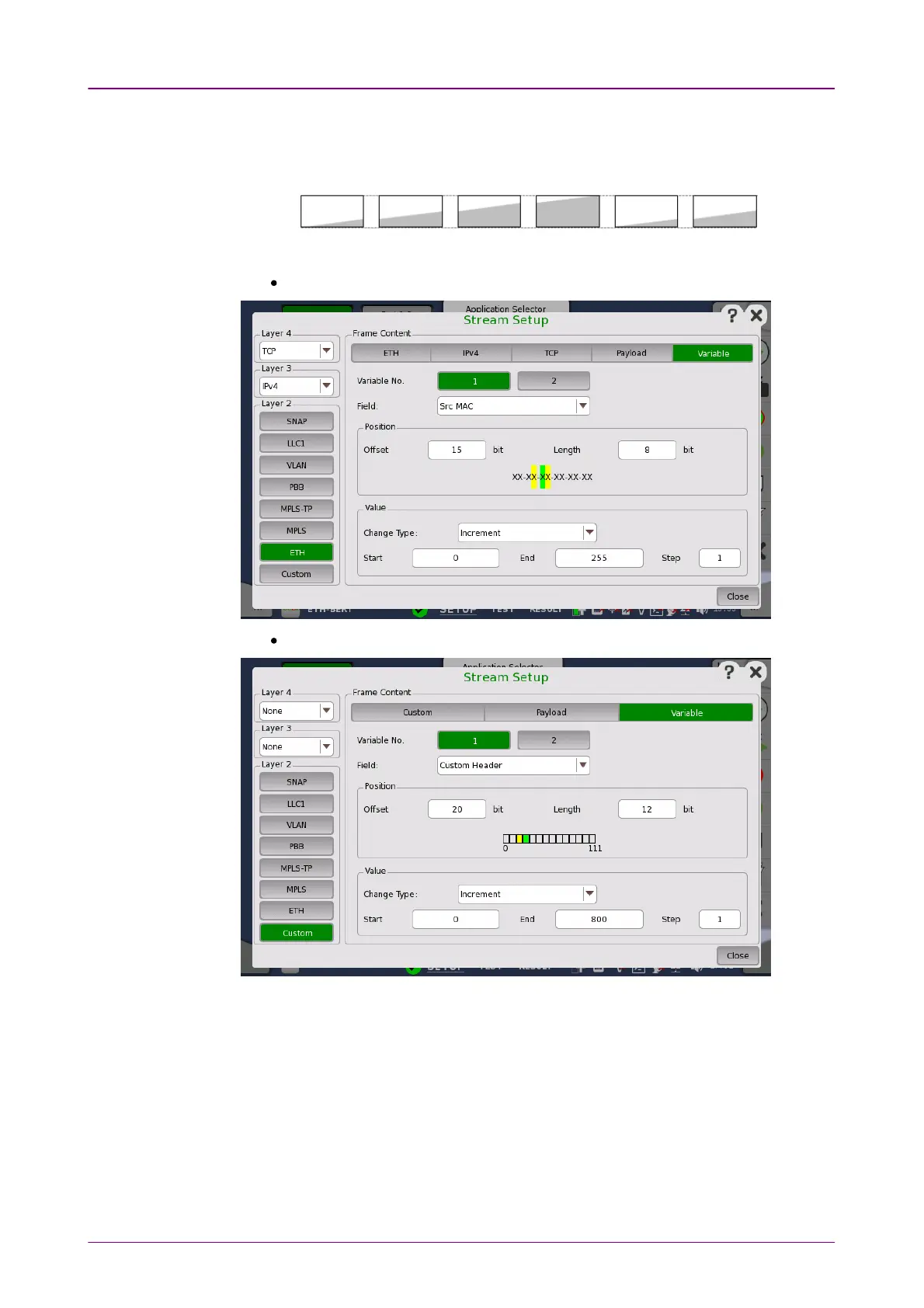
Variable
allows you to set variables in the transmitted frames.
When ETHETH button in layer 2 is green.
When CustomCustom button in layer 2 is green.
Variable No.Variable No.
Select which of the two variables you want to define.
FieldField
Use the drop-down menu to select the type of field. Note that the contents of
the drop-down list depends on which protocol layers are currently chosen for
the Ethernet frame.
PositionPosition














 To Next Page