Allows you to specify a bit position and bit length for the variable by OffsetOffset and
LengthLength field. The position of a variable is shown in green. 'X' means four bits.
When Custom button in Layer 2 is green, row of boxes appears. A box indicates
eight bits.
The part in green shows that all bits are variable. The part in yellow shows that
partial bits are variable.
ValueValue
Use the Change TypeChange Type drop-down menu to specify how the variable will change:
IncrementIncrement, DecrementDecrement or RandomRandom.
Specify StartStart and EndEnd values for the variable, as well as the number of StepsSteps.
66..11..22..33 SwapSwap
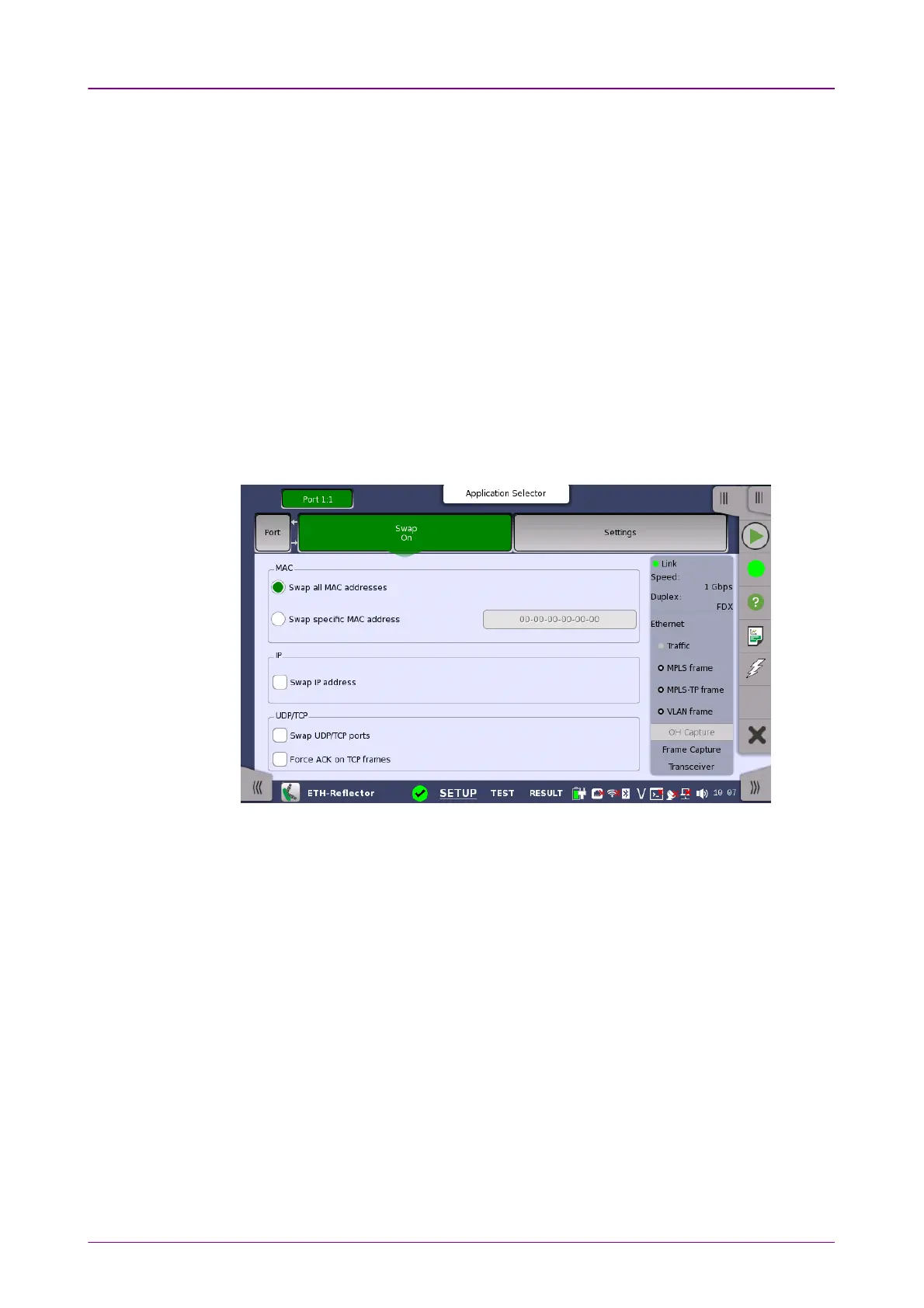
Touching the SwapSwap button in the navigation area displays the following screen.
SwapSwap button appears in Reflector application.
This screen is where you configure the traffic loop by specifying how addresses
and/or ports are to be swapped and reflected.
Selecting Swap all MAC addressesSwap all MAC addresses will transmit/reflect all received frames with
their MAC addresses swapped. Use Swap specific MAC addressSwap specific MAC address to swap and
reflect only the frames with a specific MAC address.
The IP addresses and UDP/TCP ports may also be swapped inside the reflected
frames. Additionally, the ACK flag may be forced set inside reflected TCP
frames.
66..11..22..44 SettingsSettings
Touching the SettingsSettings button in the navigation area will display the screen
shown below.














 To Next Page