Src MACSrc MAC
Allows you to specify the MAC address to be used in ESMC messages. You can
either use the DefaultDefault check box to force an instrument-specific default value,
or touch the address field to enter an address yourself.
Event flagEvent flag
When Mode is set to SynchronousSynchronous, sets the event flag of packets.
DynamicDynamic: Sets to 1 to the first packet, sets to 0 to other packets.
Static OffStatic Off: Sets to 0.
Static OnStatic On: Sets to 1.
CaptureCapture
Selecting this check box enables recording of ESMC messages. The captured
packet data are saved to file with extension "pcap" when the measurement has
ended. The destination folder of the captured data file is the same folder where
the measurement result file is saved.
When capturing the packets concerning SyncE protocol, FCS values of Ethernet frames
are not included in the captured packet data file.
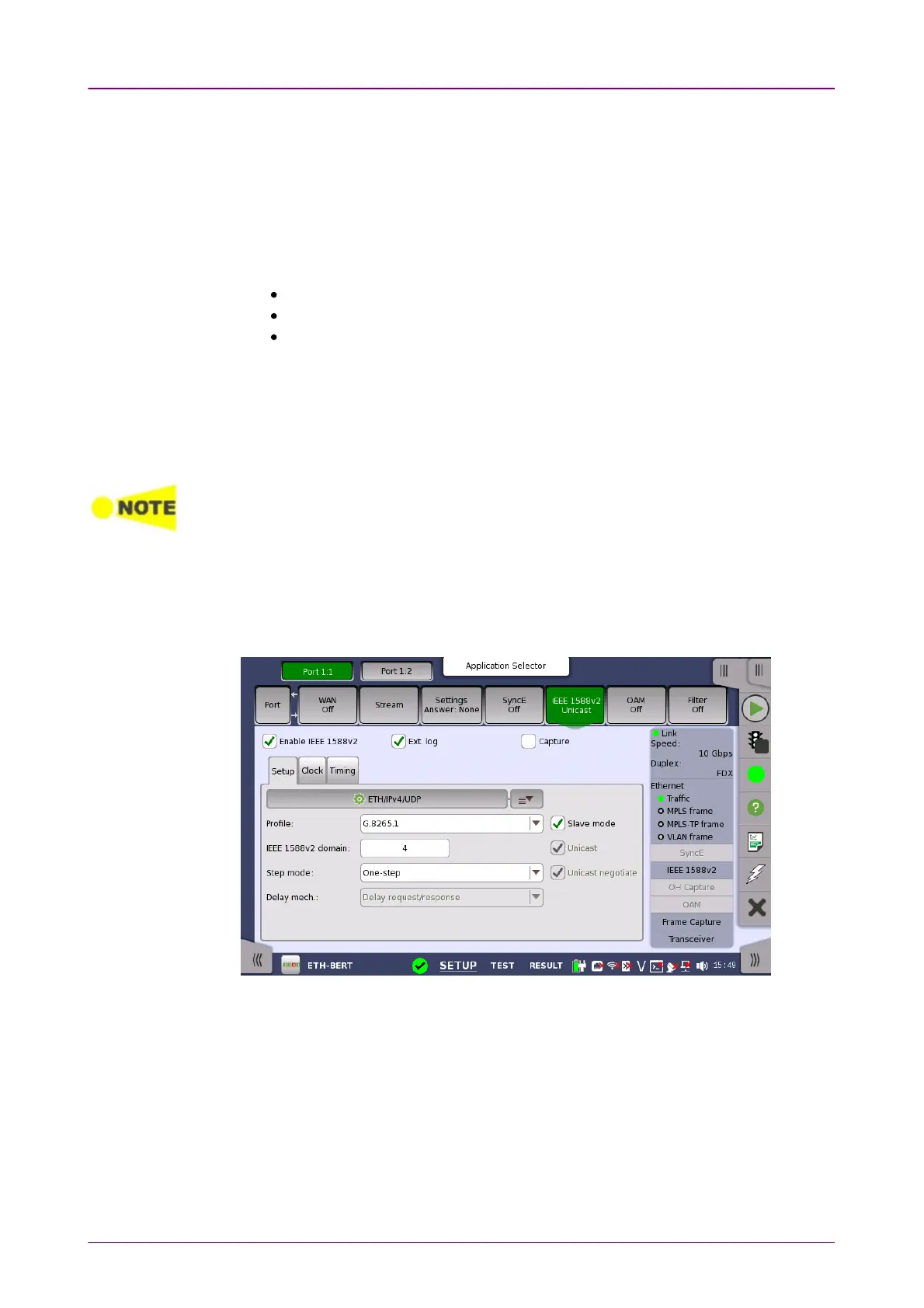
66..11..22..66 IEEE 1588v2IEEE 1588v2
Touching the IEEE 1588v2IEEE 1588v2 button in the navigation area will display the
screen shown below.
This screen allows you to configure the IEEE 1588 clock (based on the IEEE
1588 Precision Time Protocol (PTP), which is used to distribute absolute time
across the Ethernet network). An IEEE 1588 clock can act either as a timing
master or as a slave. The screen also contains information about the current
status of the selected port.














 To Next Page