Interface StatusInterface Status
Monitor ButtonsMonitor Buttons
The middle part of the status area gives you access to alarm and error
information for the selected interface. The status is indicated by the lamp color.
You can choose whether to view only the current alarm and error status, or to
view all alarms and errors in the alarm trap since it was last reset.
A summary consisting of the most relevant alarm/error indications is displayed
constantly. By touching the summary, you can launch a display that contains
all alarms/errors.
At the bottom of the status area are the following buttons that give you access
to various monitor information. By touching a button, you can launch the
corresponding information display.
SyncESyncE
IEEE 1588v2IEEE 1588v2
OAMOAM
OH CaptureOH Capture
Frame CaptureFrame Capture
TransceiverTransceiver
66..11..33..22 Physical DetailsPhysical Details
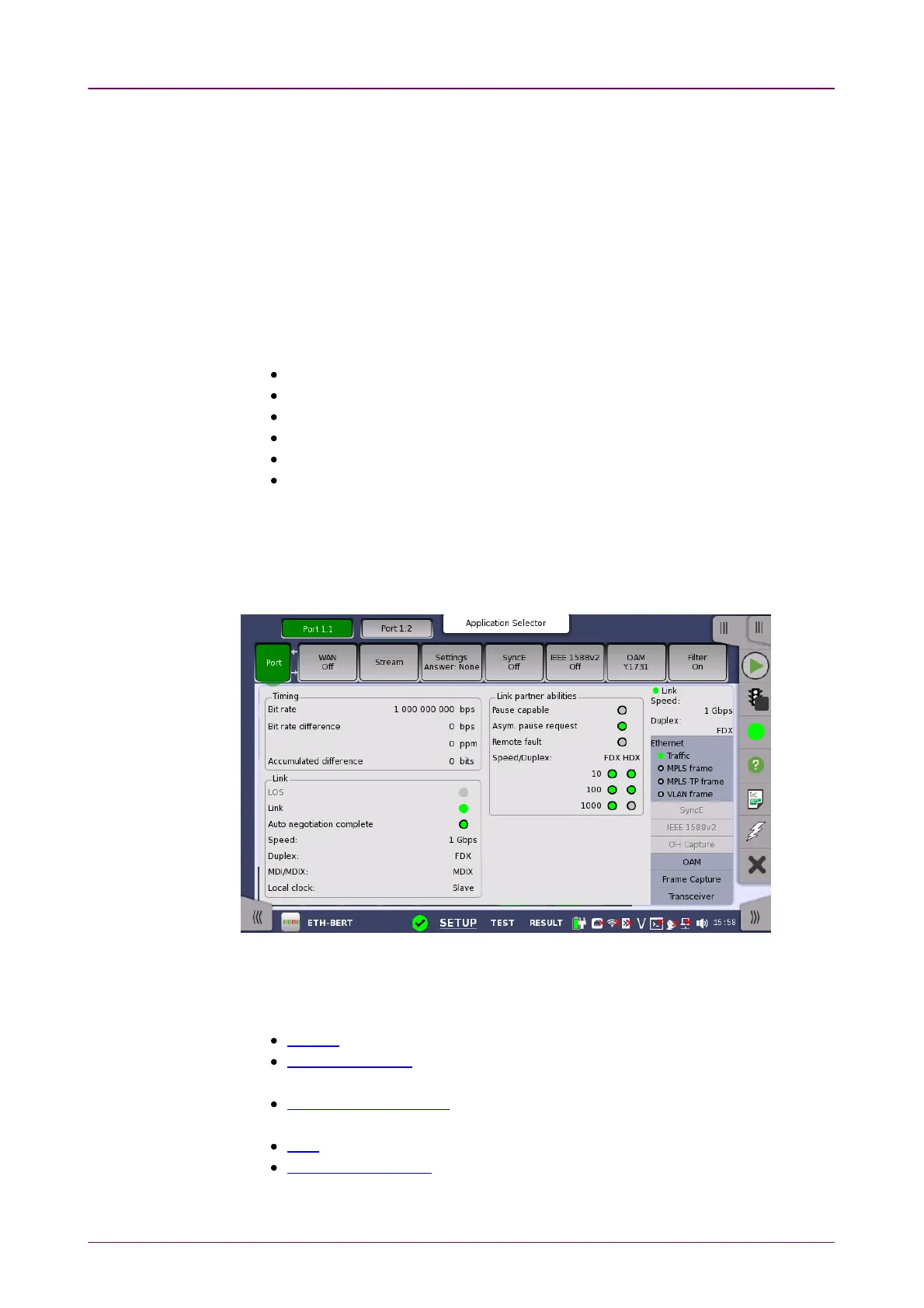
Touching the topmost summary box in the status area of the Ports SetupPorts Setup screen
displays the status shown below.
This screen presents detailed information about the current physical status of
the received signal at the Ethernet interface.
The physical status information consists of the following parameters:
Bit rate, which shows the current bit rate.
Bit rate difference, which shows the difference in bit rate between received
signal and reference source signal.
Accumulated difference, which shows the accumulated bit rate difference
between the received signal and the reference source signal.
Link, which shows the link status of Ethernet.
Link partner abilities, which shows the abilities of the opposite interface port.
(Only available for Electrical)














 To Next Page