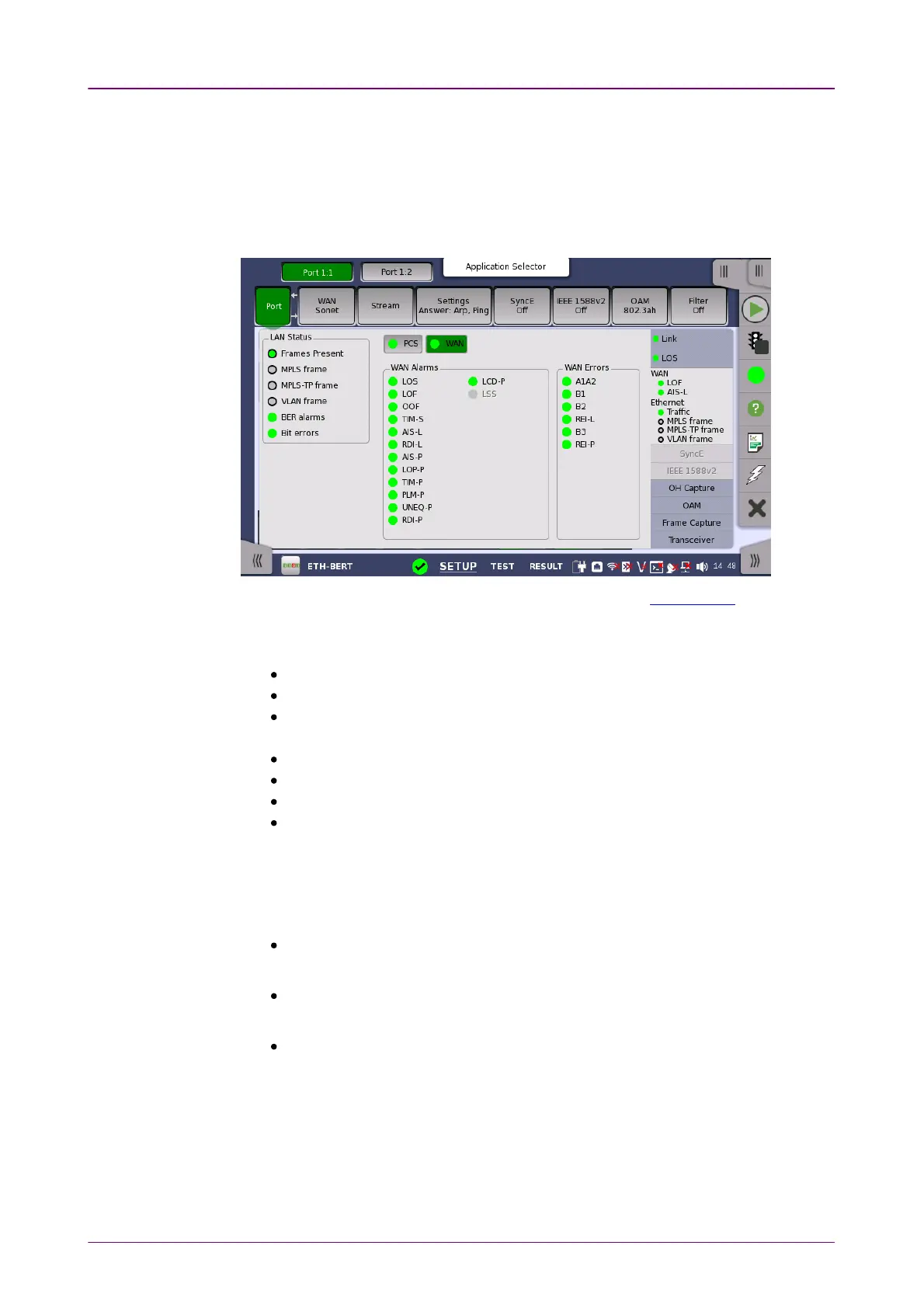
LAN StatusLAN Status
View modeView mode
Available speed and duplex are indicated in green.
66..11..33..33 InterfaceInterface
Touching the middle summary box in the status area of the Ports SetupPorts Setup screen
displays the status shown below.
This screen presents key interface status indicators, with Lamp icons showing
the current status. These indicators give a quick overview of the condition of
the lines.
Frame PresentFrame Present: Ethernet frames are detected.
MPLS frameMPLS frame: Label of MPLS (Multi-Protocol Label Switching) is detected.
MPLS-TP frameMPLS-TP frame: Label of MPLS-TP (Multi-Protocol Label Switching Transport
Profile) is detected.
VLAN frameVLAN frame: Virtual LAN tag is detected.
Multi stream frame lossMulti stream frame loss: Multi stream frame loss is detected.
BER alarmsBER alarms: BER Alarms are detected.
Bit errorsBit errors: Bit errors are detected.
Multi stream frame lossMulti stream frame loss appears in case of Mon./Gen. application.
Status display other than LAN StatusLAN Status can be switched by touching a button.
You can select the status to display from following items:
WAN
WANWAN button appears when Port is set to 10 Gbps WAN10 Gbps WAN.
PCS
PCSPCS button appears when the SFP+ is set to Interface Type .
Sync Test
Sync TestSync Test button appears when Sync Test application is running.
The icon indicating the summary is displayed on each button.
WAN Alarms, WAN ErrorsWAN Alarms, WAN Errors
For the detail of items, refer to the following descriptions in
"SDH/SONET/PDH/DSn Applications".














 To Next Page