SSM/QLSSM/QL
Local ClockLocal Clock
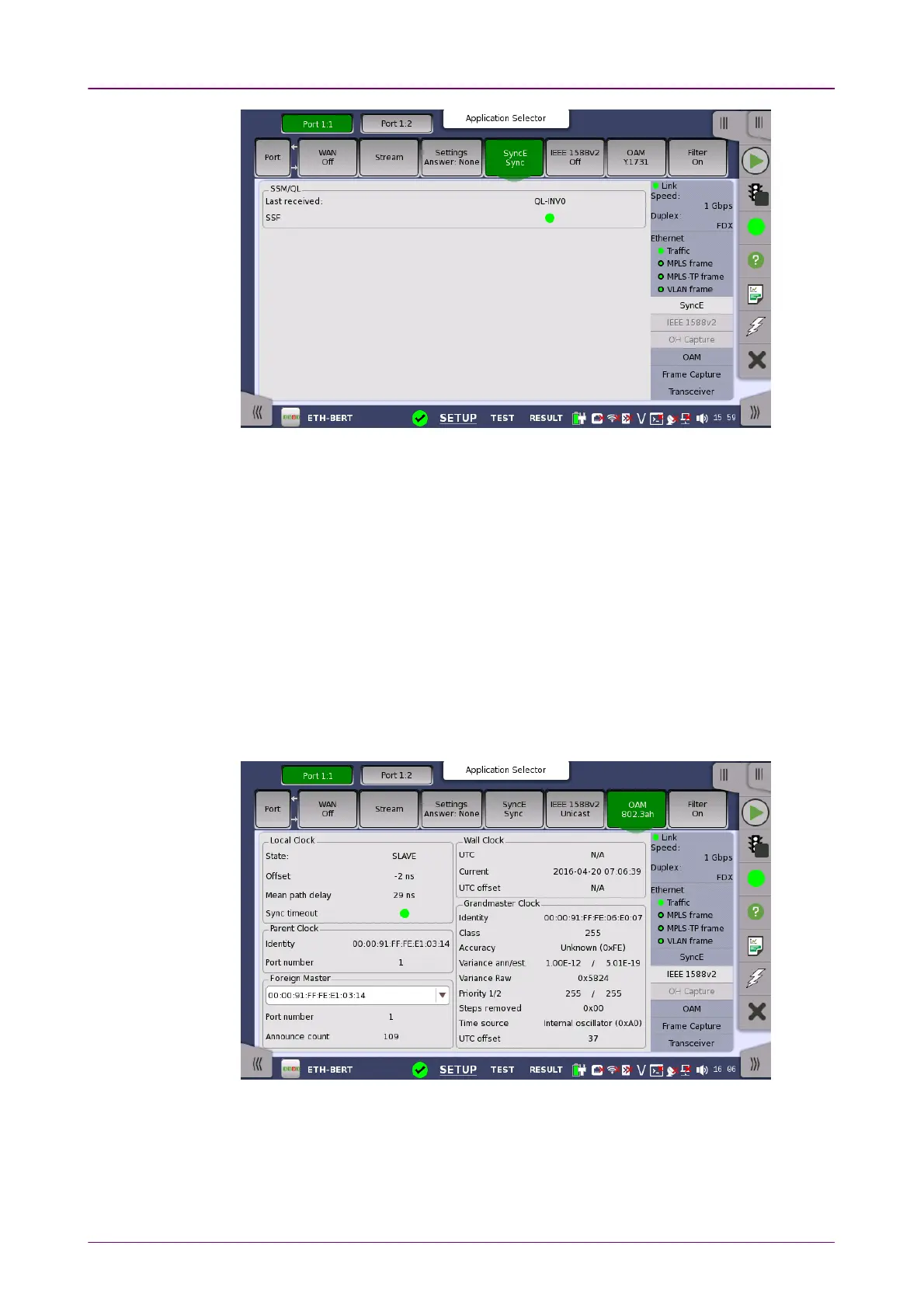
This screen presents information related to the status of synchronous Ethernet.
Synchronization Status Message
and
Quality Level
status
Last receivedLast received
Shows the latest QL value.
SSFSSF
Server signal fail
. The Lamp icon becomes red when no ESMC message has
been received within the last five seconds.
66..11..33..66 IEEE 1588v2IEEE 1588v2
Touching the IEEE 1588v2IEEE 1588v2 button in the status area of the Ports SetupPorts Setup screen
displays the status shown below.
This screen presents information about the status of the IEEE 1588 clock.
StateState
Shows the current clock state of the ports (MASTERMASTER/SLAVESLAVE). INIT.INIT. appears
when a unicast slave is stuck in INIT-state until the master clock grants access.














 To Next Page