Capture SetupCapture Setup
Fault buttonsFault buttons
The fault messages are sent when the button is active.
CCMCCM: Continuity Check Messages.
AISAIS: Alarm Indication Signal.
LCKLCK: Locked Signal Function.
Devices tab pageDevices tab page
Shows the current status of the devices.
The outer circle of the colored Lamp in the Status column represents the CCM
status (green means that CCMs are received from that RMP, red means no
CCMs are received). The inner circle indicates whether the RDI bit in the CCM
frame is set (red) or not set (green).
Decode tab pageDecode tab page
Shows extra information about the various frame types.
66..11..33..88 Frame CaptureFrame Capture
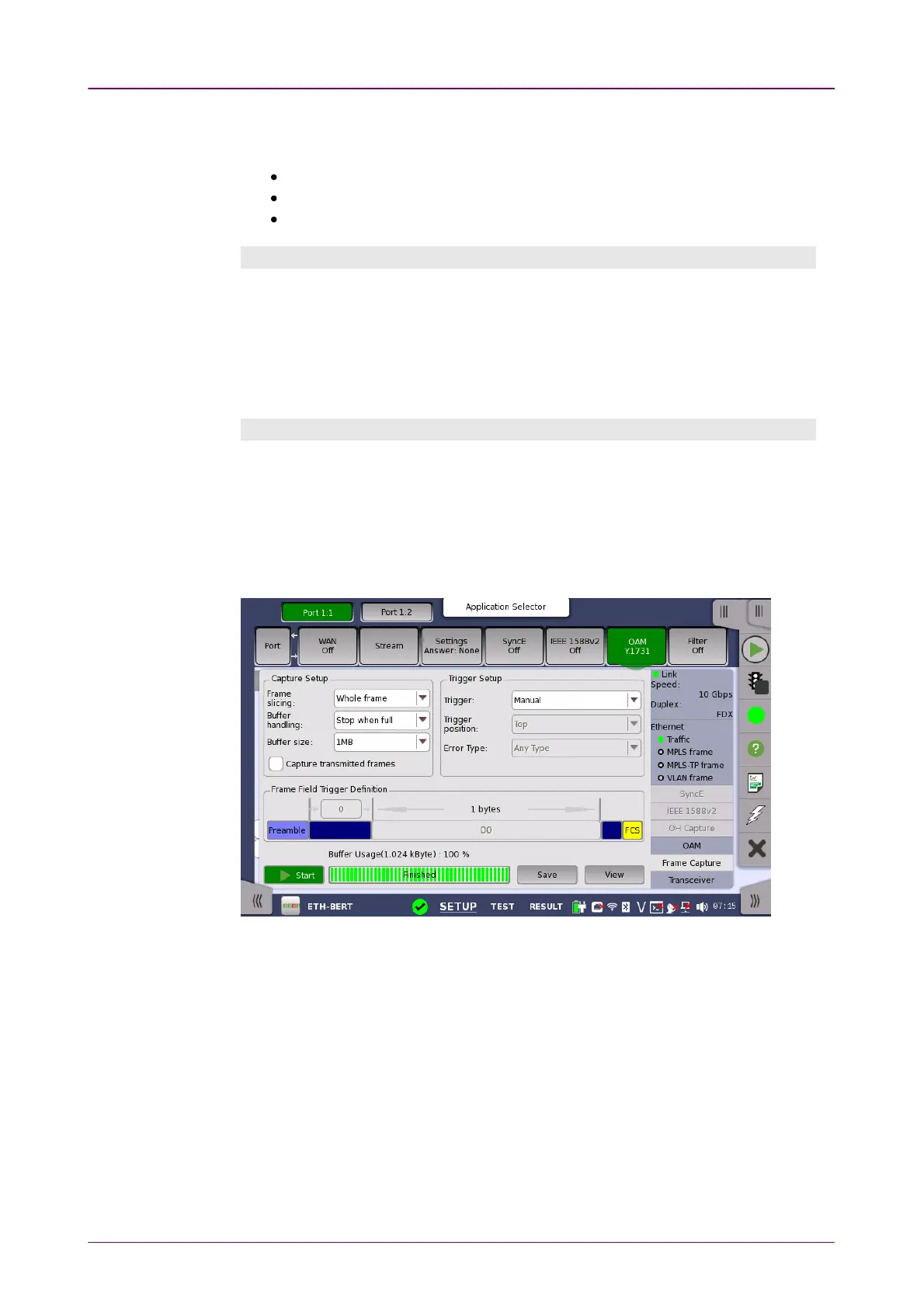
Touching the Frame CaptureFrame Capture button in the status area of the Ports SetupPorts Setup screen
launches the screen shown below.
This screen allows you to set up and execute capture of transmitted frames.
Frame slicingFrame slicing
Use the Frame slicingFrame slicing drop-down menu to specify which part of the frame will
be captured. The available options are: Whole frameWhole frame, Top 64 ByteTop 64 Byte, Top 128Top 128
ByteByte.
Buffer handlingBuffer handling
Use the Buffer handlingBuffer handling drop-down menu to choose either Stop when fullStop when full or
OverwriteOverwrite.
Buffer sizeBuffer size














 To Next Page