MDIO analysisMDIO analysis
Single Read/WriteSingle Read/Write
Specifying the address and the page allows users to read or write the data.
Burst ReadBurst Read
Specifying the top address, page, and length allows users to read the data.
Touching the ExportExport opens the dialog box to set the filename.
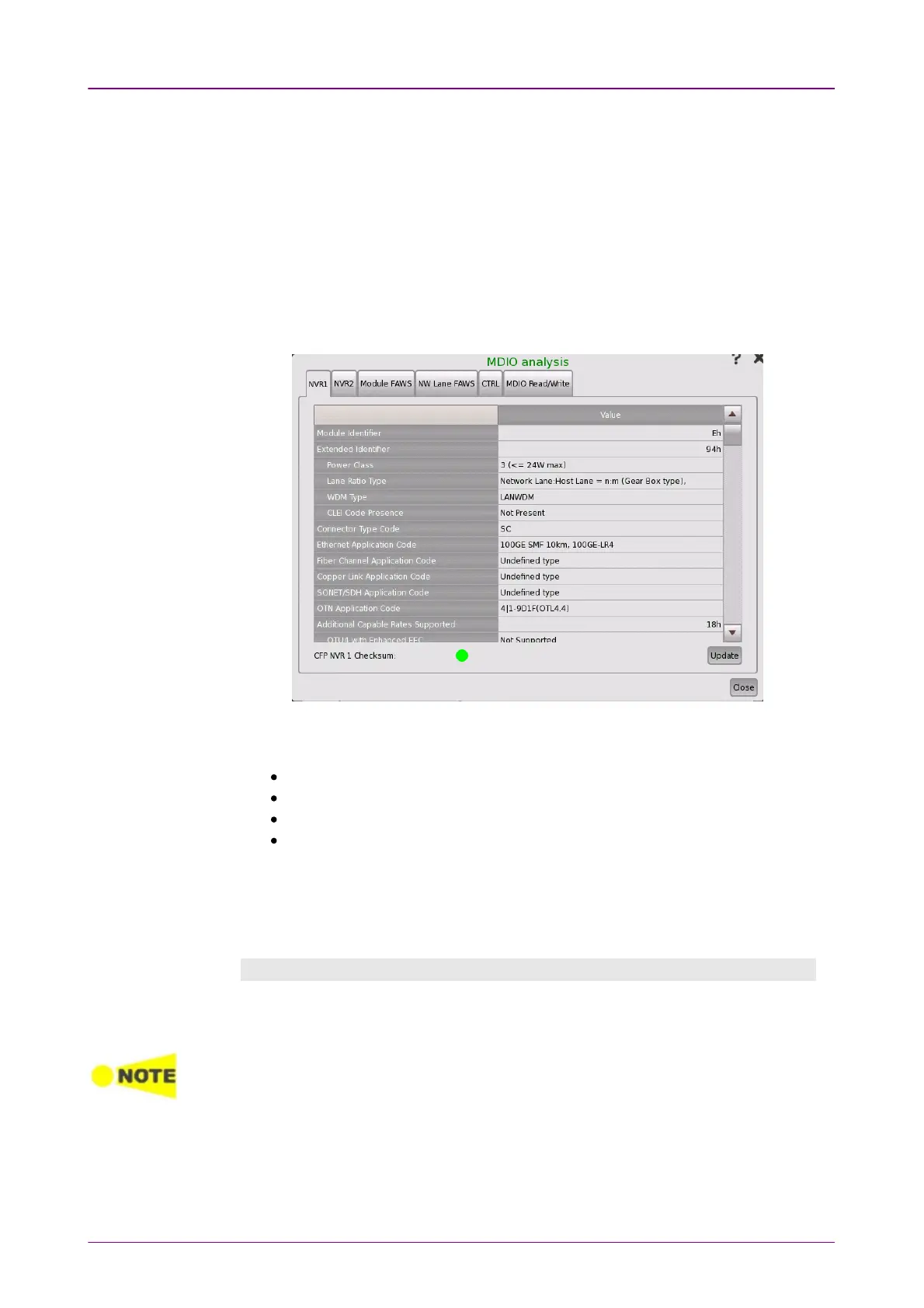
When the transceiver is CFP4, MDIO analysisMDIO analysis button is displayed on
Transceiver status screen. Touching the MDIO analysisMDIO analysis button at the bottom
corner displays the dialog box below.
This dialog box presents information reading/writing to the MDIO
(Management Data Input/Output) register.
NVR1NVR1, NVR2NVR2 shows Non-volatile Registers.
Module FAWSModule FAWS, NW Lane FAWSNW Lane FAWS shows the fault/alarm/warning/status.
CTRLCTRL allows to set CFP pins, the loopback route, FIFO reset or initialization.
MDIO Read/WriteMDIO Read/Write allows to set CFP pins, the loopback route, FIFO reset or
the initialization.
Touching the UpdateUpdate button reads the register data of CFP.
MDIO registers are defined in
CFP MSA Management Interface Specification
.
CTRLCTRL
InitializeInitialize
Touching InitializeInitialize button starts starts CFP initialization.
Settings in CTRL tab will be initialized when CFP is removed from the module or CFP
power is turned off.
Pin controlPin control
Touching the button will switch the output level of CFP pin. Touching VccVcc
button turns on/off the feeding power to the CFP.














 To Next Page