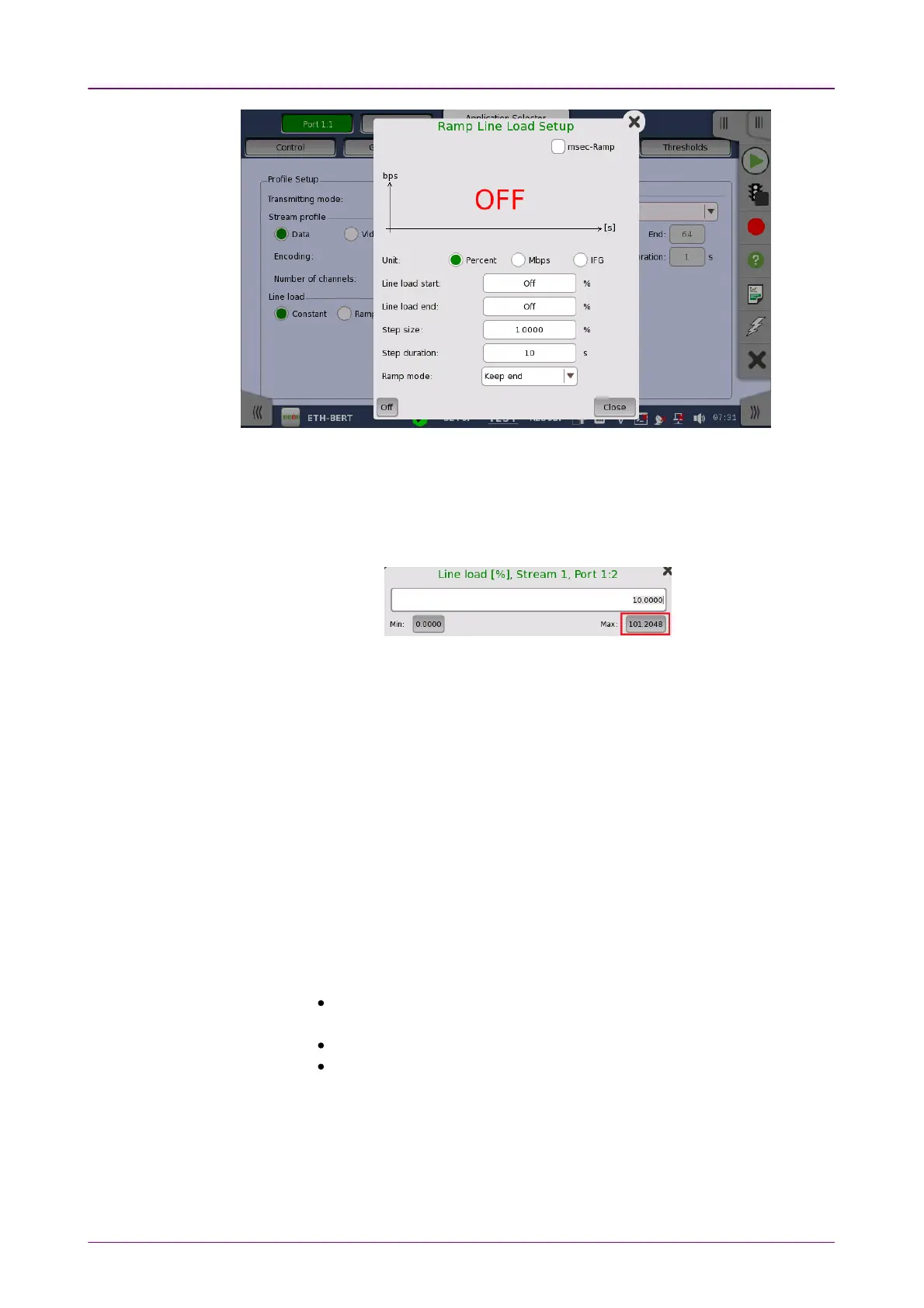
The line load unit can be specified from PercentPercent, MbpsMbps, and IFGIFG.
When IFG (Inter frame gap) is specified to the unit, 12 byte setting means the
100% utilization. The value set to the field is an average of Inter frame gap.
When Transmission mode is NormalNormal, 100% or more line load can be set in
specific case.
Touching OffOff at left-bottom stops sending the stream.
The dialog box contains the following settings:
Line load startLine load start
The line load at which the ramp will start.
Line load endLine load end
The line load at which the ramp will end. (This is the value shown on the line
load button.)
Step sizeStep size
The step size from start to end.
Step durationStep duration
The duration of each step.
Selecting msec-Rampmsec-Ramp check box allows to set the step duration in 1
millisecond increments.
Ramp modeRamp mode
How the ramp should continue. 3 modes are available:
Keep endKeep end: The specified end line load is maintained after the ramp is
ended.
Repeat rampRepeat ramp: The ramp is repeated.
Invert rampInvert ramp: The ramp is inverted.














 To Next Page