Burst lengthBurst length
Frame sizeFrame size
RampRamp: generates the bursts while changing the burst length.
Number of BurstsNumber of Bursts
Selecting Num of BurstNum of Burst allows to set the number of the bursts to generate. If
sending specified number bursts has finished, sending stream will stop.
Set the burst burst length and the gap length.
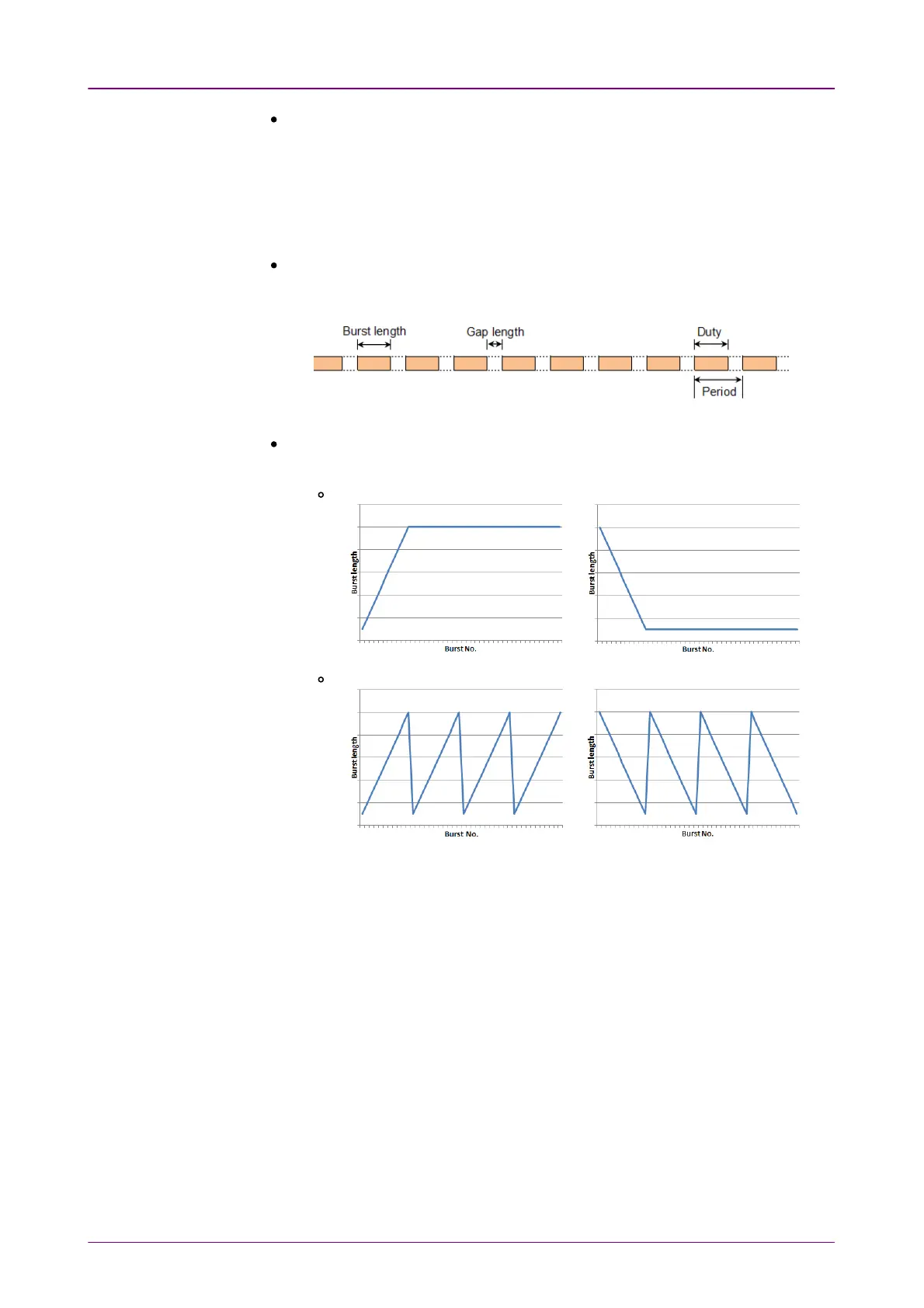
When Burst mode is set to ConstConst:
Touch the field of Burst lengthBurst length and Gap lengthGap length to set the value.
Burst length can also be set by specifying DutyDuty and PeriodPeriod.
The value set to the Gap lengthGap length field is an average of inter burst gaps.
When Burst mode is set to RampRamp:
Touch the Ramp modeRamp mode field to set how to vary the burst length.
If Keep endKeep end is set, the burst length varies as below.
or
If Repeat rampRepeat ramp is set, the data length varies as below.
or
Touch the field of Burst startBurst start and Burst endBurst end to set the range that the burst
length varies.
Touch the Gap lengthGap length field to set the value. The value set to the Gap lengthGap length
field is an average of inter burst gaps.
Set the frame size used for the burst length calculation. 20 bytes (preamble and
IFG) adding to the value set in this field is used as the one frame size of the
burst length setting.
66..22..22..44 Stream - MeasurementStream - Measurement
Touching the Stream - MeasurementStream - Measurement button in the navigation area displays the
following screen.














 To Next Page