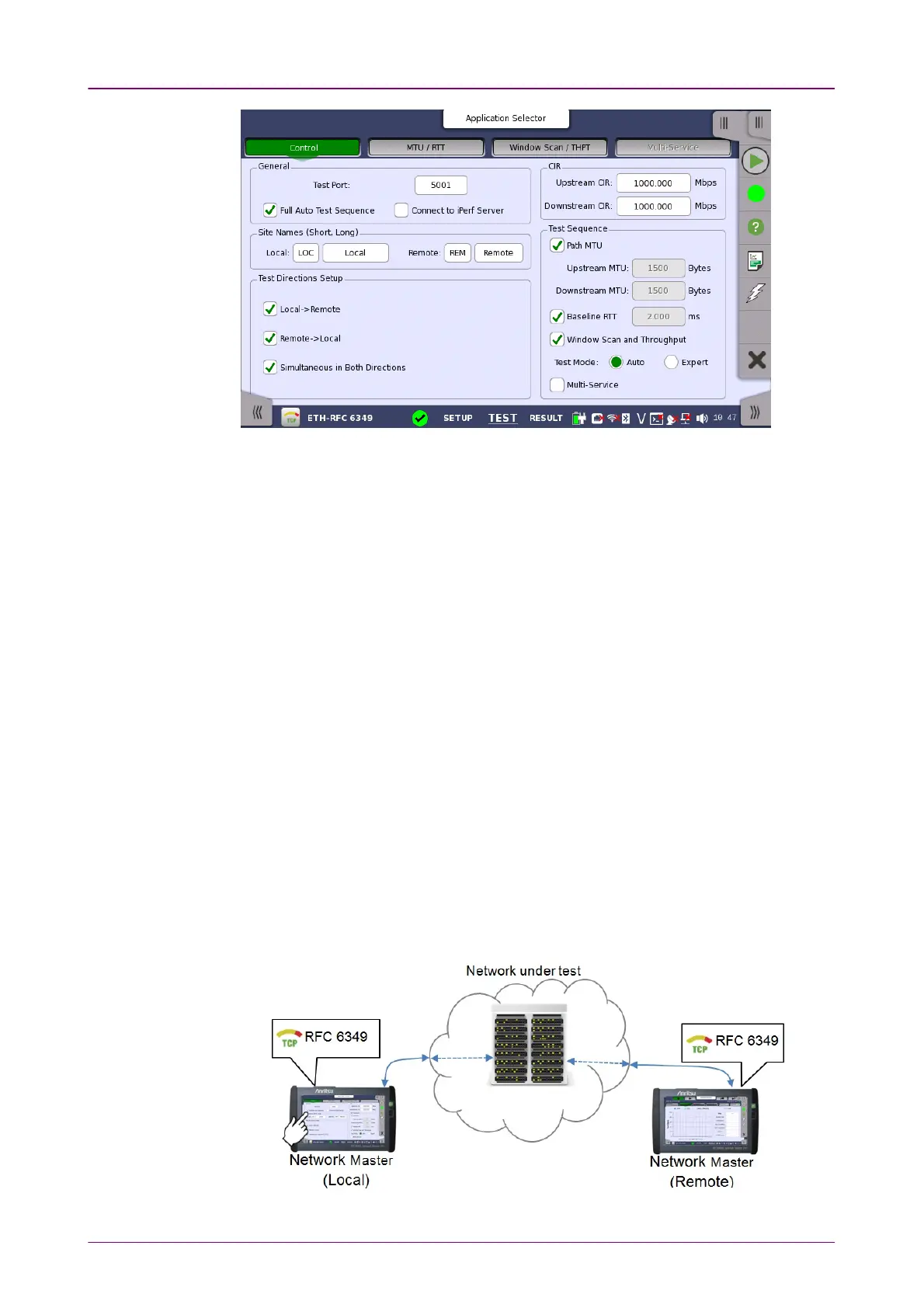
GeneralGeneral
Site Names (Short,Site Names (Short,
Long)Long)
This screen allows you to specify your test mode and select which RFC 6349
tests to carry out.
Test PortTest Port
Touch the fields to set the port number.
On Local side, "Test port" is used as the TCP destination port.
On Remote side, "Test port" is used as the TCP source port.
Full Auto Test SequenceFull Auto Test Sequence
If selecting check box, followings are selected:
Local -> RemoteLocal -> Remote, Remote -> LocalRemote -> Local, Simultaneous in Both DirectionsSimultaneous in Both Directions, Path MTUPath MTU,
Baseline RTTBaseline RTT, Window Scan and ThroughputWindow Scan and Throughput The Test Mode will be set to AutoAuto.
Connect to iPerf ServerConnect to iPerf Server is cleared.
Connect to iPerf ServerConnect to iPerf Server
If selecting check box, Network Master will connect to the iperf server. "iperf" is
the tool to measure the network throughput.
Followings are cleared:
Remote -> LocalRemote -> Local, Simultaneous in Both DirectionsSimultaneous in Both Directions, Full Auto Test SequenceFull Auto Test Sequence.
In RFC 6349 mode, two Network Masters will work together performing a test.
The Network Master which users actually operate to perform RFC 6349 test is
the
Local
and the other Network Master which sends and receives Ethernet
frames via the network under test is the
Remote
.














 To Next Page