MSIM detectionMSIM detection
Only displayed when the frame mapping is set to multiplexing. Touch the
MSIM detectionMSIM detection button and use the launched dialog box to set the detection
method of MSIM.
The dialog box is shown and described in the
MSIM Detection
section.
ConfigureConfigure
Only displayed when the client signal is PRBS. Touch the ConfigureConfigure button to
launch a dialog box where you can select pattern type.
PRBS9PRBS9 to PRBS31PRBS31: Pseudo-random bit sequence. The number indicates the bit
length of sequence.
For example, bit length of PRBS9 is 2
9
-1=511.
User [32] bitUser [32] bit, User [2048] bitUser [2048] bit: 32 bits or 2048 bits length pattern.
The field which shows bit length is enabled. Touch the field to launch the
dialog box to define the bit pattern. Refer to The User Pattern Editor.
TCMTCM
Use the drop-down menu to select whether or not to enable measuring TCM
(Tandem Connection Monitoring) alarms and errors.
OnOn: Enables measuring TCM alarms and errors.
OffOff: Disables measuring TCM alarms and errors.
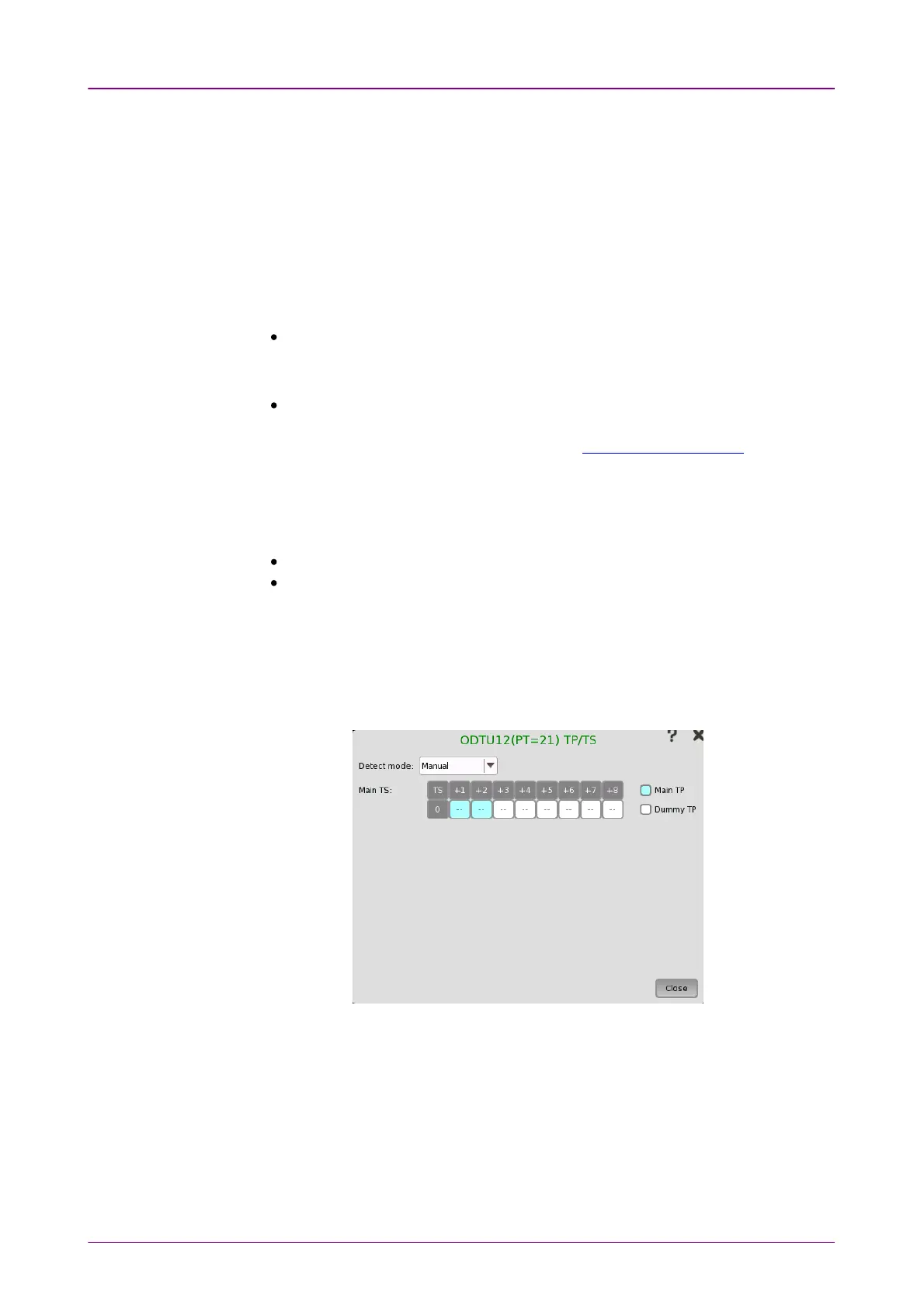
77..11..22..33 TP/TSTP/TS
Touching a TPTP or AutoAuto button on the Ports SetupPorts Setup screen launches the TP/TSTP/TS
dialog box. Note that the contents and layout of the dialog box depends on
which higher order type has been selected.
TP/TS dialog box has three screen depending on the ModeMode setting.
77..11..22..44 TTI/PLM detectionTTI/PLM detection
Touching the TTI/PLM detectionTTI/PLM detection button in the upper right-hand corner of the
Ports SetupPorts Setup screen launches the dialog box shown below.














 To Next Page