Pattern ErrorsPattern Errors
TransportTransport
Set the limit of SESR (Severely Errored Seconds Ratio). SES (Severely Errored
Second) is a one-second period which contains 15% or more errored blocks or
at least one defect.
Section Objective (BBER)Section Objective (BBER)
Set the upper limit of BBER (Background Block Errors Rate). BBE (Background
Block Error) is an errored block that occurred during non-SES.
The performance objectives defined in ITU Recommendation are shown in the
following table.
Performance ObjectivesPerformance Objectives
Path typePath type
G.8201G.8201 M.2401M.2401
SESRSESR BBERBBER SESRSESR BBERBBER
ODU1 0.002
4×10
-5
0.001
2×10
-5
ODU2 0.002
10
-5
0.001
5×10
-6
ODU3 0.002
2.5×10
-6
0.001
1.25×10
-6
77..33..22..33 ThresholdsThresholds
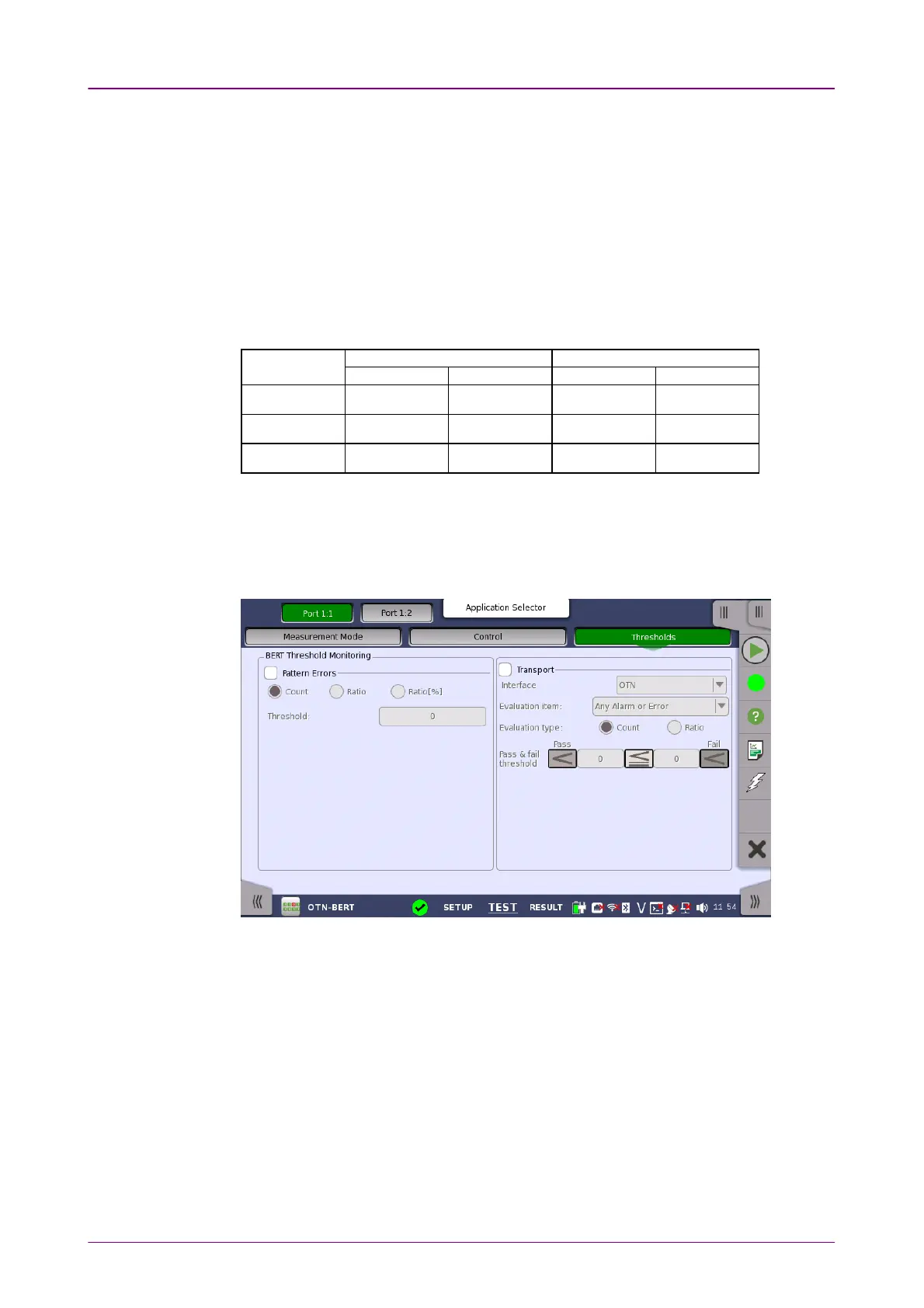
Touching the ThresholdsThresholds button in the navigation area displays the following
screen.
This screen contains the parameters for setting up the various threshold values
(i.e. limits) for errors and Pass/Fail status that are used during the monitoring.
Allows you to enable monitoring of pattern errors (i.e. bit errors) and to set up
a threshold value for the bit error ratio. Select the check box to enable the
parameters.
Choose whether the threshold is specified as an absolute value or a percentage,
using the CountCount, RatioRatio and Ratio [%]Ratio [%] radio buttons, and then specify the value
in the ThresholdThreshold field.
Select the check box to enable the transport-related parameters.
InterfaceInterface
Fix to OTNOTN.














 To Next Page