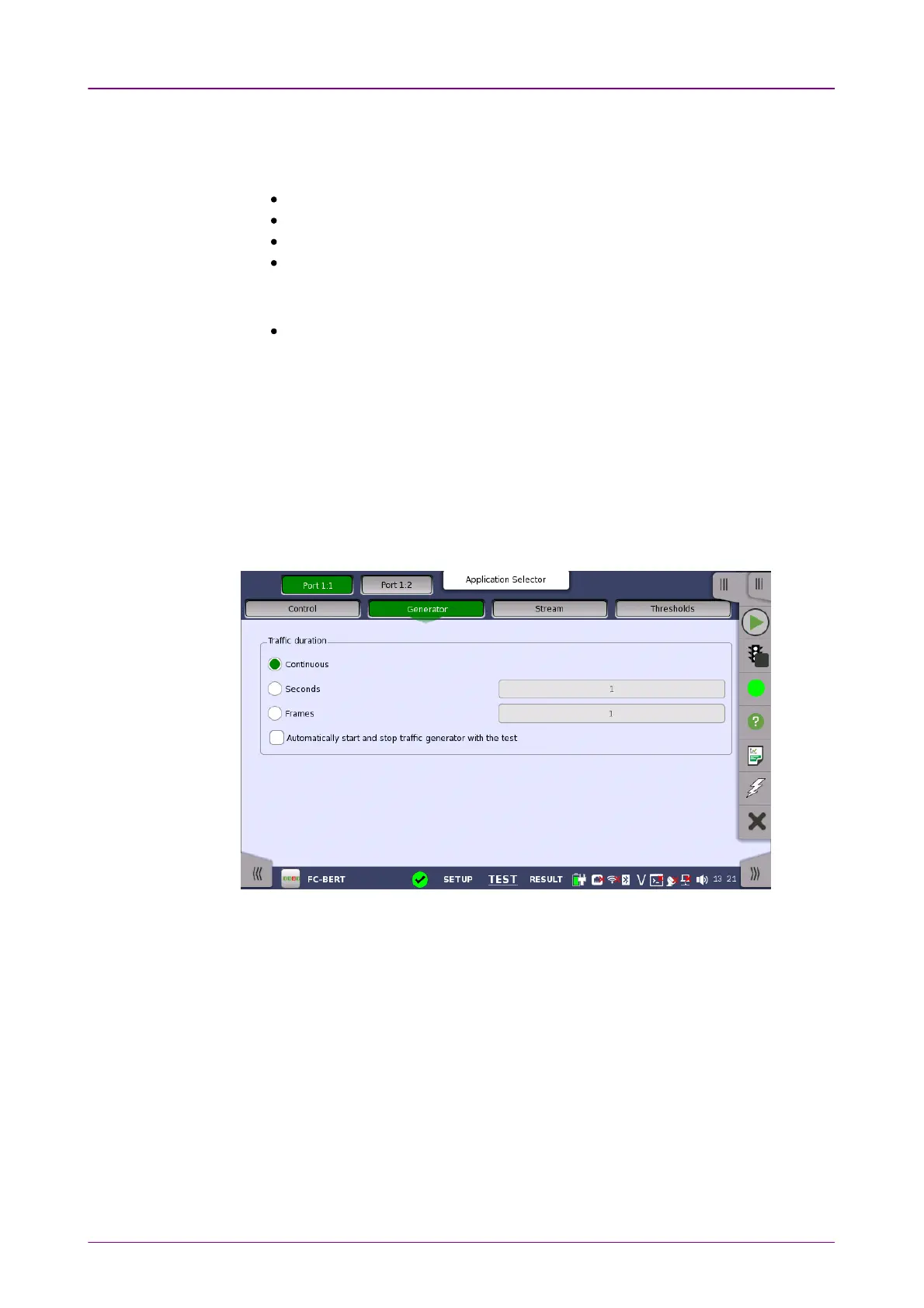
Traffic durationTraffic duration
The receiver uses a filter to determine which frames should be counted in the
results. When this function is enabled, the following fields are required to
match:
Source ID
Destination ID
R_CTL (=0x00, Uncategorized FC-4)
Type (=0xE0, vender unique type)
When this function is not enabled, the following fields are required to match:
Most significant byte of R_CTL should be equal to 0. (FC-4 data)
Only show BER Alarms when measuringOnly show BER Alarms when measuring
BER alarms in Interface status dialog box is enabled only when the
measurement is running. This function allows to avoid the BER alarms
occurrence when no data is input.
99..22..22..22 GeneratorGenerator
Touching the GeneratorGenerator button in the navigation area displays the following
screen.
This screen contains the traffic-related parameters.
Allows you to set conditions concerning frames transmission. Choosing
ContinuousContinuous will make a continual test sequence. Alternatively, the duration can
be set manually in either SecondsSeconds or FramesFrames, coupled with a specification of
the number of seconds/frames in the adjacent field.
Automatically start and stop traffic generator with the testAutomatically start and stop traffic generator with the test
Select this check box to make the traffic generator start and stop synchronously
with the test starting/stopping.
99..22..22..33 StreamStream
Touching the StreamStream button in the navigation area displays the following
screen.














 To Next Page