BERT ThresholdBERT Threshold
monitoringmonitoring
Fibre ChannelFibre Channel
TransportTransport
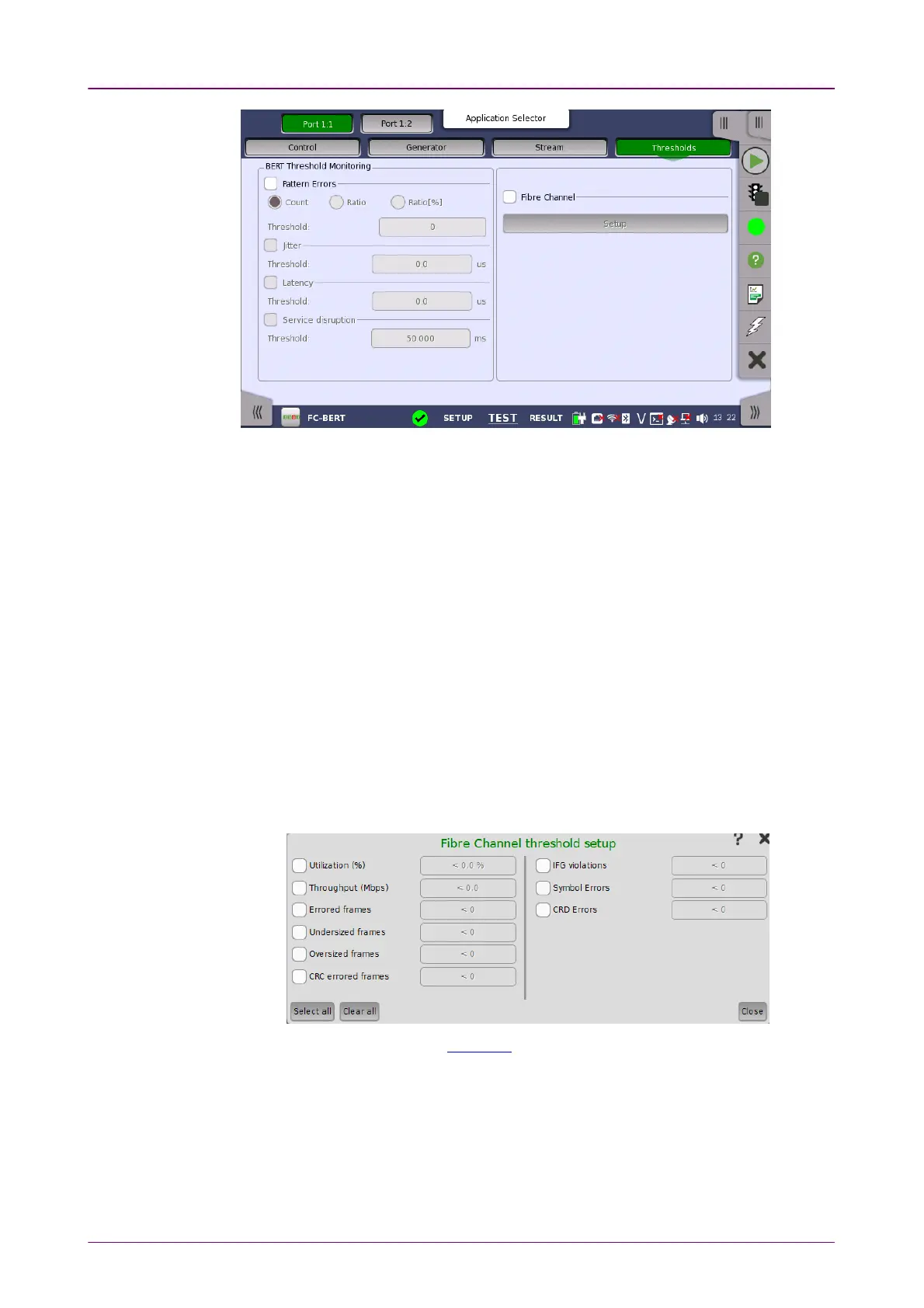
This screen contains the parameters for setting up the various threshold values
(i.e. limits) for errors and Pass/Fail status that are used during the monitoring.
Pattern errorsPattern errors
Allows you to enable monitoring of pattern errors (i.e. bit errors) and to set up
a threshold value for the bit error ratio.
Choose whether the threshold is specified as an absolute value or a percentage,
using the CountCount, RatioRatio and Ratio (%)Ratio (%) radio buttons, and then specify the value
in the ThresholdThreshold field.
Jitter, Latency, Service disruptionJitter, Latency, Service disruption
Select one or more of the measurements (JitterJitter, LatencyLatency and ServiceService
disruptiondisruption) and then specify a threshold value for each. Any measurements
whose maximum duration time exceeds the threshold value will be marked in
red on the Test Result screen.
When you select the check box, you can enable various thresholds. Touch the
SetupSetup button to display the Fibre Channel threshold setupFibre Channel threshold setup dialog box.
For setting example, refer to Example in "Ethernet threshold setup".
This setting appears in case of BERT on OTN.
When you select the check box, you can enable alarm or error thresholds.
InterfaceInterface
Fixed to OTN.
Evaluation itemEvaluation item














 To Next Page